Spring Cloud Contract 特性
1. 合同领域特定语言(Contract DSL)
Spring Cloud Contract 支持以下语言编写的DSLs:
-
Groovy
-
YAML
-
Java
-
Kotlin
| Spring Cloud Contract 支持在一个文件中定义多个合同。 |
以下示例显示了一个契约定义:
org.springframework.cloud.contract.spec.Contract.make {
    request {
        method 'PUT'
        url '/api/12'
        headers {
            header 'Content-Type': 'application/vnd.org.springframework.cloud.contract.verifier.twitter-places-analyzer.v1+json'
        }
        body '''\
    [{
        "created_at": "Sat Jul 26 09:38:57 +0000 2014",
        "id": 492967299297845248,
        "id_str": "492967299297845248",
        "text": "Gonna see you at Warsaw",
        "place":
        {
            "attributes":{},
            "bounding_box":
            {
                "coordinates":
                    [[
                        [-77.119759,38.791645],
                        [-76.909393,38.791645],
                        [-76.909393,38.995548],
                        [-77.119759,38.995548]
                    ]],
                "type":"Polygon"
            },
            "country":"United States",
            "country_code":"US",
            "full_name":"Washington, DC",
            "id":"01fbe706f872cb32",
            "name":"Washington",
            "place_type":"city",
            "url": "https://api.twitter.com/1/geo/id/01fbe706f872cb32.json"
        }
    }]
'''
    }
    response {
        status OK()
    }
}description: Some description
name: some name
priority: 8
ignored: true
request:
url: /foo
queryParameters:
a: b
b: c
method: PUT
headers:
foo: bar
fooReq: baz
body:
foo: bar
matchers:
body:
- path: $.foo
type: by_regex
value: bar
headers:
- key: foo
regex: bar
response:
status: 200
headers:
foo2: bar
foo3: foo33
fooRes: baz
body:
foo2: bar
foo3: baz
nullValue: null
matchers:
body:
- path: $.foo2
type: by_regex
value: bar
- path: $.foo3
type: by_command
value: executeMe($it)
- path: $.nullValue
type: by_null
value: null
headers:
- key: foo2
regex: bar
- key: foo3
command: andMeToo($it)import java.util.Collection;
import java.util.Collections;
import java.util.function.Supplier;
import org.springframework.cloud.contract.spec.Contract;
import org.springframework.cloud.contract.verifier.util.ContractVerifierUtil;
class contract_rest implements Supplier<Collection<Contract>> {
@Override
public Collection<Contract> get() {
return Collections.singletonList(Contract.make(c -> {
c.description("Some description");
c.name("some name");
c.priority(8);
c.ignored();
c.request(r -> {
r.url("/foo", u -> {
u.queryParameters(q -> {
q.parameter("a", "b");
q.parameter("b", "c");
});
});
r.method(r.PUT());
r.headers(h -> {
h.header("foo", r.value(r.client(r.regex("bar")), r.server("bar")));
h.header("fooReq", "baz");
});
r.body(ContractVerifierUtil.map().entry("foo", "bar"));
r.bodyMatchers(m -> {
m.jsonPath("$.foo", m.byRegex("bar"));
});
});
c.response(r -> {
r.fixedDelayMilliseconds(1000);
r.status(r.OK());
r.headers(h -> {
h.header("foo2", r.value(r.server(r.regex("bar")), r.client("bar")));
h.header("foo3", r.value(r.server(r.execute("andMeToo($it)")),
r.client("foo33")));
h.header("fooRes", "baz");
});
r.body(ContractVerifierUtil.map().entry("foo2", "bar")
.entry("foo3", "baz").entry("nullValue", null));
r.bodyMatchers(m -> {
m.jsonPath("$.foo2", m.byRegex("bar"));
m.jsonPath("$.foo3", m.byCommand("executeMe($it)"));
m.jsonPath("$.nullValue", m.byNull());
});
});
}));
}
}import org.springframework.cloud.contract.spec.ContractDsl.Companion.contract
import org.springframework.cloud.contract.spec.withQueryParameters
contract {
name = "some name"
description = "Some description"
priority = 8
ignored = true
request {
url = url("/foo") withQueryParameters {
parameter("a", "b")
parameter("b", "c")
}
method = PUT
headers {
header("foo", value(client(regex("bar")), server("bar")))
header("fooReq", "baz")
}
body = body(mapOf("foo" to "bar"))
bodyMatchers {
jsonPath("$.foo", byRegex("bar"))
}
}
response {
delay = fixedMilliseconds(1000)
status = OK
headers {
header("foo2", value(server(regex("bar")), client("bar")))
header("foo3", value(server(execute("andMeToo(\$it)")), client("foo33")))
header("fooRes", "baz")
}
body = body(mapOf(
"foo" to "bar",
"foo3" to "baz",
"nullValue" to null
))
bodyMatchers {
jsonPath("$.foo2", byRegex("bar"))
jsonPath("$.foo3", byCommand("executeMe(\$it)"))
jsonPath("$.nullValue", byNull)
}
}
}|
您可以使用以下独立的 Maven 命令将合约编译为存根映射: mvn org.springframework.cloud:spring-cloud-contract-maven-plugin:convert |
1.1. Groovy 中的契约 DSL
如果你不熟悉 Groovy,也不要担心 - 你也可以在 Groovy DSL 文件中使用 Java 语法。
如果您决定使用 Groovy 编写契约,即使您之前从未使用过 Groovy 也无需担心。实际上,并不需要掌握该语言的全部知识,因为契约 DSL 仅使用了 Groovy 的极小子集(仅包括字面量、方法调用和闭包)。此外,DSL 是静态类型的,以便在无需了解 DSL 本身的情况下,也能让程序员轻松理解。
请记住,在 Groovy 合同文件内部,您必须提供 Contract 类的完整限定名以及 make 静态导入,例如 org.springframework.cloud.spec.Contract.make { … }。您还可以为 Contract 类(import org.springframework.cloud.spec.Contract)提供一个导入语句,然后调用 Contract.make { … }。 |
1.2. 合同DSL在Java中
要在Java中编写合同定义,需要创建一个类,该类实现Supplier<Contract>接口以定义单个合同,或者实现Supplier<Collection<Contract>>以定义多个合同。
你也可以在 src/test/java(例如 src/test/java/contracts)下编写合同定义,这样就不需要修改项目的 classpath。在这种情况下,你需要将合同定义的新位置提供给你的 Spring Cloud Contract 插件。
<plugin>
    <groupId>org.springframework.cloud</groupId>
    <artifactId>spring-cloud-contract-maven-plugin</artifactId>
    <version>${spring-cloud-contract.version}</version>
    <extensions>true</extensions>
    <configuration>
        <contractsDirectory>src/test/java/contracts</contractsDirectory>
    </configuration>
</plugin>contracts {
contractsDslDir = new File(project.rootDir, "src/test/java/contracts")
}1.3. 基于 Kotlin 的契约 DSL
要开始用Kotlin编写合约,您需要创建一个(新创建)的Kotlin脚本文件(.kts)。就像使用Java DSL一样,您可以将您的合约放在您选择的任何目录中。Maven和Gradle插件默认会查看0目录。
你需要显式地将 spring-cloud-contract-spec-kotlin 依赖项传递到你的项目插件设置中。
<plugin>
    <groupId>org.springframework.cloud</groupId>
    <artifactId>spring-cloud-contract-maven-plugin</artifactId>
    <version>${spring-cloud-contract.version}</version>
    <extensions>true</extensions>
    <configuration>
        <!-- some config -->
    </configuration>
    <dependencies>
        <dependency>
            <groupId>org.springframework.cloud</groupId>
            <artifactId>spring-cloud-contract-spec-kotlin</artifactId>
            <version>${spring-cloud-contract.version}</version>
        </dependency>
    </dependencies>
</plugin>

<dependencies>
        <!-- Remember to add this for the DSL support in the IDE and on the consumer side -->
        <dependency>
            <groupId>org.springframework.cloud</groupId>
            <artifactId>spring-cloud-contract-spec-kotlin</artifactId>
            <scope>test</scope>
        </dependency>
</dependencies>buildscript {
repositories {
// ...
}
dependencies {
classpath "org.springframework.cloud:spring-cloud-contract-gradle-plugin:${scContractVersion}"
// remember to add this:
classpath "org.springframework.cloud:spring-cloud-contract-spec-kotlin:${scContractVersion}"
}
}
dependencies {
// ...
// Remember to add this for the DSL support in the IDE and on the consumer side
testImplementation "org.springframework.cloud:spring-cloud-contract-spec-kotlin"
}记住,在 Kotlin 脚本文件中,您必须提供 ContractDSL 类的完全限定名。 通常,您将使用如下的 contract 函数: org.springframework.cloud.contract.spec.ContractDsl.contract { … }。 您也可以提供对 contract 函数的导入(import org.springframework.cloud.contract.spec.ContractDsl.Companion.contract),然后调用 contract { … }。 |
1.4. 契约DSL在YML中
要查看YAML合同的架构,您可以转到YML架构页面。
1.5. 限制
对验证 JSON 数组大小的支持为实验性功能。如果您希望启用此功能,请将以下系统属性的值设置为 true: spring.cloud.contract.verifier.assert.size。默认情况下,此功能被设置为 false。您还可以在插件配置中设置 assertJsonSize 属性。 |
由于 JSON 结构可以具有任意形式,当使用 Groovy DSL 和 value(consumer(…), producer(…)) 符号在 GString 中时,可能无法正确解析它。因此,您应使用 Groovy 映射(Map)符号。 |
1.6. 常用顶级元素
以下各节描述最常见的顶级元素:
1.6.1。描述
您可以在合同中添加一个 description。该描述为任意文本。以下代码显示了一个示例:
            org.springframework.cloud.contract.spec.Contract.make {
                description('''
given:
    An input
when:
    Sth happens
then:
    Output
''')
}description: Some description
name: some name
priority: 8
ignored: true
request:
url: /foo
queryParameters:
a: b
b: c
method: PUT
headers:
foo: bar
fooReq: baz
body:
foo: bar
matchers:
body:
- path: $.foo
type: by_regex
value: bar
headers:
- key: foo
regex: bar
response:
status: 200
headers:
foo2: bar
foo3: foo33
fooRes: baz
body:
foo2: bar
foo3: baz
nullValue: null
matchers:
body:
- path: $.foo2
type: by_regex
value: bar
- path: $.foo3
type: by_command
value: executeMe($it)
- path: $.nullValue
type: by_null
value: null
headers:
- key: foo2
regex: bar
- key: foo3
command: andMeToo($it)Contract.make(c -> {
c.description("Some description");
}));contract {
description = """
given:
An input
when:
Sth happens
then:
Output
"""
}1.6.2. 名称
你可以在生成测试用例时自定义类名。假设你提供了以下类名:
0。如果这样做,自动生成测试用例的类名是:
1。同时,WireMock存档文件中的存档名称为:
2。
| 您必须确保名称中不包含任何会导致生成的测试无法编译的字符。此外,请记住,如果您为多个契约提供了相同的名称,那么自动生成的测试将无法编译,且生成的存根会相互覆盖。 |
以下示例展示了如何向合同中添加姓名:
org.springframework.cloud.contract.spec.Contract.make {
    name("some_special_name")
}name: some nameContract.make(c -> {
c.name("some name");
}));contract {
name = "some_special_name"
}1.6.3. 忽略约定
如果您想忽略某个契约,可以在插件配置中设置被忽略契约的值,或在契约本身上设置 ignored 属性。以下示例展示了如何操作:
org.springframework.cloud.contract.spec.Contract.make {
    ignored()
}ignored: trueContract.make(c -> {
c.ignored();
}));contract {
ignored = true
}1.6.4. 进行中的合同
(在进行中的合同不会在生产者侧生成测试,但允许生成存根。)
| 请谨慎使用此功能,因为这可能会导致误报。您为消费者生成存根,以便在没有实际实现的情况下使用! |
如果您想设置正在进行的合同,以下示例显示如何执行此操作:
org.springframework.cloud.contract.spec.Contract.make {
    inProgress()
}inProgress: trueContract.make(c -> {
c.inProgress();
}));contract {
inProgress = true
}您可以设置 failOnInProgress Spring Cloud Contract 插件属性,以确保至少有一个处于进行中的合同存在于源文件中时,您的构建将失败。
1.6.5. 传递文件值
从版本 1.2.0 开始,您可以从文件中传递值。假设您的项目中具有以下资源:
└── src
    └── test
        └── resources
            └── contracts
                ├── readFromFile.groovy
                ├── request.json
                └── response.json
进一步假设您的合同如下:
/*
 * Copyright 2013-2020 the original author or authors.
 *
 * Licensed under the Apache License, Version 2.0 (the "License");
 * you may not use this file except in compliance with the License.
 * You may obtain a copy of the License at
 *
 *      https://www.apache.org/licenses/LICENSE-2.0
 *
 * Unless required by applicable law or agreed to in writing, software
 * distributed under the License is distributed on an "AS IS" BASIS,
 * WITHOUT WARRANTIES OR CONDITIONS OF ANY KIND, either express or implied.
 * See the License for the specific language governing permissions and
 * limitations under the License.
 */

import org.springframework.cloud.contract.spec.Contract

Contract.make {
    request {
        method('PUT')
        headers {
            contentType(applicationJson())
        }
        body(file("request.json"))
        url("/1")
    }
    response {
        status OK()
        body(file("response.json"))
        headers {
            contentType(applicationJson())
        }
    }
}request:
method: GET
url: /foo
bodyFromFile: request.json
response:
status: 200
bodyFromFile: response.jsonimport java.util.Collection;
import java.util.Collections;
import java.util.function.Supplier;
import org.springframework.cloud.contract.spec.Contract;
class contract_rest_from_file implements Supplier<Collection<Contract>> {
@Override
public Collection<Contract> get() {
return Collections.singletonList(Contract.make(c -> {
c.request(r -> {
r.url("/foo");
r.method(r.GET());
r.body(r.file("request.json"));
});
c.response(r -> {
r.status(r.OK());
r.body(r.file("response.json"));
});
}));
}
}import org.springframework.cloud.contract.spec.ContractDsl.Companion.contract
contract {
request {
url = url("/1")
method = PUT
headers {
contentType = APPLICATION_JSON
}
body = bodyFromFile("request.json")
}
response {
status = OK
body = bodyFromFile("response.json")
headers {
contentType = APPLICATION_JSON
}
}
}进一步假定JSON文件如下:
{
  "status": "REQUEST"
}{
"status": "RESPONSE"
}当测试或存档生成发生时,request.json和response.json文件的内容会被传递到请求或响应的主体。文件名需要是与契约所在文件夹相对位置的文件。
如果您需要以二进制形式传递文件的内容,可以使用编码 DSL 中的 fileAsBytes 方法,或在 YAML 中使用 bodyFromFileAsBytes 字段。
以下示例展示了如何传递二进制文件的内容:
import org.springframework.cloud.contract.spec.Contract

Contract.make {
    request {
        url("/1")
        method(PUT())
        headers {
            contentType(applicationOctetStream())
        }
        body(fileAsBytes("request.pdf"))
    }
    response {
        status 200
        body(fileAsBytes("response.pdf"))
        headers {
            contentType(applicationOctetStream())
        }
    }
}request:
url: /1
method: PUT
headers:
Content-Type: application/octet-stream
bodyFromFileAsBytes: request.pdf
response:
status: 200
bodyFromFileAsBytes: response.pdf
headers:
Content-Type: application/octet-streamimport java.util.Collection;
import java.util.Collections;
import java.util.function.Supplier;
import org.springframework.cloud.contract.spec.Contract;
class contract_rest_from_pdf implements Supplier<Collection<Contract>> {
@Override
public Collection<Contract> get() {
return Collections.singletonList(Contract.make(c -> {
c.request(r -> {
r.url("/1");
r.method(r.PUT());
r.body(r.fileAsBytes("request.pdf"));
r.headers(h -> {
h.contentType(h.applicationOctetStream());
});
});
c.response(r -> {
r.status(r.OK());
r.body(r.fileAsBytes("response.pdf"));
r.headers(h -> {
h.contentType(h.applicationOctetStream());
});
});
}));
}
}import org.springframework.cloud.contract.spec.ContractDsl.Companion.contract
contract {
request {
url = url("/1")
method = PUT
headers {
contentType = APPLICATION_OCTET_STREAM
}
body = bodyFromFileAsBytes("contracts/request.pdf")
}
response {
status = OK
body = bodyFromFileAsBytes("contracts/response.pdf")
headers {
contentType = APPLICATION_OCTET_STREAM
}
}
}| 您应在希望处理二进制负载(包括 HTTP 和消息传递)时采用此方法。 |
2.Contracts for HTTP
Spring Cloud Contract 允许您验证那些使用 REST 或 HTTP 作为通信方式的应用程序。Spring Cloud Contract 可以验证:对于符合合同中 request 部分所定义条件的请求,服务器所提供的响应是否符合合同中 response 部分的规定。随后,这些合同将用于生成 WireMock 模拟服务(stub),以便对任何符合所提供条件的请求,都能返回适当的响应。
2.1. HTTP Top-Level 元素
你可以调用契约定义顶级闭包中的以下方法:
-
request: 必填项 -
response: 必填项 -
priority: 可选的
下面的例子展示了如何定义一个HTTP请求契约:
org.springframework.cloud.contract.spec.Contract.make {
    // Definition of HTTP request part of the contract
    // (this can be a valid request or invalid depending
    // on type of contract being specified).
    request {
        method GET()
        url "/foo"
        //...
    }

    // Definition of HTTP response part of the contract
    // (a service implementing this contract should respond
    // with following response after receiving request
    // specified in "request" part above).
    response {
        status 200
        //...
    }

    // Contract priority, which can be used for overriding
    // contracts (1 is highest). Priority is optional.
    priority 1
}priority: 8
request:
...
response:
...org.springframework.cloud.contract.spec.Contract.make(c -> {
// Definition of HTTP request part of the contract
// (this can be a valid request or invalid depending
// on type of contract being specified).
c.request(r -> {
r.method(r.GET());
r.url("/foo");
// ...
});
// Definition of HTTP response part of the contract
// (a service implementing this contract should respond
// with following response after receiving request
// specified in "request" part above).
c.response(r -> {
r.status(200);
// ...
});
// Contract priority, which can be used for overriding
// contracts (1 is highest). Priority is optional.
c.priority(1);
});contract {
// Definition of HTTP request part of the contract
// (this can be a valid request or invalid depending
// on type of contract being specified).
request {
method = GET
url = url("/foo")
// ...
}
// Definition of HTTP response part of the contract
// (a service implementing this contract should respond
// with following response after receiving request
// specified in "request" part above).
response {
status = OK
// ...
}
// Contract priority, which can be used for overriding
// contracts (1 is highest). Priority is optional.
priority = 1
} 如果希望使您的合同具有更高的优先级,需要向标记或方法传递一个值为 0 的较小数字。例如,值为 1 的 priority 具有比值为 2 的 10 更高的优先级。 |
2.2. HTTP 请求
该HTTP协议只需要在请求中指定方法和URL。此信息在合同请求定义中也是必需的。
此示例显示请求的契约,如下所示:
org.springframework.cloud.contract.spec.Contract.make {
    request {
        // HTTP request method (GET/POST/PUT/DELETE).
        method 'GET'

        // Path component of request URL is specified as follows.
        urlPath('/users')
    }

    response {
        //...
        status 200
    }
}method: PUT
url: /fooorg.springframework.cloud.contract.spec.Contract.make(c -> {
c.request(r -> {
// HTTP request method (GET/POST/PUT/DELETE).
r.method("GET");
// Path component of request URL is specified as follows.
r.urlPath("/users");
});
c.response(r -> {
// ...
r.status(200);
});
});contract {
request {
// HTTP request method (GET/POST/PUT/DELETE).
method = method("GET")
// Path component of request URL is specified as follows.
urlPath = path("/users")
}
response {
// ...
status = code(200)
}
}You can specify an absolute rather than a relative url, 但使用 urlPath 是
the recommended way, as doing so makes the tests be host-independent.
以下示例使用 url:
org.springframework.cloud.contract.spec.Contract.make {
    request {
        method 'GET'

        // Specifying `url` and `urlPath` in one contract is illegal.
        url('http://localhost:8888/users')
    }

    response {
        //...
        status 200
    }
}request:
method: PUT
urlPath: /fooorg.springframework.cloud.contract.spec.Contract.make(c -> {
c.request(r -> {
r.method("GET");
// Specifying `url` and `urlPath` in one contract is illegal.
r.url("http://localhost:8888/users");
});
c.response(r -> {
// ...
r.status(200);
});
});contract {
request {
method = GET
// Specifying `url` and `urlPath` in one contract is illegal.
url("http://localhost:8888/users")
}
response {
// ...
status = OK
}
}request 可能包含查询参数,如下面的例子(使用 urlPath)所示:
org.springframework.cloud.contract.spec.Contract.make {
    request {
        //...
        method GET()

        urlPath('/users') {

            // Each parameter is specified in form
            // `'paramName' : paramValue` where parameter value
            // may be a simple literal or one of matcher functions,
            // all of which are used in this example.
            queryParameters {

                // If a simple literal is used as value
                // default matcher function is used (equalTo)
                parameter 'limit': 100

                // `equalTo` function simply compares passed value
                // using identity operator (==).
                parameter 'filter': equalTo("email")

                // `containing` function matches strings
                // that contains passed substring.
                parameter 'gender': value(consumer(containing("[mf]")), producer('mf'))

                // `matching` function tests parameter
                // against passed regular expression.
                parameter 'offset': value(consumer(matching("[0-9]+")), producer(123))

                // `notMatching` functions tests if parameter
                // does not match passed regular expression.
                parameter 'loginStartsWith': value(consumer(notMatching(".{0,2}")), producer(3))
            }
        }

        //...
    }

    response {
        //...
        status 200
    }
}request:
...
queryParameters:
a: b
b: corg.springframework.cloud.contract.spec.Contract.make(c -> {
c.request(r -> {
// ...
r.method(r.GET());
r.urlPath("/users", u -> {
// Each parameter is specified in form
// `'paramName' : paramValue` where parameter value
// may be a simple literal or one of matcher functions,
// all of which are used in this example.
u.queryParameters(q -> {
// If a simple literal is used as value
// default matcher function is used (equalTo)
q.parameter("limit", 100);
// `equalTo` function simply compares passed value
// using identity operator (==).
q.parameter("filter", r.equalTo("email"));
// `containing` function matches strings
// that contains passed substring.
q.parameter("gender",
r.value(r.consumer(r.containing("[mf]")),
r.producer("mf")));
// `matching` function tests parameter
// against passed regular expression.
q.parameter("offset",
r.value(r.consumer(r.matching("[0-9]+")),
r.producer(123)));
// `notMatching` functions tests if parameter
// does not match passed regular expression.
q.parameter("loginStartsWith",
r.value(r.consumer(r.notMatching(".{0,2}")),
r.producer(3)));
});
});
// ...
});
c.response(r -> {
// ...
r.status(200);
});
});contract {
request {
// ...
method = GET
// Each parameter is specified in form
// `'paramName' : paramValue` where parameter value
// may be a simple literal or one of matcher functions,
// all of which are used in this example.
urlPath = path("/users") withQueryParameters {
// If a simple literal is used as value
// default matcher function is used (equalTo)
parameter("limit", 100)
// `equalTo` function simply compares passed value
// using identity operator (==).
parameter("filter", equalTo("email"))
// `containing` function matches strings
// that contains passed substring.
parameter("gender", value(consumer(containing("[mf]")), producer("mf")))
// `matching` function tests parameter
// against passed regular expression.
parameter("offset", value(consumer(matching("[0-9]+")), producer(123)))
// `notMatching` functions tests if parameter
// does not match passed regular expression.
parameter("loginStartsWith", value(consumer(notMatching(".{0,2}")), producer(3)))
}
// ...
}
response {
// ...
status = code(200)
}
}request 可以包含其他请求头,如下面的示例所示:
org.springframework.cloud.contract.spec.Contract.make {
    request {
        //...
        method GET()
        url "/foo"

        // Each header is added in form `'Header-Name' : 'Header-Value'`.
        // there are also some helper methods
        headers {
            header 'key': 'value'
            contentType(applicationJson())
        }

        //...
    }

    response {
        //...
        status 200
    }
}request:
...
headers:
foo: bar
fooReq: bazorg.springframework.cloud.contract.spec.Contract.make(c -> {
c.request(r -> {
// ...
r.method(r.GET());
r.url("/foo");
// Each header is added in form `'Header-Name' : 'Header-Value'`.
// there are also some helper methods
r.headers(h -> {
h.header("key", "value");
h.contentType(h.applicationJson());
});
// ...
});
c.response(r -> {
// ...
r.status(200);
});
});contract {
request {
// ...
method = GET
url = url("/foo")
// Each header is added in form `'Header-Name' : 'Header-Value'`.
// there are also some helper variables
headers {
header("key", "value")
contentType = APPLICATION_JSON
}
// ...
}
response {
// ...
status = OK
}
}request 可能包含其他请求 cookie,如下面的示例所示:
org.springframework.cloud.contract.spec.Contract.make {
    request {
        //...
        method GET()
        url "/foo"

        // Each Cookies is added in form `'Cookie-Key' : 'Cookie-Value'`.
        // there are also some helper methods
        cookies {
            cookie 'key': 'value'
            cookie('another_key', 'another_value')
        }

        //...
    }

    response {
        //...
        status 200
    }
}request:
...
cookies:
foo: bar
fooReq: bazorg.springframework.cloud.contract.spec.Contract.make(c -> {
c.request(r -> {
// ...
r.method(r.GET());
r.url("/foo");
// Each Cookies is added in form `'Cookie-Key' : 'Cookie-Value'`.
// there are also some helper methods
r.cookies(ck -> {
ck.cookie("key", "value");
ck.cookie("another_key", "another_value");
});
// ...
});
c.response(r -> {
// ...
r.status(200);
});
});contract {
request {
// ...
method = GET
url = url("/foo")
// Each Cookies is added in form `'Cookie-Key' : 'Cookie-Value'`.
// there are also some helper methods
cookies {
cookie("key", "value")
cookie("another_key", "another_value")
}
// ...
}
response {
// ...
status = code(200)
}
}request 可能包含请求正文,如下例所示:
org.springframework.cloud.contract.spec.Contract.make {
    request {
        //...
        method GET()
        url "/foo"

        // Currently only JSON format of request body is supported.
        // Format will be determined from a header or body's content.
        body '''{ "login" : "john", "name": "John The Contract" }'''
    }

    response {
        //...
        status 200
    }
}request:
...
body:
foo: barorg.springframework.cloud.contract.spec.Contract.make(c -> {
c.request(r -> {
// ...
r.method(r.GET());
r.url("/foo");
// Currently only JSON format of request body is supported.
// Format will be determined from a header or body's content.
r.body("{ \"login\" : \"john\", \"name\": \"John The Contract\" }");
});
c.response(r -> {
// ...
r.status(200);
});
});contract {
request {
// ...
method = GET
url = url("/foo")
// Currently only JSON format of request body is supported.
// Format will be determined from a header or body's content.
body = body("{ \"login\" : \"john\", \"name\": \"John The Contract\" }")
}
response {
// ...
status = OK
}
}request can contain multipart elements. To include multipart elements, use the
multipart method/section, as the following examples show:
org.springframework.cloud.contract.spec.Contract contractDsl = org.springframework.cloud.contract.spec.Contract.make {
    request {
        method 'PUT'
        url '/multipart'
        headers {
            contentType('multipart/form-data;boundary=AaB03x')
        }
        multipart(
                // key (parameter name), value (parameter value) pair
                formParameter: $(c(regex('".+"')), p('"formParameterValue"')),
                someBooleanParameter: $(c(regex(anyBoolean())), p('true')),
                // a named parameter (e.g. with `file` name) that represents file with
                // `name` and `content`. You can also call `named("fileName", "fileContent")`
                file: named(
                        // name of the file
                        name: $(c(regex(nonEmpty())), p('filename.csv')),
                        // content of the file
                        content: $(c(regex(nonEmpty())), p('file content')),
                        // content type for the part
                        contentType: $(c(regex(nonEmpty())), p('application/json')))
        )
    }
    response {
        status OK()
    }
}
org.springframework.cloud.contract.spec.Contract contractDsl = org.springframework.cloud.contract.spec.Contract.make {
    request {
        method "PUT"
        url "/multipart"
        headers {
            contentType('multipart/form-data;boundary=AaB03x')
        }
        multipart(
                file: named(
                        name: value(stub(regex('.+')), test('file')),
                        content: value(stub(regex('.+')), test([100, 117, 100, 97] as byte[]))
                )
        )
    }
    response {
        status 200
    }
}request:
method: PUT
url: /multipart
headers:
Content-Type: multipart/form-data;boundary=AaB03x
multipart:
params:
# key (parameter name), value (parameter value) pair
formParameter: '"formParameterValue"'
someBooleanParameter: true
named:
- paramName: file
fileName: filename.csv
fileContent: file content
matchers:
multipart:
params:
- key: formParameter
regex: ".+"
- key: someBooleanParameter
predefined: any_boolean
named:
- paramName: file
fileName:
predefined: non_empty
fileContent:
predefined: non_empty
response:
status: 200import java.util.Collection;
import java.util.Collections;
import java.util.HashMap;
import java.util.Map;
import java.util.function.Supplier;
import org.springframework.cloud.contract.spec.Contract;
import org.springframework.cloud.contract.spec.internal.DslProperty;
import org.springframework.cloud.contract.spec.internal.Request;
import org.springframework.cloud.contract.verifier.util.ContractVerifierUtil;
class contract_multipart implements Supplier<Collection<Contract>> {
private static Map<String, DslProperty> namedProps(Request r) {
Map<String, DslProperty> map = new HashMap<>();
// name of the file
map.put("name", r.$(r.c(r.regex(r.nonEmpty())), r.p("filename.csv")));
// content of the file
map.put("content", r.$(r.c(r.regex(r.nonEmpty())), r.p("file content")));
// content type for the part
map.put("contentType", r.$(r.c(r.regex(r.nonEmpty())), r.p("application/json")));
return map;
}
@Override
public Collection<Contract> get() {
return Collections.singletonList(Contract.make(c -> {
c.request(r -> {
r.method("PUT");
r.url("/multipart");
r.headers(h -> {
h.contentType("multipart/form-data;boundary=AaB03x");
});
r.multipart(ContractVerifierUtil.map()
// key (parameter name), value (parameter value) pair
.entry("formParameter",
r.$(r.c(r.regex("\".+\"")),
r.p("\"formParameterValue\"")))
.entry("someBooleanParameter",
r.$(r.c(r.regex(r.anyBoolean())), r.p("true")))
// a named parameter (e.g. with `file` name) that represents file
// with
// `name` and `content`. You can also call `named("fileName",
// "fileContent")`
.entry("file", r.named(namedProps(r))));
});
c.response(r -> {
r.status(r.OK());
});
}));
}
}import org.springframework.cloud.contract.spec.ContractDsl.Companion.contract
contract {
request {
method = PUT
url = url("/multipart")
multipart {
field("formParameter", value(consumer(regex("\".+\"")), producer("\"formParameterValue\"")))
field("someBooleanParameter", value(consumer(anyBoolean), producer("true")))
field("file",
named(
// name of the file
value(consumer(regex(nonEmpty)), producer("filename.csv")),
// content of the file
value(consumer(regex(nonEmpty)), producer("file content")),
// content type for the part
value(consumer(regex(nonEmpty)), producer("application/json"))
)
)
}
headers {
contentType = "multipart/form-data;boundary=AaB03x"
}
}
response {
status = OK
}
}在前面的示例中,我们通过两种方式之一定义参数:
-
直接,通过使用映射符号,其中值可以是动态属性(例如
formParameter: $(consumer(…), producer(…)))。 -
通过使用该方法,您可以设置一个命名参数。命名参数可以设置为。
您可以调用它,方法是使用带有两个参数的方法,例如。
或使用映射表示法,例如。
-
多部分参数设置在
multipart.params部分。 -
命名参数(对于给定参数名称的代码0和代码1)可以在代码2部分设置。该部分包含代码3(参数名称)、代码4(文件名)和代码5(文件内容)字段。
-
动态部分可以通过
matchers.multipart部分进行设置。-
对于参数,使用
params部分,它可以接受regex或predefined正则表达式。 -
对于命名参数,请使用
named部分,首先使用paramName定义参数名称。然后您可以传递fileName或fileContent的参数化,在regex或predefined正则表达式中。
-
从前面示例中的合同生成的测试和存根如下所示:
// given:
  MockMvcRequestSpecification request = given()
    .header("Content-Type", "multipart/form-data;boundary=AaB03x")
    .param("formParameter", "\"formParameterValue\"")
    .param("someBooleanParameter", "true")
    .multiPart("file", "filename.csv", "file content".getBytes());

 // when:
  ResponseOptions response = given().spec(request)
    .put("/multipart");

 // then:
assertThat(response.statusCode()).isEqualTo(200); '''
{
"request" : {
"url" : "/multipart",
"method" : "PUT",
"headers" : {
"Content-Type" : {
"matches" : "multipart/form-data;boundary=AaB03x.*"
}
},
"bodyPatterns" : [ {
"matches" : ".*--(.*)\\r?\\nContent-Disposition: form-data; name=\\"formParameter\\"\\r?\\n(Content-Type: .*\\r?\\n)?(Content-Transfer-Encoding: .*\\r?\\n)?(Content-Length: \\\\d+\\r?\\n)?\\r?\\n\\".+\\"\\r?\\n--.*"
}, {
"matches" : ".*--(.*)\\r?\\nContent-Disposition: form-data; name=\\"someBooleanParameter\\"\\r?\\n(Content-Type: .*\\r?\\n)?(Content-Transfer-Encoding: .*\\r?\\n)?(Content-Length: \\\\d+\\r?\\n)?\\r?\\n(true|false)\\r?\\n--.*"
}, {
"matches" : ".*--(.*)\\r?\\nContent-Disposition: form-data; name=\\"file\\"; filename=\\"[\\\\S\\\\s]+\\"\\r?\\n(Content-Type: .*\\r?\\n)?(Content-Transfer-Encoding: .*\\r?\\n)?(Content-Length: \\\\d+\\r?\\n)?\\r?\\n[\\\\S\\\\s]+\\r?\\n--.*"
} ]
},
"response" : {
"status" : 200,
"transformers" : [ "response-template", "foo-transformer" ]
}
}
'''2.3. HTTP 响应
响应必须包含一个HTTP状态码,可能还包含其他信息。以下代码显示了一个示例:
org.springframework.cloud.contract.spec.Contract.make {
    request {
        //...
        method GET()
        url "/foo"
    }
    response {
        // Status code sent by the server
        // in response to request specified above.
        status OK()
    }
}response:
...
status: 200org.springframework.cloud.contract.spec.Contract.make(c -> {
c.request(r -> {
// ...
r.method(r.GET());
r.url("/foo");
});
c.response(r -> {
// Status code sent by the server
// in response to request specified above.
r.status(r.OK());
});
});contract {
request {
// ...
method = GET
url =url("/foo")
}
response {
// Status code sent by the server
// in response to request specified above.
status = OK
}
}除了状态外,响应可能还包含标头、Cookie 和正文,这些内容的指定方式与请求相同(请参阅HTTP 请求)。
在 Groovy DSL 中,您可以引用 org.springframework.cloud.contract.spec.internal.HttpStatus
方法 来提供有意义的状态而不是数字。例如,对于状态 200 可以调用
OK() 或者对于 400 则可以调用 BAD_REQUEST()。 |
2.4. 动态属性
合同中可能包含一些动态属性:时间戳、ID 等。您不希望强制消费者为其时钟进行模拟,使其始终返回相同的值,从而与模拟结果匹配。
对于 Groovy DSL,您可以通过两种方式在契约中提供动态部分:直接在正文内传递它们,或在称为 bodyMatchers 的独立部分中设置它们。
在 2.0.0 版本之前,这些是通过使用 testMatchers 和 stubMatchers 来设置的。有关更多信息,请参阅 迁移指南。 |
对于 YAML,您只能使用 matchers 部分。
在matchers内部的条目必须引用有效负载中的现有元素。有关详细信息,请查看此问题。 |
2.4.1. 动态属性位于正文内
| 此部分仅适用于编码的DSL(Groovy、Java等)。请参阅匹配器部分中的动态属性部分,了解YAML中类似功能的示例。 |
您可以在正文内设置属性,既可通过 value 方法,也可通过 Groovy 映射语法(即 $())实现。以下示例展示了如何使用 value 方法设置动态属性:
value(consumer(...), producer(...))
value(c(...), p(...))
value(stub(...), test(...))
value(client(...), server(...))$(consumer(...), producer(...))
$(c(...), p(...))
$(stub(...), test(...))
$(client(...), server(...))两种方法效果相同。stub 和 client 方法是 consumer 方法的别名。后续章节将更详细地介绍您可以如何使用这些值。
2.4.2. 正则表达式
| 本节仅适用于Groovy DSL。有关类似功能的YAML示例,请参阅匹配器部分中的动态属性部分。 |
您可以使用正则表达式在契约 DSL 中编写请求。这样做特别适用于您希望指示某个响应应提供给符合特定模式的请求时。此外,您还可以在测试和服务器端测试中使用正则表达式,以匹配模式而非精确值。
确保正则表达式匹配序列的一个完整区域,因为在内部调用了Pattern.matches()。例如,abc不匹配aabc,但.abc可以。已知限制还有几个。
以下示例展示了如何使用正则表达式编写请求:
org.springframework.cloud.contract.spec.Contract.make {
    request {
        method('GET')
        url $(consumer(~/\/[0-9]{2}/), producer('/12'))
    }
    response {
        status OK()
        body(
                id: $(anyNumber()),
                surname: $(
                        consumer('Kowalsky'),
                        producer(regex('[a-zA-Z]+'))
                ),
                name: 'Jan',
                created: $(consumer('2014-02-02 12:23:43'), producer(execute('currentDate(it)'))),
                correlationId: value(consumer('5d1f9fef-e0dc-4f3d-a7e4-72d2220dd827'),
                        producer(regex('[a-fA-F0-9]{8}-[a-fA-F0-9]{4}-[a-fA-F0-9]{4}-[a-fA-F0-9]{4}-[a-fA-F0-9]{12}'))
                )
        )
        headers {
            header 'Content-Type': 'text/plain'
        }
    }
}org.springframework.cloud.contract.spec.Contract.make(c -> {
c.request(r -> {
r.method("GET");
r.url(r.$(r.consumer(r.regex("\\/[0-9]{2}")), r.producer("/12")));
});
c.response(r -> {
r.status(r.OK());
r.body(ContractVerifierUtil.map().entry("id", r.$(r.anyNumber()))
.entry("surname", r.$(r.consumer("Kowalsky"),
r.producer(r.regex("[a-zA-Z]+")))));
r.headers(h -> {
h.header("Content-Type", "text/plain");
});
});
});contract {
request {
method = method("GET")
url = url(v(consumer(regex("\\/[0-9]{2}")), producer("/12")))
}
response {
status = OK
body(mapOf(
"id" to v(anyNumber),
"surname" to v(consumer("Kowalsky"), producer(regex("[a-zA-Z]+")))
))
headers {
header("Content-Type", "text/plain")
}
}
}您还可以仅提供通信的一侧,并使用正则表达式。如果这样做,合约引擎将自动提供与所给正则表达式匹配的生成字符串。以下代码展示了 Groovy 的示例:
org.springframework.cloud.contract.spec.Contract.make {
    request {
        method 'PUT'
        url value(consumer(regex('/foo/[0-9]{5}')))
        body([
                requestElement: $(consumer(regex('[0-9]{5}')))
        ])
        headers {
            header('header', $(consumer(regex('application\\/vnd\\.fraud\\.v1\\+json;.*'))))
        }
    }
    response {
        status OK()
        body([
                responseElement: $(producer(regex('[0-9]{7}')))
        ])
        headers {
            contentType("application/vnd.fraud.v1+json")
        }
    }
}
在前面的例子中,通信的另一端为请求和响应分别生成了相应的数据。
Spring Cloud Contract 随附一系列预定义的正则表达式,您可以在契约中使用它们,如下例所示:
public static RegexProperty onlyAlphaUnicode() {
    return new RegexProperty(ONLY_ALPHA_UNICODE).asString();
}

public static RegexProperty alphaNumeric() {
    return new RegexProperty(ALPHA_NUMERIC).asString();
}

public static RegexProperty number() {
    return new RegexProperty(NUMBER).asDouble();
}

public static RegexProperty positiveInt() {
    return new RegexProperty(POSITIVE_INT).asInteger();
}

public static RegexProperty anyBoolean() {
    return new RegexProperty(TRUE_OR_FALSE).asBooleanType();
}

public static RegexProperty anInteger() {
    return new RegexProperty(INTEGER).asInteger();
}

public static RegexProperty aDouble() {
    return new RegexProperty(DOUBLE).asDouble();
}

public static RegexProperty ipAddress() {
    return new RegexProperty(IP_ADDRESS).asString();
}

public static RegexProperty hostname() {
    return new RegexProperty(HOSTNAME_PATTERN).asString();
}

public static RegexProperty email() {
    return new RegexProperty(EMAIL).asString();
}

public static RegexProperty url() {
    return new RegexProperty(URL).asString();
}

public static RegexProperty httpsUrl() {
    return new RegexProperty(HTTPS_URL).asString();
}

public static RegexProperty uuid() {
    return new RegexProperty(UUID).asString();
}

public static RegexProperty isoDate() {
    return new RegexProperty(ANY_DATE).asString();
}

public static RegexProperty isoDateTime() {
    return new RegexProperty(ANY_DATE_TIME).asString();
}

public static RegexProperty isoTime() {
    return new RegexProperty(ANY_TIME).asString();
}

public static RegexProperty iso8601WithOffset() {
    return new RegexProperty(ISO8601_WITH_OFFSET).asString();
}

public static RegexProperty nonEmpty() {
    return new RegexProperty(NON_EMPTY).asString();
}

public static RegexProperty nonBlank() {
    return new RegexProperty(NON_BLANK).asString();
}
在您的契约中,您可以按如下方式使用它(Groovy DSL 的示例):
Contract dslWithOptionalsInString = Contract.make {
    priority 1
    request {
        method POST()
        url '/users/password'
        headers {
            contentType(applicationJson())
        }
        body(
                email: $(consumer(optional(regex(email()))), producer('[email protected]')),
                callback_url: $(consumer(regex(hostname())), producer('http://partners.com'))
        )
    }
    response {
        status 404
        headers {
            contentType(applicationJson())
        }
        body(
                code: value(consumer("123123"), producer(optional("123123"))),
                message: "User not found by email = [${value(producer(regex(email())), consumer('[email protected]'))}]"
        )
    }
}
为了使事情更加简单,您可以使用一组预定义的对象,这些对象会自动假设您希望传递一个正则表达式。所有这些方法都以 any 前缀开头,如下所示:
T anyAlphaUnicode();

T anyAlphaNumeric();

T anyNumber();

T anyInteger();

T anyPositiveInt();

T anyDouble();

T anyHex();

T aBoolean();

T anyIpAddress();

T anyHostname();

T anyEmail();

T anyUrl();

T anyHttpsUrl();

T anyUuid();

T anyDate();

T anyDateTime();

T anyTime();

T anyIso8601WithOffset();

T anyNonBlankString();

T anyNonEmptyString();

T anyOf(String... values);
以下示例展示了如何引用这些方法:
Contract contractDsl = Contract.make {
    name "foo"
    label 'trigger_event'
    input {
        triggeredBy('toString()')
    }
    outputMessage {
        sentTo 'topic.rateablequote'
        body([
                alpha            : $(anyAlphaUnicode()),
                number           : $(anyNumber()),
                anInteger        : $(anyInteger()),
                positiveInt      : $(anyPositiveInt()),
                aDouble          : $(anyDouble()),
                aBoolean         : $(aBoolean()),
                ip               : $(anyIpAddress()),
                hostname         : $(anyHostname()),
                email            : $(anyEmail()),
                url              : $(anyUrl()),
                httpsUrl         : $(anyHttpsUrl()),
                uuid             : $(anyUuid()),
                date             : $(anyDate()),
                dateTime         : $(anyDateTime()),
                time             : $(anyTime()),
                iso8601WithOffset: $(anyIso8601WithOffset()),
                nonBlankString   : $(anyNonBlankString()),
                nonEmptyString   : $(anyNonEmptyString()),
                anyOf            : $(anyOf('foo', 'bar'))
        ])
    }
}contract {
name = "foo"
label = "trigger_event"
input {
triggeredBy = "toString()"
}
outputMessage {
sentTo = sentTo("topic.rateablequote")
body(mapOf(
"alpha" to v(anyAlphaUnicode),
"number" to v(anyNumber),
"anInteger" to v(anyInteger),
"positiveInt" to v(anyPositiveInt),
"aDouble" to v(anyDouble),
"aBoolean" to v(aBoolean),
"ip" to v(anyIpAddress),
"hostname" to v(anyAlphaUnicode),
"email" to v(anyEmail),
"url" to v(anyUrl),
"httpsUrl" to v(anyHttpsUrl),
"uuid" to v(anyUuid),
"date" to v(anyDate),
"dateTime" to v(anyDateTime),
"time" to v(anyTime),
"iso8601WithOffset" to v(anyIso8601WithOffset),
"nonBlankString" to v(anyNonBlankString),
"nonEmptyString" to v(anyNonEmptyString),
"anyOf" to v(anyOf('foo', 'bar'))
))
headers {
header("Content-Type", "text/plain")
}
}
}2.4.3. 传递可选参数
| 本节仅适用于Groovy DSL。有关类似功能的YAML示例,请参阅匹配器部分中的动态属性部分。 |
您可以在契约中提供可选参数。然而,您仅能为以下内容提供可选参数:
-
请求的STUB端
-
响应的测试端
以下示例展示了如何提供可选参数:
org.springframework.cloud.contract.spec.Contract.make {
    priority 1
    name "optionals"
    request {
        method 'POST'
        url '/users/password'
        headers {
            contentType(applicationJson())
        }
        body(
                email: $(consumer(optional(regex(email()))), producer('[email protected]')),
                callback_url: $(consumer(regex(hostname())), producer('https://partners.com'))
        )
    }
    response {
        status 404
        headers {
            header 'Content-Type': 'application/json'
        }
        body(
                code: value(consumer("123123"), producer(optional("123123")))
        )
    }
}org.springframework.cloud.contract.spec.Contract.make(c -> {
c.priority(1);
c.name("optionals");
c.request(r -> {
r.method("POST");
r.url("/users/password");
r.headers(h -> {
h.contentType(h.applicationJson());
});
r.body(ContractVerifierUtil.map()
.entry("email",
r.$(r.consumer(r.optional(r.regex(r.email()))),
r.producer("[email protected]")))
.entry("callback_url", r.$(r.consumer(r.regex(r.hostname())),
r.producer("https://partners.com"))));
});
c.response(r -> {
r.status(404);
r.headers(h -> {
h.header("Content-Type", "application/json");
});
r.body(ContractVerifierUtil.map().entry("code", r.value(
r.consumer("123123"), r.producer(r.optional("123123")))));
});
});contract { c ->
priority = 1
name = "optionals"
request {
method = POST
url = url("/users/password")
headers {
contentType = APPLICATION_JSON
}
body = body(mapOf(
"email" to v(consumer(optional(regex(email))), producer("[email protected]")),
"callback_url" to v(consumer(regex(hostname)), producer("https://partners.com"))
))
}
response {
status = NOT_FOUND
headers {
header("Content-Type", "application/json")
}
body(mapOf(
"code" to value(consumer("123123"), producer(optional("123123")))
))
}
}通过使用optional()方法包装身体的一部分,您创建了一个正则表达式,该正则表达式必须出现0次或更多次。
如果使用Spock,前面的示例将生成以下测试:
                    """\
package com.example

import com.jayway.jsonpath.DocumentContext
import com.jayway.jsonpath.JsonPath
import spock.lang.Specification
import io.restassured.module.mockmvc.specification.MockMvcRequestSpecification
import io.restassured.response.ResponseOptions

import static org.springframework.cloud.contract.verifier.assertion.SpringCloudContractAssertions.assertThat
import static org.springframework.cloud.contract.verifier.util.ContractVerifierUtil.*
import static com.toomuchcoding.jsonassert.JsonAssertion.assertThatJson
import static io.restassured.module.mockmvc.RestAssuredMockMvc.*

@SuppressWarnings("rawtypes")
class FooSpec extends Specification {

\tdef validate_optionals() throws Exception {
\t\tgiven:
\t\t\tMockMvcRequestSpecification request = given()
\t\t\t\t\t.header("Content-Type", "application/json")
\t\t\t\t\t.body('''{"email":"[email protected]","callback_url":"https://partners.com"}''')

\t\twhen:
\t\t\tResponseOptions response = given().spec(request)
\t\t\t\t\t.post("/users/password")

\t\tthen:
\t\t\tresponse.statusCode() == 404
\t\t\tresponse.header("Content-Type") == 'application/json'

\t\tand:
\t\t\tDocumentContext parsedJson = JsonPath.parse(response.body.asString())
\t\t\tassertThatJson(parsedJson).field("['code']").matches("(123123)?")
\t}

}
"""
以下 stub 也会被生成:
                    '''
{
  "request" : {
    "url" : "/users/password",
    "method" : "POST",
    "bodyPatterns" : [ {
      "matchesJsonPath" : "$[?(@.['email'] =~ /([a-zA-Z0-9._%+-]+@[a-zA-Z0-9.-]+\\\\.[a-zA-Z]{2,6})?/)]"
    }, {
      "matchesJsonPath" : "$[?(@.['callback_url'] =~ /((http[s]?|ftp):\\\\/)\\\\/?([^:\\\\/\\\\s]+)(:[0-9]{1,5})?/)]"
    } ],
    "headers" : {
      "Content-Type" : {
        "equalTo" : "application/json"
      }
    }
  },
  "response" : {
    "status" : 404,
    "body" : "{\\"code\\":\\"123123\\",\\"message\\":\\"User not found by email == [[email protected]]\\"}",
    "headers" : {
      "Content-Type" : "application/json"
    }
  },
  "priority" : 1
}
'''
2.4.4. 在服务器端执行自定义方法
| 本节仅适用于Groovy DSL。有关类似功能的YAML示例,请参阅匹配器部分中的动态属性部分。 |
您可以在服务器端定义在测试期间运行的方法调用。此类方法可以添加到配置中定义为baseClassForTests的类中。以下代码显示了测试用例合同部分的示例:
method GET()r.method(r.GET());method = GET以下代码展示了测试用例的基础类部分:
abstract class BaseMockMvcSpec extends Specification {

    def setup() {
        RestAssuredMockMvc.standaloneSetup(new PairIdController())
    }

    void isProperCorrelationId(Integer correlationId) {
        assert correlationId == 123456
    }

    void isEmpty(String value) {
        assert value == null
    }

}你不能同时使用String和execute进行连接。例如,调用header('Authorization', 'Bearer ' + execute('authToken()'))会导致结果不正确。相反,请调用header('Authorization', execute('authToken()'))并确保authToken()方法返回您需要的一切。 |
从 JSON 中读取的对象类型取决于 JSON 路径,可以是以下之一:
-
String: 如果您在 JSON 中指向一个String值。 -
JSONArray: 如果您在JSON中指向一个List。 -
Map: 如果您在JSON中指向一个Map。 -
Number: 如果您在JSON中指向Integer、Double和其他数值类型。 -
Boolean: 如果您在JSON中指向一个Boolean。
在合同的请求部分中,您可以指定从方法中取body。
你必须同时提供消费方和生产方。 0 部分应用于整个主体,而不适用于其各部分。 |
下面的示例演示如何从JSON读取对象:
Contract contractDsl = Contract.make {
    request {
        method 'GET'
        url '/something'
        body(
                $(c('foo'), p(execute('hashCode()')))
        )
    }
    response {
        status OK()
    }
}
The preceding example results in calling the hashCode() method in the request body. It should resemble the following code:
// given:
 MockMvcRequestSpecification request = given()
   .body(hashCode());

// when:
 ResponseOptions response = given().spec(request)
   .get("/something");

// then:
 assertThat(response.statusCode()).isEqualTo(200);
2.4.5. 从响应中引用请求
最好的情况是提供固定值,但有时在响应中需要引用请求。
如果在 Groovy DSL 中编写合约,您可以使用 fromRequest() 方法,它可以让您引用来自 HTTP 请求的大量元素。您可以使用以下选项:
-
fromRequest().url(): 返回请求URL和查询参数。 -
fromRequest().query(String key): 返回给定名称的第一个查询参数。 -
fromRequest().query(String key, int index): 返回具有给定名称的第 n 个查询参数。 -
fromRequest().path(): 始终返回完整路径。 -
fromRequest().path(int index): 基于给定的分隔符,返回第n个路径元素。 -
fromRequest().header(String key): 返回指定名称的第一个头信息。 -
fromRequest().header(String key, int index): 返回具有给定名称的第n个标题。 -
fromRequest().body(): Returns the full request body. -
fromRequest().body(String jsonPath): 从请求中返回与 JSON Path 匹配的元素。
如果您使用 YAML 合约定义或Java定义,那么您必须使用{{{ }}}标记与自定义Spring Cloud Contract函数来实现此目的。在这种情况下,您可以使用以下选项:
-
{{{ request.url }}}: 返回请求URL和查询参数。 -
{{{ request.query.key.[index] }}}: 返回指定名称的第 n 个查询参数。 对于键为thing的情况,第一个条目是{{{ request.query.thing.[0] }}} -
{{{ request.path }}}: 始终返回完整路径。 -
{{{ request.path.[index] }}}: 返回第n个路径元素。例如, 第一个条目是`{{{ request.path.[0] }}} -
{{{ request.headers.key }}}: 返回指定名称的第一个头信息。 -
{{{ request.headers.key.[index] }}}: 返回具有给定名称的第n个标题。 -
{{{ request.body }}}: Returns the full request body. -
{{{ jsonpath this 'your.json.path' }}}: 始终返回与请求参数映射的第一个值。如果需要访问多个请求参数,使用 类型转换支持 或直接使用原生的 Servlet API。
考虑以下契约:
Contract contractDsl = Contract.make {
    request {
        method 'GET'
        url('/api/v1/xxxx') {
            queryParameters {
                parameter('foo', 'bar')
                parameter('foo', 'bar2')
            }
        }
        headers {
            header(authorization(), 'secret')
            header(authorization(), 'secret2')
        }
        body(foo: 'bar', baz: 5)
    }
    response {
        status OK()
        headers {
            header(authorization(), "foo ${fromRequest().header(authorization())} bar")
        }
        body(
                url: fromRequest().url(),
                path: fromRequest().path(),
                pathIndex: fromRequest().path(1),
                param: fromRequest().query('foo'),
                paramIndex: fromRequest().query('foo', 1),
                authorization: fromRequest().header('Authorization'),
                authorization2: fromRequest().header('Authorization', 1),
                fullBody: fromRequest().body(),
                responseFoo: fromRequest().body('$.foo'),
                responseBaz: fromRequest().body('$.baz'),
                responseBaz2: "Bla bla ${fromRequest().body('$.foo')} bla bla",
                rawUrl: fromRequest().rawUrl(),
                rawPath: fromRequest().rawPath(),
                rawPathIndex: fromRequest().rawPath(1),
                rawParam: fromRequest().rawQuery('foo'),
                rawParamIndex: fromRequest().rawQuery('foo', 1),
                rawAuthorization: fromRequest().rawHeader('Authorization'),
                rawAuthorization2: fromRequest().rawHeader('Authorization', 1),
                rawResponseFoo: fromRequest().rawBody('$.foo'),
                rawResponseBaz: fromRequest().rawBody('$.baz'),
                rawResponseBaz2: "Bla bla ${fromRequest().rawBody('$.foo')} bla bla"
        )
    }
}
Contract contractDsl = Contract.make {
    request {
        method 'GET'
        url('/api/v1/xxxx') {
            queryParameters {
                parameter('foo', 'bar')
                parameter('foo', 'bar2')
            }
        }
        headers {
            header(authorization(), 'secret')
            header(authorization(), 'secret2')
        }
        body(foo: "bar", baz: 5)
    }
    response {
        status OK()
        headers {
            contentType(applicationJson())
        }
        body('''
                {
                    "responseFoo": "{{{ jsonPath request.body '$.foo' }}}",
                    "responseBaz": {{{ jsonPath request.body '$.baz' }}},
                    "responseBaz2": "Bla bla {{{ jsonPath request.body '$.foo' }}} bla bla"
                }
        '''.toString())
    }
}request:
method: GET
url: /api/v1/xxxx
queryParameters:
foo:
- bar
- bar2
headers:
Authorization:
- secret
- secret2
body:
foo: bar
baz: 5
response:
status: 200
headers:
Authorization: "foo {{{ request.headers.Authorization.0 }}} bar"
body:
url: "{{{ request.url }}}"
path: "{{{ request.path }}}"
pathIndex: "{{{ request.path.1 }}}"
param: "{{{ request.query.foo }}}"
paramIndex: "{{{ request.query.foo.1 }}}"
authorization: "{{{ request.headers.Authorization.0 }}}"
authorization2: "{{{ request.headers.Authorization.1 }}"
fullBody: "{{{ request.body }}}"
responseFoo: "{{{ jsonpath this '$.foo' }}}"
responseBaz: "{{{ jsonpath this '$.baz' }}}"
responseBaz2: "Bla bla {{{ jsonpath this '$.foo' }}} bla bla"package contracts.beer.rest;
import java.util.function.Supplier;
import org.springframework.cloud.contract.spec.Contract;
import static org.springframework.cloud.contract.verifier.util.ContractVerifierUtil.map;
class shouldReturnStatsForAUser implements Supplier<Contract> {
@Override
public Contract get() {
return Contract.make(c -> {
c.request(r -> {
r.method("POST");
r.url("/stats");
r.body(map().entry("name", r.anyAlphaUnicode()));
r.headers(h -> {
h.contentType(h.applicationJson());
});
});
c.response(r -> {
r.status(r.OK());
r.body(map()
.entry("text",
"Dear {{{jsonPath request.body '$.name'}}} thanks for your interested in drinking beer")
.entry("quantity", r.$(r.c(5), r.p(r.anyNumber()))));
r.headers(h -> {
h.contentType(h.applicationJson());
});
});
});
}
}package contracts.beer.rest
import org.springframework.cloud.contract.spec.ContractDsl.Companion.contract
contract {
request {
method = method("POST")
url = url("/stats")
body(mapOf(
"name" to anyAlphaUnicode
))
headers {
contentType = APPLICATION_JSON
}
}
response {
status = OK
body(mapOf(
"text" to "Don't worry ${fromRequest().body("$.name")} thanks for your interested in drinking beer",
"quantity" to v(c(5), p(anyNumber))
))
headers {
contentType = fromRequest().header(CONTENT_TYPE)
}
}
}运行 JUnit 测试生成将生成一个类似于以下示例的测试:
// given:
 MockMvcRequestSpecification request = given()
   .header("Authorization", "secret")
   .header("Authorization", "secret2")
   .body("{\"foo\":\"bar\",\"baz\":5}");

// when:
 ResponseOptions response = given().spec(request)
   .queryParam("foo","bar")
   .queryParam("foo","bar2")
   .get("/api/v1/xxxx");

// then:
 assertThat(response.statusCode()).isEqualTo(200);
 assertThat(response.header("Authorization")).isEqualTo("foo secret bar");
// and:
 DocumentContext parsedJson = JsonPath.parse(response.getBody().asString());
 assertThatJson(parsedJson).field("['fullBody']").isEqualTo("{\"foo\":\"bar\",\"baz\":5}");
 assertThatJson(parsedJson).field("['authorization']").isEqualTo("secret");
 assertThatJson(parsedJson).field("['authorization2']").isEqualTo("secret2");
 assertThatJson(parsedJson).field("['path']").isEqualTo("/api/v1/xxxx");
 assertThatJson(parsedJson).field("['param']").isEqualTo("bar");
 assertThatJson(parsedJson).field("['paramIndex']").isEqualTo("bar2");
 assertThatJson(parsedJson).field("['pathIndex']").isEqualTo("v1");
 assertThatJson(parsedJson).field("['responseBaz']").isEqualTo(5);
 assertThatJson(parsedJson).field("['responseFoo']").isEqualTo("bar");
 assertThatJson(parsedJson).field("['url']").isEqualTo("/api/v1/xxxx?foo=bar&foo=bar2");
 assertThatJson(parsedJson).field("['responseBaz2']").isEqualTo("Bla bla bar bla bla");
(如您所见,响应中已正确引用了请求元素。)
生成的WireMock存根应类似于以下示例:
{
  "request" : {
    "urlPath" : "/api/v1/xxxx",
    "method" : "POST",
    "headers" : {
      "Authorization" : {
        "equalTo" : "secret2"
      }
    },
    "queryParameters" : {
      "foo" : {
        "equalTo" : "bar2"
      }
    },
    "bodyPatterns" : [ {
      "matchesJsonPath" : "$[?(@.['baz'] == 5)]"
    }, {
      "matchesJsonPath" : "$[?(@.['foo'] == 'bar')]"
    } ]
  },
  "response" : {
    "status" : 200,
    "body" : "{\"authorization\":\"{{{request.headers.Authorization.[0]}}}\",\"path\":\"{{{request.path}}}\",\"responseBaz\":{{{jsonpath this '$.baz'}}} ,\"param\":\"{{{request.query.foo.[0]}}}\",\"pathIndex\":\"{{{request.path.[1]}}}\",\"responseBaz2\":\"Bla bla {{{jsonpath this '$.foo'}}} bla bla\",\"responseFoo\":\"{{{jsonpath this '$.foo'}}}\",\"authorization2\":\"{{{request.headers.Authorization.[1]}}}\",\"fullBody\":\"{{{escapejsonbody}}}\",\"url\":\"{{{request.url}}}\",\"paramIndex\":\"{{{request.query.foo.[1]}}}\"}",
    "headers" : {
      "Authorization" : "{{{request.headers.Authorization.[0]}}};foo"
    },
    "transformers" : [ "response-template" ]
  }
}发送如契约第request部分中所示的请求,会发送以下响应正文:
{
  "url" : "/api/v1/xxxx?foo=bar&foo=bar2",
  "path" : "/api/v1/xxxx",
  "pathIndex" : "v1",
  "param" : "bar",
  "paramIndex" : "bar2",
  "authorization" : "secret",
  "authorization2" : "secret2",
  "fullBody" : "{\"foo\":\"bar\",\"baz\":5}",
  "responseFoo" : "bar",
  "responseBaz" : 5,
  "responseBaz2" : "Bla bla bar bla bla"
}
该功能仅适用于 WireMock 版本大于等于
2.5.1。Spring Cloud Contract Verifier 使用 WireMock 的
response-template 响应转换器。它使用 Handlebars 将 Mustache 的 {{{ }}} 模板转换为合适的值。此外,它还会注册两个辅助函数: |
-
escapejsonbody: 将请求体转义为可以嵌入JSON的格式。 -
jsonpath: 对于给定的参数,在请求体中查找一个对象。
2.4.6. 匹配器部分中的动态属性
如果使用 Pact,接下来的讨论可能会显得很熟悉。 不少用户习惯在主体部分和合同的动态部分之间进行分离。
您可以使用bodyMatchers部分有以下两个原因:
-
定义应包含在存根中的动态值。您可以将其设置为合同的
request或inputMessage部分。 -
验证测试结果。 此部分存在于契约的
response或outputMessage侧。
目前,Spring Cloud Contract Verifier 仅支持使用 JSON Path 基于匹配,提供了以下匹配方式:
语言专用 DSL
-
对于存根(在使用者端的测试中):
-
byEquality(): 要求消费者请求中提供的 JSON 路径的值必须与合同中提供的值相等。 -
byRegex(…): 此值必须与提供的 JSON 路径中的正则表达式完全匹配。你还可以指定预期匹配值的类型(例如,asString()、asLong()等等)。 -
byDate(): 提取自消费者请求的在提供的JSON路径中的值必须 匹配ISO日期值的正则表达式。 -
byTimestamp(): 在提供的 JSON 路径中从消费者请求中获取的值必须与 ISO DateTime 值的正则表达式匹配。 -
byTime(): 消费者请求中提供的JSON路径处的值必须与ISO时间值的正则表达式相匹配。
-
-
对于验证(在生产者的侧边生成测试):
-
byEquality(): 在提供的 JSON 路径中,必须与合同中提供的值相等,从生产者的响应中获取的值。 -
byRegex(…): 从提供的JSON路径中取值的生产者响应中的值必须 匹配正则表达式。 -
byDate(): 从提供的 JSON 路径中取生产者响应的值,必须与 ISO 日期值的正则表达式匹配。 -
byTimestamp(): 提取自生产者响应中在提供的JSON路径中取值,必须 匹配ISO DateTime值的正则表达式。 -
0: 从提供的 JSON 路径中取生产者响应的值,该值必须与 ISO 时间值的正则表达式匹配。 -
byType(): 从生产者响应中提供的 JSONPath 获取的值应与响应正文中定义的类型具有相同类型。byType可以采用闭包,在此你可以设置minOccurrence和maxOccurrence。对于请求端,你应该使用闭包来断言集合的大小。这样,你可以断言扁平化集合的大小。若要检查非扁平集合的大小,请使用带有byCommand(…)testMatcher的自定义方法。 -
byCommand(…): The value taken from the producer’s response in the provided JSON path is passed as an input to the custom method that you provide. For example,byCommand('thing($it)')results in calling athingmethod to which the value matching the JSON Path gets passed. The type of the object read from the JSON can be one of the following, depending on the JSON path:-
String: 如果您指向一个String值。 -
0: 如果您指向一个1。
-
0: 如果您指向一个1。
-
Number: 如果你指向Integer,Double,或另一种数字。 -
0: 如果您指向一个1。
-
-
byNull(): 值应从提供的 JSON 路径中的响应中获取,并且必须为 null。
-
YAML
| 有关类型含义的详细说明,请参阅Groovy部分。 |
对于YAML,匹配器的结构类似于以下示例:
- path: $.thing1
  type: by_regex
  value: thing2
  regexType: as_string
或者,如果您想使用预定义的正则表达式
[only_alpha_unicode, number, any_boolean, ip_address, hostname,
email, url, uuid, iso_date, iso_date_time, iso_time, iso_8601_with_offset, non_empty,
non_blank]
,可以使用以下类似的示例:
- path: $.thing1
  type: by_regex
  predefined: only_alpha_unicode
The following list shows the allowed list of type values:
-
对于
stubMatchers:-
by_equality -
by_regex -
by_date -
by_timestamp -
by_time -
by_type-
两个附加字段(
minOccurrence和maxOccurrence)已接受。
-
-
-
对于
testMatchers:-
by_equality -
by_regex -
by_date -
by_timestamp -
by_time -
by_type-
两个附加字段(
minOccurrence和maxOccurrence)已接受。
-
-
by_command -
by_null
-
你可以通过regexType字段定义正则表达式对应哪种类型。下面列出了允许的正则表达式类型:
-
as_integer -
as_double -
as_float -
as_long -
as_short -
as_boolean -
as_string
考虑以下示例:
Contract contractDsl = Contract.make {
    request {
        method 'GET'
        urlPath '/get'
        body([
                duck                : 123,
                alpha               : 'abc',
                number              : 123,
                aBoolean            : true,
                date                : '2017-01-01',
                dateTime            : '2017-01-01T01:23:45',
                time                : '01:02:34',
                valueWithoutAMatcher: 'foo',
                valueWithTypeMatch  : 'string',
                key                 : [
                        'complex.key': 'foo'
                ]
        ])
        bodyMatchers {
            jsonPath('$.duck', byRegex("[0-9]{3}").asInteger())
            jsonPath('$.duck', byEquality())
            jsonPath('$.alpha', byRegex(onlyAlphaUnicode()).asString())
            jsonPath('$.alpha', byEquality())
            jsonPath('$.number', byRegex(number()).asInteger())
            jsonPath('$.aBoolean', byRegex(anyBoolean()).asBooleanType())
            jsonPath('$.date', byDate())
            jsonPath('$.dateTime', byTimestamp())
            jsonPath('$.time', byTime())
            jsonPath("\$.['key'].['complex.key']", byEquality())
        }
        headers {
            contentType(applicationJson())
        }
    }
    response {
        status OK()
        body([
                duck                 : 123,
                alpha                : 'abc',
                number               : 123,
                positiveInteger      : 1234567890,
                negativeInteger      : -1234567890,
                positiveDecimalNumber: 123.4567890,
                negativeDecimalNumber: -123.4567890,
                aBoolean             : true,
                date                 : '2017-01-01',
                dateTime             : '2017-01-01T01:23:45',
                time                 : "01:02:34",
                valueWithoutAMatcher : 'foo',
                valueWithTypeMatch   : 'string',
                valueWithMin         : [
                        1, 2, 3
                ],
                valueWithMax         : [
                        1, 2, 3
                ],
                valueWithMinMax      : [
                        1, 2, 3
                ],
                valueWithMinEmpty    : [],
                valueWithMaxEmpty    : [],
                key                  : [
                        'complex.key': 'foo'
                ],
                nullValue            : null
        ])
        bodyMatchers {
            // asserts the jsonpath value against manual regex
            jsonPath('$.duck', byRegex("[0-9]{3}").asInteger())
            // asserts the jsonpath value against the provided value
            jsonPath('$.duck', byEquality())
            // asserts the jsonpath value against some default regex
            jsonPath('$.alpha', byRegex(onlyAlphaUnicode()).asString())
            jsonPath('$.alpha', byEquality())
            jsonPath('$.number', byRegex(number()).asInteger())
            jsonPath('$.positiveInteger', byRegex(anInteger()).asInteger())
            jsonPath('$.negativeInteger', byRegex(anInteger()).asInteger())
            jsonPath('$.positiveDecimalNumber', byRegex(aDouble()).asDouble())
            jsonPath('$.negativeDecimalNumber', byRegex(aDouble()).asDouble())
            jsonPath('$.aBoolean', byRegex(anyBoolean()).asBooleanType())
            // asserts vs inbuilt time related regex
            jsonPath('$.date', byDate())
            jsonPath('$.dateTime', byTimestamp())
            jsonPath('$.time', byTime())
            // asserts that the resulting type is the same as in response body
            jsonPath('$.valueWithTypeMatch', byType())
            jsonPath('$.valueWithMin', byType {
                // results in verification of size of array (min 1)
                minOccurrence(1)
            })
            jsonPath('$.valueWithMax', byType {
                // results in verification of size of array (max 3)
                maxOccurrence(3)
            })
            jsonPath('$.valueWithMinMax', byType {
                // results in verification of size of array (min 1 & max 3)
                minOccurrence(1)
                maxOccurrence(3)
            })
            jsonPath('$.valueWithMinEmpty', byType {
                // results in verification of size of array (min 0)
                minOccurrence(0)
            })
            jsonPath('$.valueWithMaxEmpty', byType {
                // results in verification of size of array (max 0)
                maxOccurrence(0)
            })
            // will execute a method `assertThatValueIsANumber`
            jsonPath('$.duck', byCommand('assertThatValueIsANumber($it)'))
            jsonPath("\$.['key'].['complex.key']", byEquality())
            jsonPath('$.nullValue', byNull())
        }
        headers {
            contentType(applicationJson())
            header('Some-Header', $(c('someValue'), p(regex('[a-zA-Z]{9}'))))
        }
    }
}request:
method: GET
urlPath: /get/1
headers:
Content-Type: application/json
cookies:
foo: 2
bar: 3
queryParameters:
limit: 10
offset: 20
filter: 'email'
sort: name
search: 55
age: 99
name: John.Doe
email: '[email protected]'
body:
duck: 123
alpha: "abc"
number: 123
aBoolean: true
date: "2017-01-01"
dateTime: "2017-01-01T01:23:45"
time: "01:02:34"
valueWithoutAMatcher: "foo"
valueWithTypeMatch: "string"
key:
"complex.key": 'foo'
nullValue: null
valueWithMin:
- 1
- 2
- 3
valueWithMax:
- 1
- 2
- 3
valueWithMinMax:
- 1
- 2
- 3
valueWithMinEmpty: []
valueWithMaxEmpty: []
matchers:
url:
regex: /get/[0-9]
# predefined:
# execute a method
#command: 'equals($it)'
queryParameters:
- key: limit
type: equal_to
value: 20
- key: offset
type: containing
value: 20
- key: sort
type: equal_to
value: name
- key: search
type: not_matching
value: '^[0-9]{2}$'
- key: age
type: not_matching
value: '^\\w*$'
- key: name
type: matching
value: 'John.*'
- key: hello
type: absent
cookies:
- key: foo
regex: '[0-9]'
- key: bar
command: 'equals($it)'
headers:
- key: Content-Type
regex: "application/json.*"
body:
- path: $.duck
type: by_regex
value: "[0-9]{3}"
- path: $.duck
type: by_equality
- path: $.alpha
type: by_regex
predefined: only_alpha_unicode
- path: $.alpha
type: by_equality
- path: $.number
type: by_regex
predefined: number
- path: $.aBoolean
type: by_regex
predefined: any_boolean
- path: $.date
type: by_date
- path: $.dateTime
type: by_timestamp
- path: $.time
type: by_time
- path: "$.['key'].['complex.key']"
type: by_equality
- path: $.nullvalue
type: by_null
- path: $.valueWithMin
type: by_type
minOccurrence: 1
- path: $.valueWithMax
type: by_type
maxOccurrence: 3
- path: $.valueWithMinMax
type: by_type
minOccurrence: 1
maxOccurrence: 3
response:
status: 200
cookies:
foo: 1
bar: 2
body:
duck: 123
alpha: "abc"
number: 123
aBoolean: true
date: "2017-01-01"
dateTime: "2017-01-01T01:23:45"
time: "01:02:34"
valueWithoutAMatcher: "foo"
valueWithTypeMatch: "string"
valueWithMin:
- 1
- 2
- 3
valueWithMax:
- 1
- 2
- 3
valueWithMinMax:
- 1
- 2
- 3
valueWithMinEmpty: []
valueWithMaxEmpty: []
key:
'complex.key': 'foo'
nulValue: null
matchers:
headers:
- key: Content-Type
regex: "application/json.*"
cookies:
- key: foo
regex: '[0-9]'
- key: bar
command: 'equals($it)'
body:
- path: $.duck
type: by_regex
value: "[0-9]{3}"
- path: $.duck
type: by_equality
- path: $.alpha
type: by_regex
predefined: only_alpha_unicode
- path: $.alpha
type: by_equality
- path: $.number
type: by_regex
predefined: number
- path: $.aBoolean
type: by_regex
predefined: any_boolean
- path: $.date
type: by_date
- path: $.dateTime
type: by_timestamp
- path: $.time
type: by_time
- path: $.valueWithTypeMatch
type: by_type
- path: $.valueWithMin
type: by_type
minOccurrence: 1
- path: $.valueWithMax
type: by_type
maxOccurrence: 3
- path: $.valueWithMinMax
type: by_type
minOccurrence: 1
maxOccurrence: 3
- path: $.valueWithMinEmpty
type: by_type
minOccurrence: 0
- path: $.valueWithMaxEmpty
type: by_type
maxOccurrence: 0
- path: $.duck
type: by_command
value: assertThatValueIsANumber($it)
- path: $.nullValue
type: by_null
value: null
headers:
Content-Type: application/json在前面的例子中,您可以看到合同中的动态部分位于matchers节。对于请求部分,您可以看到除了valueWithoutAMatcher以外的所有字段,正则表达式的值都明确设置为存根应包含的内容。对于valueWithoutAMatcher,验证方式与不使用匹配器时相同。在这种情况下,测试执行相等性检查。
在bodyMatchers部分的响应端,我们以类似的方式定义动态部分。唯一不同的是也存在byType匹配器。验证引擎会检查四个字段,以验证测试的响应是否具有与给定字段匹配的JSON路径值,其类型与响应正文中的类型相同,并通过以下基于所调用方法的检查:
-
对于
$.valueWithTypeMatch,引擎会检查类型是否相同。 -
对于
$.valueWithMin,引擎会检查类型,并断言大小是否大于等于最小出现次数。 -
对于
$.valueWithMax,引擎检查类型并断言大小是否小于或等于最大出现次数。 -
对于
$.valueWithMinMax,引擎会检查类型,并断言大小是否在最小和最大出现次数之间。
结果测试类似于以下示例(请注意,<code>部分将自动生成断言与匹配器的断言分开):
// given:
 MockMvcRequestSpecification request = given()
   .header("Content-Type", "application/json")
   .body("{\"duck\":123,\"alpha\":\"abc\",\"number\":123,\"aBoolean\":true,\"date\":\"2017-01-01\",\"dateTime\":\"2017-01-01T01:23:45\",\"time\":\"01:02:34\",\"valueWithoutAMatcher\":\"foo\",\"valueWithTypeMatch\":\"string\",\"key\":{\"complex.key\":\"foo\"}}");

// when:
 ResponseOptions response = given().spec(request)
   .get("/get");

// then:
 assertThat(response.statusCode()).isEqualTo(200);
 assertThat(response.header("Content-Type")).matches("application/json.*");
// and:
 DocumentContext parsedJson = JsonPath.parse(response.getBody().asString());
 assertThatJson(parsedJson).field("['valueWithoutAMatcher']").isEqualTo("foo");
// and:
 assertThat(parsedJson.read("$.duck", String.class)).matches("[0-9]{3}");
 assertThat(parsedJson.read("$.duck", Integer.class)).isEqualTo(123);
 assertThat(parsedJson.read("$.alpha", String.class)).matches("[\\p{L}]*");
 assertThat(parsedJson.read("$.alpha", String.class)).isEqualTo("abc");
 assertThat(parsedJson.read("$.number", String.class)).matches("-?(\\d*\\.\\d+|\\d+)");
 assertThat(parsedJson.read("$.aBoolean", String.class)).matches("(true|false)");
 assertThat(parsedJson.read("$.date", String.class)).matches("(\\d\\d\\d\\d)-(0[1-9]|1[012])-(0[1-9]|[12][0-9]|3[01])");
 assertThat(parsedJson.read("$.dateTime", String.class)).matches("([0-9]{4})-(1[0-2]|0[1-9])-(3[01]|0[1-9]|[12][0-9])T(2[0-3]|[01][0-9]):([0-5][0-9]):([0-5][0-9])");
 assertThat(parsedJson.read("$.time", String.class)).matches("(2[0-3]|[01][0-9]):([0-5][0-9]):([0-5][0-9])");
 assertThat((Object) parsedJson.read("$.valueWithTypeMatch")).isInstanceOf(java.lang.String.class);
 assertThat((Object) parsedJson.read("$.valueWithMin")).isInstanceOf(java.util.List.class);
 assertThat((java.lang.Iterable) parsedJson.read("$.valueWithMin", java.util.Collection.class)).as("$.valueWithMin").hasSizeGreaterThanOrEqualTo(1);
 assertThat((Object) parsedJson.read("$.valueWithMax")).isInstanceOf(java.util.List.class);
 assertThat((java.lang.Iterable) parsedJson.read("$.valueWithMax", java.util.Collection.class)).as("$.valueWithMax").hasSizeLessThanOrEqualTo(3);
 assertThat((Object) parsedJson.read("$.valueWithMinMax")).isInstanceOf(java.util.List.class);
 assertThat((java.lang.Iterable) parsedJson.read("$.valueWithMinMax", java.util.Collection.class)).as("$.valueWithMinMax").hasSizeBetween(1, 3);
 assertThat((Object) parsedJson.read("$.valueWithMinEmpty")).isInstanceOf(java.util.List.class);
 assertThat((java.lang.Iterable) parsedJson.read("$.valueWithMinEmpty", java.util.Collection.class)).as("$.valueWithMinEmpty").hasSizeGreaterThanOrEqualTo(0);
 assertThat((Object) parsedJson.read("$.valueWithMaxEmpty")).isInstanceOf(java.util.List.class);
 assertThat((java.lang.Iterable) parsedJson.read("$.valueWithMaxEmpty", java.util.Collection.class)).as("$.valueWithMaxEmpty").hasSizeLessThanOrEqualTo(0);
 assertThatValueIsANumber(parsedJson.read("$.duck"));
assertThat(parsedJson.read("$.['key'].['complex.key']", String.class)).isEqualTo("foo");请注意,对于方法byCommand,示例调用了assertThatValueIsANumber。此方法必须在测试基类中定义或被静态导入到您的测试中。请注意,byCommand调用已转换为assertThatValueIsANumber(parsedJson.read("$.duck"));。这意味着引擎将方法名作为参数传递给它,并传入适当的JSON路径。 |
生成的WireMock存档如下所示:
                    '''
{
  "request" : {
    "urlPath" : "/get",
    "method" : "POST",
    "headers" : {
      "Content-Type" : {
        "matches" : "application/json.*"
      }
    },
    "bodyPatterns" : [ {
      "matchesJsonPath" : "$.['list'].['some'].['nested'][?(@.['anothervalue'] == 4)]"
    }, {
      "matchesJsonPath" : "$[?(@.['valueWithoutAMatcher'] == 'foo')]"
    }, {
      "matchesJsonPath" : "$[?(@.['valueWithTypeMatch'] == 'string')]"
    }, {
      "matchesJsonPath" : "$.['list'].['someother'].['nested'][?(@.['json'] == 'with value')]"
    }, {
      "matchesJsonPath" : "$.['list'].['someother'].['nested'][?(@.['anothervalue'] == 4)]"
    }, {
      "matchesJsonPath" : "$[?(@.duck =~ /([0-9]{3})/)]"
    }, {
      "matchesJsonPath" : "$[?(@.duck == 123)]"
    }, {
      "matchesJsonPath" : "$[?(@.alpha =~ /([\\\\p{L}]*)/)]"
    }, {
      "matchesJsonPath" : "$[?(@.alpha == 'abc')]"
    }, {
      "matchesJsonPath" : "$[?(@.number =~ /(-?(\\\\d*\\\\.\\\\d+|\\\\d+))/)]"
    }, {
      "matchesJsonPath" : "$[?(@.aBoolean =~ /((true|false))/)]"
    }, {
      "matchesJsonPath" : "$[?(@.date =~ /((\\\\d\\\\d\\\\d\\\\d)-(0[1-9]|1[012])-(0[1-9]|[12][0-9]|3[01]))/)]"
    }, {
      "matchesJsonPath" : "$[?(@.dateTime =~ /(([0-9]{4})-(1[0-2]|0[1-9])-(3[01]|0[1-9]|[12][0-9])T(2[0-3]|[01][0-9]):([0-5][0-9]):([0-5][0-9]))/)]"
    }, {
      "matchesJsonPath" : "$[?(@.time =~ /((2[0-3]|[01][0-9]):([0-5][0-9]):([0-5][0-9]))/)]"
    }, {
      "matchesJsonPath" : "$.list.some.nested[?(@.json =~ /(.*)/)]"
    }, {
      "matchesJsonPath" : "$[?(@.valueWithMin.size() >= 1)]"
    }, {
      "matchesJsonPath" : "$[?(@.valueWithMax.size() <= 3)]"
    }, {
      "matchesJsonPath" : "$[?(@.valueWithMinMax.size() >= 1 && @.valueWithMinMax.size() <= 3)]"
    }, {
      "matchesJsonPath" : "$[?(@.valueWithOccurrence.size() >= 4 && @.valueWithOccurrence.size() <= 4)]"
    } ]
  },
  "response" : {
    "status" : 200,
    "body" : "{\\"duck\\":123,\\"alpha\\":\\"abc\\",\\"number\\":123,\\"aBoolean\\":true,\\"date\\":\\"2017-01-01\\",\\"dateTime\\":\\"2017-01-01T01:23:45\\",\\"time\\":\\"01:02:34\\",\\"valueWithoutAMatcher\\":\\"foo\\",\\"valueWithTypeMatch\\":\\"string\\",\\"valueWithMin\\":[1,2,3],\\"valueWithMax\\":[1,2,3],\\"valueWithMinMax\\":[1,2,3],\\"valueWithOccurrence\\":[1,2,3,4]}",
    "headers" : {
      "Content-Type" : "application/json"
    },
    "transformers" : [ "response-template" ]
  }
}
'''
如果你使用了一个 matcher,那么JSON Path 就会从断言中移除请求和响应的这一部分。在验证集合的情况下,你必须为所有集合中的元素创建匹配器。 |
考虑以下示例:
Contract.make {
    request {
        method 'GET'
        url("/foo")
    }
    response {
        status OK()
        body(events: [[
                                 operation          : 'EXPORT',
                                 eventId            : '16f1ed75-0bcc-4f0d-a04d-3121798faf99',
                                 status             : 'OK'
                         ], [
                                 operation          : 'INPUT_PROCESSING',
                                 eventId            : '3bb4ac82-6652-462f-b6d1-75e424a0024a',
                                 status             : 'OK'
                         ]
                ]
        )
        bodyMatchers {
            jsonPath('$.events[0].operation', byRegex('.+'))
            jsonPath('$.events[0].eventId', byRegex('^([a-fA-F0-9]{8}-[a-fA-F0-9]{4}-[a-fA-F0-9]{4}-[a-fA-F0-9]{4}-[a-fA-F0-9]{12})$'))
            jsonPath('$.events[0].status', byRegex('.+'))
        }
    }
}
上面的代码会导致创建以下测试(代码块仅显示断言部分):
and:
    DocumentContext parsedJson = JsonPath.parse(response.body.asString())
    assertThatJson(parsedJson).array("['events']").contains("['eventId']").isEqualTo("16f1ed75-0bcc-4f0d-a04d-3121798faf99")
    assertThatJson(parsedJson).array("['events']").contains("['operation']").isEqualTo("EXPORT")
    assertThatJson(parsedJson).array("['events']").contains("['operation']").isEqualTo("INPUT_PROCESSING")
    assertThatJson(parsedJson).array("['events']").contains("['eventId']").isEqualTo("3bb4ac82-6652-462f-b6d1-75e424a0024a")
    assertThatJson(parsedJson).array("['events']").contains("['status']").isEqualTo("OK")
and:
    assertThat(parsedJson.read("\$.events[0].operation", String.class)).matches(".+")
    assertThat(parsedJson.read("\$.events[0].eventId", String.class)).matches("^([a-fA-F0-9]{8}-[a-fA-F0-9]{4}-[a-fA-F0-9]{4}-[a-fA-F0-9]{4}-[a-fA-F0-9]{12})\$")
    assertThat(parsedJson.read("\$.events[0].status", String.class)).matches(".+")
如你所见,断言格式不正确。数组中的第一个元素被验证了。为了修复这个问题,你应该对整个 $.events 集合应用断言,并使用 byCommand(…) 方法进行验证。
2.5. 异步支持
如果您在服务器端使用异步通信(您的控制器返回Callable、DeferredResult等等),那么,在您的合同中,您必须提供一个async()方法。以下是代码示例:
org.springframework.cloud.contract.spec.Contract.make {
    request {
        method GET()
        url '/get'
    }
    response {
        status OK()
        body 'Passed'
        async()
    }
}response:
async: trueclass contract implements Supplier<Collection<Contract>> {
@Override
public Collection<Contract> get() {
return Collections.singletonList(Contract.make(c -> {
c.request(r -> {
// ...
});
c.response(r -> {
r.async();
// ...
});
}));
}
}import org.springframework.cloud.contract.spec.ContractDsl.Companion.contract
contract {
request {
// ...
}
response {
async = true
// ...
}
}您还可以使用 fixedDelayMilliseconds 方法或属性来为您的存根添加延迟。
以下示例显示了如何操作:
org.springframework.cloud.contract.spec.Contract.make {
    request {
        method GET()
        url '/get'
    }
    response {
        status 200
        body 'Passed'
        fixedDelayMilliseconds 1000
    }
}response:
fixedDelayMilliseconds: 1000class contract implements Supplier<Collection<Contract>> {
@Override
public Collection<Contract> get() {
return Collections.singletonList(Contract.make(c -> {
c.request(r -> {
// ...
});
c.response(r -> {
r.fixedDelayMilliseconds(1000);
// ...
});
}));
}
}import org.springframework.cloud.contract.spec.ContractDsl.Companion.contract
contract {
request {
// ...
}
response {
delay = fixedMilliseconds(1000)
// ...
}
}2.6 HTTP 的 XML 支持
对于 HTTP 协议,我们也支持在请求和响应体中使用 XML。
XML 内容必须通过 body 元素传递
作为 String 或 GString。此外,可以为
请求和响应提供正文匹配器。应使用org.springframework.cloud.contract.spec.internal.BodyMatchers.xPath
方法代替jsonPath(…) 方法,并将所需的xPath作为第一个参数提供
第二个参数是适当的MatchingType。除了byType()之外的所有正文匹配器都受支持。
以下示例显示了一个带有XML响应体的Groovy DSL契约:
                    Contract.make {
                        request {
                            method GET()
                            urlPath '/get'
                            headers {
                                contentType(applicationXml())
                            }
                        }
                        response {
                            status(OK())
                            headers {
                                contentType(applicationXml())
                            }
                            body """
<test>
<duck type='xtype'>123</duck>
<alpha>abc</alpha>
<list>
<elem>abc</elem>
<elem>def</elem>
<elem>ghi</elem>
</list>
<number>123</number>
<aBoolean>true</aBoolean>
<date>2017-01-01</date>
<dateTime>2017-01-01T01:23:45</dateTime>
<time>01:02:34</time>
<valueWithoutAMatcher>foo</valueWithoutAMatcher>
<key><complex>foo</complex></key>
</test>"""
                            bodyMatchers {
                                xPath('/test/duck/text()', byRegex("[0-9]{3}"))
                                xPath('/test/duck/text()', byCommand('equals($it)'))
                                xPath('/test/duck/xxx', byNull())
                                xPath('/test/duck/text()', byEquality())
                                xPath('/test/alpha/text()', byRegex(onlyAlphaUnicode()))
                                xPath('/test/alpha/text()', byEquality())
                                xPath('/test/number/text()', byRegex(number()))
                                xPath('/test/date/text()', byDate())
                                xPath('/test/dateTime/text()', byTimestamp())
                                xPath('/test/time/text()', byTime())
                                xPath('/test/*/complex/text()', byEquality())
                                xPath('/test/duck/@type', byEquality())
                            }
                        }
}include::/tmp/releaser-1625584814123-0/spring-cloud-contract/spring-cloud-contract-verifier/src/test/resources/yml/contract_rest_xml.ymlimport java.util.function.Supplier;
import org.springframework.cloud.contract.spec.Contract;
class contract_xml implements Supplier<Contract> {
@Override
public Contract get() {
return Contract.make(c -> {
c.request(r -> {
r.method(r.GET());
r.urlPath("/get");
r.headers(h -> {
h.contentType(h.applicationXml());
});
});
c.response(r -> {
r.status(r.OK());
r.headers(h -> {
h.contentType(h.applicationXml());
});
r.body("<test>\n" + "<duck type='xtype'>123</duck>\n"
+ "<alpha>abc</alpha>\n" + "<list>\n" + "<elem>abc</elem>\n"
+ "<elem>def</elem>\n" + "<elem>ghi</elem>\n" + "</list>\n"
+ "<number>123</number>\n" + "<aBoolean>true</aBoolean>\n"
+ "<date>2017-01-01</date>\n"
+ "<dateTime>2017-01-01T01:23:45</dateTime>\n"
+ "<time>01:02:34</time>\n"
+ "<valueWithoutAMatcher>foo</valueWithoutAMatcher>\n"
+ "<key><complex>foo</complex></key>\n" + "</test>");
r.bodyMatchers(m -> {
m.xPath("/test/duck/text()", m.byRegex("[0-9]{3}"));
m.xPath("/test/duck/text()", m.byCommand("equals($it)"));
m.xPath("/test/duck/xxx", m.byNull());
m.xPath("/test/duck/text()", m.byEquality());
m.xPath("/test/alpha/text()", m.byRegex(r.onlyAlphaUnicode()));
m.xPath("/test/alpha/text()", m.byEquality());
m.xPath("/test/number/text()", m.byRegex(r.number()));
m.xPath("/test/date/text()", m.byDate());
m.xPath("/test/dateTime/text()", m.byTimestamp());
m.xPath("/test/time/text()", m.byTime());
m.xPath("/test/*/complex/text()", m.byEquality());
m.xPath("/test/duck/@type", m.byEquality());
});
});
});
};
}import org.springframework.cloud.contract.spec.ContractDsl.Companion.contract
contract {
request {
method = GET
urlPath = path("/get")
headers {
contentType = APPLICATION_XML
}
}
response {
status = OK
headers {
contentType =APPLICATION_XML
}
body = body("<test>\n" + "<duck type='xtype'>123</duck>\n"
+ "<alpha>abc</alpha>\n" + "<list>\n" + "<elem>abc</elem>\n"
+ "<elem>def</elem>\n" + "<elem>ghi</elem>\n" + "</list>\n"
+ "<number>123</number>\n" + "<aBoolean>true</aBoolean>\n"
+ "<date>2017-01-01</date>\n"
+ "<dateTime>2017-01-01T01:23:45</dateTime>\n"
+ "<time>01:02:34</time>\n"
+ "<valueWithoutAMatcher>foo</valueWithoutAMatcher>\n"
+ "<key><complex>foo</complex></key>\n" + "</test>")
bodyMatchers {
xPath("/test/duck/text()", byRegex("[0-9]{3}"))
xPath("/test/duck/text()", byCommand("equals(\$it)"))
xPath("/test/duck/xxx", byNull)
xPath("/test/duck/text()", byEquality)
xPath("/test/alpha/text()", byRegex(onlyAlphaUnicode))
xPath("/test/alpha/text()", byEquality)
xPath("/test/number/text()", byRegex(number))
xPath("/test/date/text()", byDate)
xPath("/test/dateTime/text()", byTimestamp)
xPath("/test/time/text()", byTime)
xPath("/test/*/complex/text()", byEquality)
xPath("/test/duck/@type", byEquality)
}
}
}以下示例显示了为响应正文中的XML自动生成的测试:
@Test
public void validate_xmlMatches() throws Exception {
    // given:
    MockMvcRequestSpecification request = given()
                .header("Content-Type", "application/xml");

    // when:
    ResponseOptions response = given().spec(request).get("/get");

    // then:
    assertThat(response.statusCode()).isEqualTo(200);
    // and:
    DocumentBuilder documentBuilder = DocumentBuilderFactory.newInstance()
                    .newDocumentBuilder();
    Document parsedXml = documentBuilder.parse(new InputSource(
                new StringReader(response.getBody().asString())));
    // and:
    assertThat(valueFromXPath(parsedXml, "/test/list/elem/text()")).isEqualTo("abc");
    assertThat(valueFromXPath(parsedXml,"/test/list/elem[2]/text()")).isEqualTo("def");
    assertThat(valueFromXPath(parsedXml, "/test/duck/text()")).matches("[0-9]{3}");
    assertThat(nodeFromXPath(parsedXml, "/test/duck/xxx")).isNull();
    assertThat(valueFromXPath(parsedXml, "/test/alpha/text()")).matches("[\\p{L}]*");
    assertThat(valueFromXPath(parsedXml, "/test/*/complex/text()")).isEqualTo("foo");
    assertThat(valueFromXPath(parsedXml, "/test/duck/@type")).isEqualTo("xtype");
    }
2.7. 一个文件中的多个合约
您可以在一个文件中定义多个契约。此类契约可能类似于以下示例:
import org.springframework.cloud.contract.spec.Contract

[
    Contract.make {
        name("should post a user")
        request {
            method 'POST'
            url('/users/1')
        }
        response {
            status OK()
        }
    },
    Contract.make {
        request {
            method 'POST'
            url('/users/2')
        }
        response {
            status OK()
        }
    }
]---
name: should post a user
request:
method: POST
url: /users/1
response:
status: 200
---
request:
method: POST
url: /users/2
response:
status: 200
---
request:
method: POST
url: /users/3
response:
status: 200class contract implements Supplier<Collection<Contract>> {
@Override
public Collection<Contract> get() {
return Arrays.asList(
Contract.make(c -> {
c.name("should post a user");
// ...
}), Contract.make(c -> {
// ...
}), Contract.make(c -> {
// ...
})
);
}
}import org.springframework.cloud.contract.spec.ContractDsl.Companion.contract
arrayOf(
contract {
name("should post a user")
// ...
},
contract {
// ...
},
contract {
// ...
}
}在前面的例子中,一个合约具有name字段,而另一个则没有。这导致生成了两个测试,大致如下所示:
package org.springframework.cloud.contract.verifier.tests.com.hello;

import com.example.TestBase;
import com.jayway.jsonpath.DocumentContext;
import com.jayway.jsonpath.JsonPath;
import com.jayway.restassured.module.mockmvc.specification.MockMvcRequestSpecification;
import com.jayway.restassured.response.ResponseOptions;
import org.junit.Test;

import static com.jayway.restassured.module.mockmvc.RestAssuredMockMvc.*;
import static com.toomuchcoding.jsonassert.JsonAssertion.assertThatJson;
import static org.assertj.core.api.Assertions.assertThat;

public class V1Test extends TestBase {

    @Test
    public void validate_should_post_a_user() throws Exception {
        // given:
            MockMvcRequestSpecification request = given();

        // when:
            ResponseOptions response = given().spec(request)
                    .post("/users/1");

        // then:
            assertThat(response.statusCode()).isEqualTo(200);
    }

    @Test
    public void validate_withList_1() throws Exception {
        // given:
            MockMvcRequestSpecification request = given();

        // when:
            ResponseOptions response = given().spec(request)
                    .post("/users/2");

        // then:
            assertThat(response.statusCode()).isEqualTo(200);
    }

}
请注意,对于具有 name 字段的合约,生成的测试方法命名为 validate_should_post_a_user。不具有 name 字段的合约则命名为 validate_withList_1。该名称对应于文件名 WithList.groovy 以及合约在列表中的索引。
生成的存根示例如下所示:
should post a user.json
1_WithList.json
第一个文件从合约中获取了 name 参数。第二个文件则获取了合约文件的名称(WithList.groovy),并在其前加上索引(本例中,该合约在文件中的合约列表里索引为 1)。
| 命名你的契约会好得多,因为这样能让你的测试更具意义。 |
2.8. 状态契约
有状态的合约(也称为场景)是应该按顺序阅读的合约定义。这在以下情况下可能有用:<br>
-
您希望以精确的顺序执行合同,因为您使用 Spring Cloud Contract 来测试您的有状态应用程序
| 我们强烈不建议你这样做,因为契约测试应该是无状态的。 |
-
你想要同一端点对相同请求返回不同的结果。
要创建具有状态的合同(或方案),您在创建合同时需要使用适当的命名约定。该约定要求在创建您的合同时包含一个顺序号,后面紧跟一个下划线。无论您是与 YAML 还是 Groovy 一起工作,这都可以正常工作。下面的清单显示了一个例子:
my_contracts_dir\
  scenario1\
    1_login.groovy
    2_showCart.groovy
    3_logout.groovy
此类树会导致 Spring Cloud Contract Verifier 生成带有名称 scenario1 和以下三个步骤的 WireMock 场景:
-
登录,标记为
Started指向... -
显示购物车,标记为
Step1指向… -
注销,标记为
Step2(这会关闭场景)。
你可以在此找到有关WireMock方案的更多详细信息,请单击 此处 。
3. 集成
3.1. JAX-RS
Spring Cloud Contract 支持 JAX-RS 2 客户端 API。基类需要定义 protected WebTarget webTarget 并进行服务器初始化。测试 JAX-RS API 的唯一方式是启动一个 Web 服务器。此外,带有正文的请求必须设置内容类型;否则,将使用默认的 application/octet-stream。
要使用JAX-RS模式,请使用以下设置:<br>
testMode = 'JAXRSCLIENT'以下示例显示了一个生成的测试 API:
                    """\
package com.example;

import com.jayway.jsonpath.DocumentContext;
import com.jayway.jsonpath.JsonPath;
import org.junit.Test;
import org.junit.Rule;
import javax.ws.rs.client.Entity;
import javax.ws.rs.core.Response;

import static org.springframework.cloud.contract.verifier.assertion.SpringCloudContractAssertions.assertThat;
import static org.springframework.cloud.contract.verifier.util.ContractVerifierUtil.*;
import static com.toomuchcoding.jsonassert.JsonAssertion.assertThatJson;
import static javax.ws.rs.client.Entity.*;

@SuppressWarnings("rawtypes")
public class FooTest {
\tWebTarget webTarget;

\t@Test
\tpublic void validate_() throws Exception {

\t\t// when:
\t\t\tResponse response = webTarget
\t\t\t\t\t\t\t.path("/users")
\t\t\t\t\t\t\t.queryParam("limit", "10")
\t\t\t\t\t\t\t.queryParam("offset", "20")
\t\t\t\t\t\t\t.queryParam("filter", "email")
\t\t\t\t\t\t\t.queryParam("sort", "name")
\t\t\t\t\t\t\t.queryParam("search", "55")
\t\t\t\t\t\t\t.queryParam("age", "99")
\t\t\t\t\t\t\t.queryParam("name", "Denis.Stepanov")
\t\t\t\t\t\t\t.queryParam("email", "[email protected]")
\t\t\t\t\t\t\t.request()
\t\t\t\t\t\t\t.build("GET")
\t\t\t\t\t\t\t.invoke();
\t\t\tString responseAsString = response.readEntity(String.class);

\t\t// then:
\t\t\tassertThat(response.getStatus()).isEqualTo(200);

\t\t// and:
\t\t\tDocumentContext parsedJson = JsonPath.parse(responseAsString);
\t\t\tassertThatJson(parsedJson).field("['property1']").isEqualTo("a");
\t}

}

"""
3.2. 使用 WebTestClient 的 WebFlux
您可以使用 WebTestClient 与 WebFlux 进行协作。以下列表展示了如何将 WebTestClient 配置为测试模式:
<plugin>
    <groupId>org.springframework.cloud</groupId>
    <artifactId>spring-cloud-contract-maven-plugin</artifactId>
    <version>${spring-cloud-contract.version}</version>
    <extensions>true</extensions>
    <configuration>
        <testMode>WEBTESTCLIENT</testMode>
    </configuration>
</plugin>contracts {
testMode = 'WEBTESTCLIENT'
}以下示例展示了如何为 WebFlux 设置 WebTestClient 基类和 RestAssured:
import io.restassured.module.webtestclient.RestAssuredWebTestClient;
import org.junit.Before;

public abstract class BeerRestBase {

    @Before
    public void setup() {
        RestAssuredWebTestClient.standaloneSetup(
        new ProducerController(personToCheck -> personToCheck.age >= 20));
    }
}
}
模式 WebTestClient 比模式 EXPLICIT 更快。 |
3.3. 显式模式下的WebFlux
您还可以在生成的测试中使用 WebFlux 的显式模式,以配合 WebFlux 使用。以下示例展示了如何通过显式模式进行配置:
<plugin>
    <groupId>org.springframework.cloud</groupId>
    <artifactId>spring-cloud-contract-maven-plugin</artifactId>
    <version>${spring-cloud-contract.version}</version>
    <extensions>true</extensions>
    <configuration>
        <testMode>EXPLICIT</testMode>
    </configuration>
</plugin>contracts {
testMode = 'EXPLICIT'
}以下示例演示了如何为 Web Flux 设置基类和 RestAssured:
@RunWith(SpringRunner.class)
@SpringBootTest(classes = BeerRestBase.Config.class,
        webEnvironment = SpringBootTest.WebEnvironment.RANDOM_PORT,
        properties = "server.port=0")
public abstract class BeerRestBase {

    // your tests go here

    // in this config class you define all controllers and mocked services
@Configuration
@EnableAutoConfiguration
static class Config {

    @Bean
    PersonCheckingService personCheckingService()  {
        return personToCheck -> personToCheck.age >= 20;
    }

    @Bean
    ProducerController producerController() {
        return new ProducerController(personCheckingService());
    }
}

}
3.4. 使用上下文路径
Spring Cloud Contract 支持上下文路径。
|
只需在生产者端进行一次切换,即可完全支持上下文路径。此外,自动生成的测试必须使用显式模式。消费者端保持不变。为了使生成的测试通过,您必须使用显式模式。以下示例展示了如何将测试模式设置为 Maven
Gradle
|
这样,你就生成了一个不使用 MockMvc 的测试。这意味着你生成的是真实的请求,因此需要将生成的测试类的基类设置为在真实套接字上运行。
考虑以下契约:
org.springframework.cloud.contract.spec.Contract.make {
    request {
        method 'GET'
        url '/my-context-path/url'
    }
    response {
        status OK()
    }
}
以下示例展示了如何设置一个基类和 RestAssured:
import io.restassured.RestAssured;
import org.junit.Before;
import org.springframework.boot.web.server.LocalServerPort;
import org.springframework.boot.test.context.SpringBootTest;

@SpringBootTest(classes = ContextPathTestingBaseClass.class, webEnvironment = SpringBootTest.WebEnvironment.RANDOM_PORT)
class ContextPathTestingBaseClass {

    @LocalServerPort int port;

    @Before
    public void setup() {
        RestAssured.baseURI = "http://localhost";
        RestAssured.port = this.port;
    }
}
如果你以这种方式操作:
-
所有自动生成测试中的请求都会发送到真实端点,并包含您的上下文路径(例如,
/my-context-path/url)。 -
您的契约反映出您具有上下文路径。生成的存根也包含该信息(例如,在存根中,您必须调用
/my-context-path/url)。
3.5. 使用 REST 文档
你可以使用Spring REST Docs通过Spring MockMvc、WebTestClient或RestAssured为HTTP API生成文档(例如,以AsciiDoc格式)。在为API生成文档的同时,还可以使用Spring Cloud Contract WireMock生成WireMock存根。为此,请编写正常的REST Docs测试用例,并使用@AutoConfigureRestDocs使存根自动在REST Docs输出目录中生成。
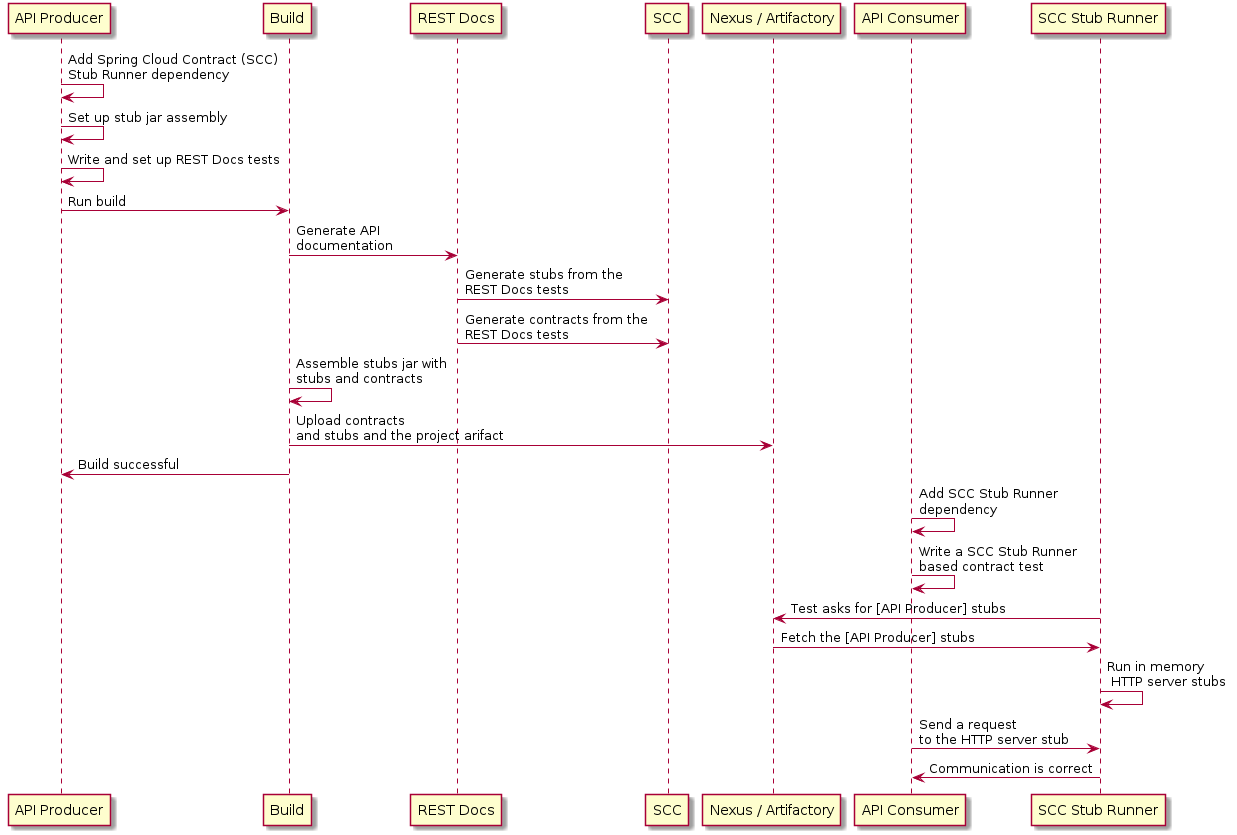
以下示例使用 MockMvc:
@RunWith(SpringRunner.class)
@SpringBootTest
@AutoConfigureRestDocs(outputDir = "target/snippets")
@AutoConfigureMockMvc
public class ApplicationTests {

    @Autowired
    private MockMvc mockMvc;

    @Test
    public void contextLoads() throws Exception {
        mockMvc.perform(get("/resource"))
                .andExpect(content().string("Hello World"))
                .andDo(document("resource"));
    }
}此测试会在GET个请求生成一个WireMock模拟响应(在target/snippets/stubs/resource.json处)。用于测试Spring WebFlux应用的相同示例(使用WebTestClient)如下:
@RunWith(SpringRunner.class)
@SpringBootTest
@AutoConfigureRestDocs(outputDir = "target/snippets")
@AutoConfigureWebTestClient
public class ApplicationTests {

    @Autowired
    private WebTestClient client;

    @Test
    public void contextLoads() throws Exception {
        client.get().uri("/resource").exchange()
                .expectBody(String.class).isEqualTo("Hello World")
                .consumeWith(document("resource"));
    }
}
在无需任何额外配置的情况下,这些测试会创建一个存根(stub),其中包含针对 HTTP 方法及所有头部的请求匹配器,但不包括 host 和 content-length。为了更精确地匹配请求(例如,匹配 POST 或 PUT 请求的正文内容),我们需要显式地创建一个请求匹配器。这样做会产生两个效果:
-
创建一个仅按您指定方式匹配的存根。
-
断言测试用例中的请求也满足相同的条件。
此功能的主要入口点是 WireMockRestDocs.verify(),它可作为 document() 便捷方法的替代品,如下例所示:
import static org.springframework.cloud.contract.wiremock.restdocs.WireMockRestDocs.verify;

@RunWith(SpringRunner.class)
@SpringBootTest
@AutoConfigureRestDocs(outputDir = "target/snippets")
@AutoConfigureMockMvc
public class ApplicationTests {

    @Autowired
    private MockMvc mockMvc;

    @Test
    public void contextLoads() throws Exception {
        mockMvc.perform(post("/resource")
                .content("{\"id\":\"123456\",\"message\":\"Hello World\"}"))
                .andExpect(status().isOk())
                .andDo(verify().jsonPath("$.id")
                .andDo(document("resource"));
    }
}前面的契约指定了任何带有id字段的有效POST请求都会收到在此测试中定义的响应。您可以使用.jsonPath()来串联调用以添加其他匹配器。如果对JSON路径不熟悉,JayWay文档可以帮助您快速上手。此测试的WebTestClient版本具有类似的verify()静态辅助方法,您可以将其插入到相同的位置。
与其使用 jsonPath 和 contentType 这两个便捷方法,您还可以直接使用 WireMock API 来验证请求是否与所创建的存根匹配,如下例所示:
@Test
public void contextLoads() throws Exception {
    mockMvc.perform(post("/resource")
            .content("{\"id\":\"123456\",\"message\":\"Hello World\"}"))
            .andExpect(status().isOk())
            .andDo(verify()
                    .wiremock(WireMock.post(
                        urlPathEquals("/resource"))
                        .withRequestBody(matchingJsonPath("$.id"))
                        .andDo(document("post-resource"));
}
WireMock API 功能丰富。您可以通过正则表达式以及 JSON 路径来匹配请求头、查询参数和请求体。您可以利用这些功能创建支持更广泛参数的模拟响应。前面的例子生成了一个类似于以下示例的模拟响应:
{
  "request" : {
    "url" : "/resource",
    "method" : "POST",
    "bodyPatterns" : [ {
      "matchesJsonPath" : "$.id"
    }]
  },
  "response" : {
    "status" : 200,
    "body" : "Hello World",
    "headers" : {
      "X-Application-Context" : "application:-1",
      "Content-Type" : "text/plain"
    }
  }
}
您可以使用 wiremock() 方法或 jsonPath() 和 contentType() 方法来创建请求匹配器,但不能同时使用这两种方法。 |
在消费者端,您可以将本节前面生成的resource.json放在类路径上(例如通过发布存根为JAR文件)。之后,您可以通过多种方式创建使用WireMock的存根,包括如本文档前面所述的使用@AutoConfigureWireMock(stubs="classpath:resource.json")。
3.5.1. 使用 REST Docs 生成合约
您还可以使用 Spring REST Docs 生成 Spring Cloud Contract DSL 文件和文档。如果结合 Spring Cloud WireMock 使用,您将同时获得契约(contracts)和桩(stubs)。
为什么您希望使用此功能?社区中的一些人就一种情况提出了问题:他们希望迁移到基于 DSL 的契约定义,但已拥有大量 Spring MVC 测试。使用此功能可生成契约文件,之后您可以对其进行修改并移至指定文件夹(在您的配置中定义),以便插件能够找到它们。
| 你可能会好奇,为什么此功能位于 WireMock 模块中。该功能存在于此,是因为生成契约和存根(stubs)是合乎逻辑的。 |
考虑以下测试:
        this.mockMvc
                .perform(post("/foo").accept(MediaType.APPLICATION_PDF)
                        .accept(MediaType.APPLICATION_JSON)
                        .contentType(MediaType.APPLICATION_JSON)
                        .content("{\"foo\": 23, \"bar\" : \"baz\" }"))
                .andExpect(status().isOk()).andExpect(content().string("bar"))
                // first WireMock
                .andDo(WireMockRestDocs.verify().jsonPath("$[?(@.foo >= 20)]")
                        .jsonPath("$[?(@.bar in ['baz','bazz','bazzz'])]")
                        .contentType(MediaType.valueOf("application/json")))
                // then Contract DSL documentation
                .andDo(document("index", SpringCloudContractRestDocs.dslContract()));
前面的测试创建了上一节中介绍的存根,生成了契约和一份文档文件。
该契约称为 index.groovy,其示例可能如下所示:
import org.springframework.cloud.contract.spec.Contract

Contract.make {
    request {
        method 'POST'
        url '/foo'
        body('''
            {"foo": 23 }
        ''')
        headers {
            header('''Accept''', '''application/json''')
            header('''Content-Type''', '''application/json''')
        }
    }
    response {
        status OK()
        body('''
        bar
        ''')
        headers {
            header('''Content-Type''', '''application/json;charset=UTF-8''')
            header('''Content-Length''', '''3''')
        }
        bodyMatchers {
            jsonPath('$[?(@.foo >= 20)]', byType())
        }
    }
}
生成的文档(本例中以 AsciiDoc 格式化)包含一个格式化的契约。该文件的位置为 index/dsl-contract.adoc。
4. 消息传递
Spring Cloud Contract 允许您验证那些使用消息传递作为通信方式的应用程序。本文档中显示的所有集成都与 Spring 兼容,但您也可以创建自己的集成并加以使用。
4.1. 消息传递DSL顶层元素
用于消息传递的DSL(领域特定语言)与专注于HTTP的DSL略有不同。以下各节将解释其中的差异:
4.1.1. 方法触发的输出
输出消息可以通过调用方法(例如在合同开始并发送消息时调用Scheduler)来触发,如下例所示:
def dsl = Contract.make {
    // Human readable description
    description 'Some description'
    // Label by means of which the output message can be triggered
    label 'some_label'
    // input to the contract
    input {
        // the contract will be triggered by a method
        triggeredBy('bookReturnedTriggered()')
    }
    // output message of the contract
    outputMessage {
        // destination to which the output message will be sent
        sentTo('output')
        // the body of the output message
        body('''{ "bookName" : "foo" }''')
        // the headers of the output message
        headers {
            header('BOOK-NAME', 'foo')
        }
    }
}# Human readable description
description: Some description
# Label by means of which the output message can be triggered
label: some_label
input:
# the contract will be triggered by a method
triggeredBy: bookReturnedTriggered()
# output message of the contract
outputMessage:
# destination to which the output message will be sent
sentTo: output
# the body of the output message
body:
bookName: foo
# the headers of the output message
headers:
BOOK-NAME: foo在前面的示例中,如果执行了名为bookReturnedTriggered的方法,则输出消息将发送到output。在消息发布方一侧,我们生成一个调用该方法以触发消息的测试。在消费者端,您可以使用some_label来触发消息。
4.1.2. 消息触发的输出
输出消息可以通过接收消息来触发,如下例所示:
def dsl = Contract.make {
    description 'Some Description'
    label 'some_label'
    // input is a message
    input {
        // the message was received from this destination
        messageFrom('input')
        // has the following body
        messageBody([
                bookName: 'foo'
        ])
        // and the following headers
        messageHeaders {
            header('sample', 'header')
        }
    }
    outputMessage {
        sentTo('output')
        body([
                bookName: 'foo'
        ])
        headers {
            header('BOOK-NAME', 'foo')
        }
    }
}# Human readable description
description: Some description
# Label by means of which the output message can be triggered
label: some_label
# input is a message
input:
messageFrom: input
# has the following body
messageBody:
bookName: 'foo'
# and the following headers
messageHeaders:
sample: 'header'
# output message of the contract
outputMessage:
# destination to which the output message will be sent
sentTo: output
# the body of the output message
body:
bookName: foo
# the headers of the output message
headers:
BOOK-NAME: foo在前面的例子中,如果从input目的地接收到正确消息,则输出消息将发送到output。 在消息发布者的方面,引擎生成一个测试,该测试向定义的目标发送输入消息。 在消费者方面,您可以选择向输入目标发送消息或使用标签(如示例中的some_label)来触发消息。
4.1.3. 消费者/生产者
| 本节仅适用于Groovy DSL。 |
在 HTTP 中,你有 client/stub and `server/test 表示法的概念。您也可以在消息传递中使用这些范例。此外,Spring Cloud Contract Verifier 还提供了consumer 和 producer 方法,如下例所示(请注意,您可以使用$ 或 value 方法来提供 consumer 和 producer 部分):
                    Contract.make {
                name "foo"
                        label 'some_label'
                        input {
                            messageFrom value(consumer('jms:output'), producer('jms:input'))
                            messageBody([
                                    bookName: 'foo'
                            ])
                            messageHeaders {
                                header('sample', 'header')
                            }
                        }
                        outputMessage {
                            sentTo $(consumer('jms:input'), producer('jms:output'))
                            body([
                                    bookName: 'foo'
                            ])
                        }
                    }
4.1.4. 通用
在 input 或 outputMessage 部分中,您可以调用 assertThat,并传入一个 method 的名称(例如 assertThatMessageIsOnTheQueue()),该名称已在基类或静态导入中定义。Spring Cloud Contract 会在生成的测试中运行该方法。
4.2. 集成
您可以使用以下四种集成配置之一:
-
Apache Camel
-
Spring Integration
-
Spring Cloud Stream
-
Spring AMQP
-
Spring JMS(需要嵌入式代理)
-
Spring Kafka(需要内嵌代理)
由于我们使用 Spring Boot,如果您已将以下任一库添加到类路径中,则所有消息传递配置都会自动设置。
请记得在生成的测试的基类中放置 @AutoConfigureMessageVerifier。否则,Spring Cloud Contract 的消息传递部分将无法正常工作。 |
|
如果您想使用 Spring Cloud Stream,请记住添加对
Maven
Gradle
|
4.2.1. 手动集成测试
测试中使用的主要接口是org.springframework.cloud.contract.verifier.messaging.MessageVerifier。它定义了如何发送和接收消息。您可以创建自己的实现来达到相同的目的。
在测试中,您可以注入一个 ContractVerifierMessageExchange 来发送和接收符合协议的消息。然后将 @AutoConfigureMessageVerifier 添加到您的测试中。以下示例展示了如何操作:
@RunWith(SpringTestRunner.class)
@SpringBootTest
@AutoConfigureMessageVerifier
public static class MessagingContractTests {

  @Autowired
  private MessageVerifier verifier;
  ...
}
如果您的测试也需要桩(stubs),那么 @AutoConfigureStubRunner 包含了消息配置,因此您只需使用一个注解即可。 |
4.3 生产者端消息传递测试生成
在您的 DSL 中包含 input 或 outputMessage 部分会导致在发布方侧生成测试。默认情况下,会创建 JUnit 4 测试。不过,您也可以选择创建 JUnit 5、TestNG 或 Spock 测试。
在开发Spring框架时,有三个主要场景是我们应该考虑的:
-
场景1:没有任何输入消息能生成输出消息。输出消息由应用程序内部的组件(例如,调度器)触发。
-
场景2:输入消息触发输出消息。
-
场景3:输入消息被消耗,且没有输出消息。
传递给messageFrom或sentTo的目标对于不同的消息传递实现可能具有不同的含义。对于Stream和Integration,它首先被解析为通道的destination。然后,如果没有这样的destination,则将其解析为通道名称。对于Camel,这是某个组件(例如,jms)。 |
4.3.1. 场景一:无输入消息
考虑以下契约:
def contractDsl = Contract.make {
    name "foo"
    label 'some_label'
    input {
        triggeredBy('bookReturnedTriggered()')
    }
    outputMessage {
        sentTo('activemq:output')
        body('''{ "bookName" : "foo" }''')
        headers {
            header('BOOK-NAME', 'foo')
            messagingContentType(applicationJson())
        }
    }
}label: some_label
input:
triggeredBy: bookReturnedTriggered
outputMessage:
sentTo: activemq:output
body:
bookName: foo
headers:
BOOK-NAME: foo
contentType: application/json对于前面的例子,将创建以下测试:
                    '''\
package com.example;

import com.jayway.jsonpath.DocumentContext;
import com.jayway.jsonpath.JsonPath;
import org.junit.Test;
import org.junit.Rule;
import javax.inject.Inject;
import org.springframework.cloud.contract.verifier.messaging.internal.ContractVerifierObjectMapper;
import org.springframework.cloud.contract.verifier.messaging.internal.ContractVerifierMessage;
import org.springframework.cloud.contract.verifier.messaging.internal.ContractVerifierMessaging;

import static org.springframework.cloud.contract.verifier.assertion.SpringCloudContractAssertions.assertThat;
import static org.springframework.cloud.contract.verifier.util.ContractVerifierUtil.*;
import static com.toomuchcoding.jsonassert.JsonAssertion.assertThatJson;
import static org.springframework.cloud.contract.verifier.messaging.util.ContractVerifierMessagingUtil.headers;
import static org.springframework.cloud.contract.verifier.util.ContractVerifierUtil.fileToBytes;

@SuppressWarnings("rawtypes")
public class FooTest {
\t@Inject ContractVerifierMessaging contractVerifierMessaging;
\t@Inject ContractVerifierObjectMapper contractVerifierObjectMapper;

\t@Test
\tpublic void validate_foo() throws Exception {
\t\t// when:
\t\t\tbookReturnedTriggered();

\t\t// then:
\t\t\tContractVerifierMessage response = contractVerifierMessaging.receive("activemq:output");
\t\t\tassertThat(response).isNotNull();

\t\t// and:
\t\t\tassertThat(response.getHeader("BOOK-NAME")).isNotNull();
\t\t\tassertThat(response.getHeader("BOOK-NAME").toString()).isEqualTo("foo");
\t\t\tassertThat(response.getHeader("contentType")).isNotNull();
\t\t\tassertThat(response.getHeader("contentType").toString()).isEqualTo("application/json");

\t\t// and:
\t\t\tDocumentContext parsedJson = JsonPath.parse(contractVerifierObjectMapper.writeValueAsString(response.getPayload()));
\t\t\tassertThatJson(parsedJson).field("['bookName']").isEqualTo("foo");
\t}

}

''' '''\
package com.example
import com.jayway.jsonpath.DocumentContext
import com.jayway.jsonpath.JsonPath
import spock.lang.Specification
import javax.inject.Inject
import org.springframework.cloud.contract.verifier.messaging.internal.ContractVerifierObjectMapper
import org.springframework.cloud.contract.verifier.messaging.internal.ContractVerifierMessage
import org.springframework.cloud.contract.verifier.messaging.internal.ContractVerifierMessaging
import static org.springframework.cloud.contract.verifier.assertion.SpringCloudContractAssertions.assertThat
import static org.springframework.cloud.contract.verifier.util.ContractVerifierUtil.*
import static com.toomuchcoding.jsonassert.JsonAssertion.assertThatJson
import static org.springframework.cloud.contract.verifier.messaging.util.ContractVerifierMessagingUtil.headers
import static org.springframework.cloud.contract.verifier.util.ContractVerifierUtil.fileToBytes
@SuppressWarnings("rawtypes")
class FooSpec extends Specification {
\t@Inject ContractVerifierMessaging contractVerifierMessaging
\t@Inject ContractVerifierObjectMapper contractVerifierObjectMapper
\tdef validate_foo() throws Exception {
\t\twhen:
\t\t\tbookReturnedTriggered()
\t\tthen:
\t\t\tContractVerifierMessage response = contractVerifierMessaging.receive("activemq:output")
\t\t\tresponse != null
\t\tand:
\t\t\tresponse.getHeader("BOOK-NAME") != null
\t\t\tresponse.getHeader("BOOK-NAME").toString() == 'foo'
\t\t\tresponse.getHeader("contentType") != null
\t\t\tresponse.getHeader("contentType").toString() == 'application/json'
\t\tand:
\t\t\tDocumentContext parsedJson = JsonPath.parse(contractVerifierObjectMapper.writeValueAsString(response.getPayload()))
\t\t\tassertThatJson(parsedJson).field("['bookName']").isEqualTo("foo")
\t}
}
'''4.3.2. 场景2:输出由输入触发
考虑以下契约:
def contractDsl = Contract.make {
    name "foo"
    label 'some_label'
    input {
        messageFrom('jms:input')
        messageBody([
                bookName: 'foo'
        ])
        messageHeaders {
            header('sample', 'header')
        }
    }
    outputMessage {
        sentTo('jms:output')
        body([
                bookName: 'foo'
        ])
        headers {
            header('BOOK-NAME', 'foo')
        }
    }
}label: some_label
input:
messageFrom: jms:input
messageBody:
bookName: 'foo'
messageHeaders:
sample: header
outputMessage:
sentTo: jms:output
body:
bookName: foo
headers:
BOOK-NAME: foo对于前述合同,将创建以下测试:
                    '''\
package com.example;

import com.jayway.jsonpath.DocumentContext;
import com.jayway.jsonpath.JsonPath;
import org.junit.Test;
import org.junit.Rule;
import javax.inject.Inject;
import org.springframework.cloud.contract.verifier.messaging.internal.ContractVerifierObjectMapper;
import org.springframework.cloud.contract.verifier.messaging.internal.ContractVerifierMessage;
import org.springframework.cloud.contract.verifier.messaging.internal.ContractVerifierMessaging;

import static org.springframework.cloud.contract.verifier.assertion.SpringCloudContractAssertions.assertThat;
import static org.springframework.cloud.contract.verifier.util.ContractVerifierUtil.*;
import static com.toomuchcoding.jsonassert.JsonAssertion.assertThatJson;
import static org.springframework.cloud.contract.verifier.messaging.util.ContractVerifierMessagingUtil.headers;
import static org.springframework.cloud.contract.verifier.util.ContractVerifierUtil.fileToBytes;

@SuppressWarnings("rawtypes")
public class FooTest {
\t@Inject ContractVerifierMessaging contractVerifierMessaging;
\t@Inject ContractVerifierObjectMapper contractVerifierObjectMapper;

\t@Test
\tpublic void validate_foo() throws Exception {
\t\t// given:
\t\t\tContractVerifierMessage inputMessage = contractVerifierMessaging.create(
\t\t\t\t\t"{\\"bookName\\":\\"foo\\"}"
\t\t\t\t\t\t, headers()
\t\t\t\t\t\t\t.header("sample", "header")
\t\t\t);

\t\t// when:
\t\t\tcontractVerifierMessaging.send(inputMessage, "jms:input");

\t\t// then:
\t\t\tContractVerifierMessage response = contractVerifierMessaging.receive("jms:output");
\t\t\tassertThat(response).isNotNull();

\t\t// and:
\t\t\tassertThat(response.getHeader("BOOK-NAME")).isNotNull();
\t\t\tassertThat(response.getHeader("BOOK-NAME").toString()).isEqualTo("foo");

\t\t// and:
\t\t\tDocumentContext parsedJson = JsonPath.parse(contractVerifierObjectMapper.writeValueAsString(response.getPayload()));
\t\t\tassertThatJson(parsedJson).field("['bookName']").isEqualTo("foo");
\t}

}

''' """\
package com.example
import com.jayway.jsonpath.DocumentContext
import com.jayway.jsonpath.JsonPath
import spock.lang.Specification
import javax.inject.Inject
import org.springframework.cloud.contract.verifier.messaging.internal.ContractVerifierObjectMapper
import org.springframework.cloud.contract.verifier.messaging.internal.ContractVerifierMessage
import org.springframework.cloud.contract.verifier.messaging.internal.ContractVerifierMessaging
import static org.springframework.cloud.contract.verifier.assertion.SpringCloudContractAssertions.assertThat
import static org.springframework.cloud.contract.verifier.util.ContractVerifierUtil.*
import static com.toomuchcoding.jsonassert.JsonAssertion.assertThatJson
import static org.springframework.cloud.contract.verifier.messaging.util.ContractVerifierMessagingUtil.headers
import static org.springframework.cloud.contract.verifier.util.ContractVerifierUtil.fileToBytes
@SuppressWarnings("rawtypes")
class FooSpec extends Specification {
\t@Inject ContractVerifierMessaging contractVerifierMessaging
\t@Inject ContractVerifierObjectMapper contractVerifierObjectMapper
\tdef validate_foo() throws Exception {
\t\tgiven:
\t\t\tContractVerifierMessage inputMessage = contractVerifierMessaging.create(
\t\t\t\t\t'''{"bookName":"foo"}'''
\t\t\t\t\t\t, headers()
\t\t\t\t\t\t\t.header("sample", "header")
\t\t\t)
\t\twhen:
\t\t\tcontractVerifierMessaging.send(inputMessage, "jms:input")
\t\tthen:
\t\t\tContractVerifierMessage response = contractVerifierMessaging.receive("jms:output")
\t\t\tresponse != null
\t\tand:
\t\t\tresponse.getHeader("BOOK-NAME") != null
\t\t\tresponse.getHeader("BOOK-NAME").toString() == 'foo'
\t\tand:
\t\t\tDocumentContext parsedJson = JsonPath.parse(contractVerifierObjectMapper.writeValueAsString(response.getPayload()))
\t\t\tassertThatJson(parsedJson).field("['bookName']").isEqualTo("foo")
\t}
}
"""4.3.3. 场景 3:无输出消息
考虑以下契约:
def contractDsl = Contract.make {
    name "foo"
    label 'some_label'
    input {
        messageFrom('jms:delete')
        messageBody([
                bookName: 'foo'
        ])
        messageHeaders {
            header('sample', 'header')
        }
        assertThat('bookWasDeleted()')
    }
}label: some_label
input:
messageFrom: jms:delete
messageBody:
bookName: 'foo'
messageHeaders:
sample: header
assertThat: bookWasDeleted()对于前述合同,将创建以下测试:
                    """\
package com.example;

import com.jayway.jsonpath.DocumentContext;
import com.jayway.jsonpath.JsonPath;
import org.junit.Test;
import org.junit.Rule;
import javax.inject.Inject;
import org.springframework.cloud.contract.verifier.messaging.internal.ContractVerifierObjectMapper;
import org.springframework.cloud.contract.verifier.messaging.internal.ContractVerifierMessage;
import org.springframework.cloud.contract.verifier.messaging.internal.ContractVerifierMessaging;

import static org.springframework.cloud.contract.verifier.assertion.SpringCloudContractAssertions.assertThat;
import static org.springframework.cloud.contract.verifier.util.ContractVerifierUtil.*;
import static com.toomuchcoding.jsonassert.JsonAssertion.assertThatJson;
import static org.springframework.cloud.contract.verifier.messaging.util.ContractVerifierMessagingUtil.headers;
import static org.springframework.cloud.contract.verifier.util.ContractVerifierUtil.fileToBytes;

@SuppressWarnings("rawtypes")
public class FooTest {
\t@Inject ContractVerifierMessaging contractVerifierMessaging;
\t@Inject ContractVerifierObjectMapper contractVerifierObjectMapper;

\t@Test
\tpublic void validate_foo() throws Exception {
\t\t// given:
\t\t\tContractVerifierMessage inputMessage = contractVerifierMessaging.create(
\t\t\t\t\t"{\\"bookName\\":\\"foo\\"}"
\t\t\t\t\t\t, headers()
\t\t\t\t\t\t\t.header("sample", "header")
\t\t\t);

\t\t// when:
\t\t\tcontractVerifierMessaging.send(inputMessage, "jms:delete");
\t\t\tbookWasDeleted();

\t}

}

""" """\
package com.example
import com.jayway.jsonpath.DocumentContext
import com.jayway.jsonpath.JsonPath
import spock.lang.Specification
import javax.inject.Inject
import org.springframework.cloud.contract.verifier.messaging.internal.ContractVerifierObjectMapper
import org.springframework.cloud.contract.verifier.messaging.internal.ContractVerifierMessage
import org.springframework.cloud.contract.verifier.messaging.internal.ContractVerifierMessaging
import static org.springframework.cloud.contract.verifier.assertion.SpringCloudContractAssertions.assertThat
import static org.springframework.cloud.contract.verifier.util.ContractVerifierUtil.*
import static com.toomuchcoding.jsonassert.JsonAssertion.assertThatJson
import static org.springframework.cloud.contract.verifier.messaging.util.ContractVerifierMessagingUtil.headers
import static org.springframework.cloud.contract.verifier.util.ContractVerifierUtil.fileToBytes
@SuppressWarnings("rawtypes")
class FooSpec extends Specification {
\t@Inject ContractVerifierMessaging contractVerifierMessaging
\t@Inject ContractVerifierObjectMapper contractVerifierObjectMapper
\tdef validate_foo() throws Exception {
\t\tgiven:
\t\t\tContractVerifierMessage inputMessage = contractVerifierMessaging.create(
\t\t\t\t\t'''{"bookName":"foo"}'''
\t\t\t\t\t\t, headers()
\t\t\t\t\t\t\t.header("sample", "header")
\t\t\t)
\t\twhen:
\t\t\tcontractVerifierMessaging.send(inputMessage, "jms:delete")
\t\t\tbookWasDeleted()
\t\tthen:
\t\t\tnoExceptionThrown()
\t}
}
"""4.4. 消费者桩生成
与 HTTP 部分不同,在消息传递中,我们需要将契约定义发布到 JAR 文件中,并附带一个存根(stub)。随后在消费者端对该契约进行解析,并创建相应的存根路由。
如果您在类路径中包含多个框架,Stub Runner 需要指定应使用哪一个。假设您的类路径中包含 AMQP、Spring Cloud Stream 和 Spring Integration,并且您希望使用 Spring AMQP。那么您需要设置 stubrunner.stream.enabled=false 和 stubrunner.integration.enabled=false。这样,剩下的唯一框架就是 Spring AMQP。 |
4.4.1. 存根触发
要触发一条消息,请使用 StubTrigger 接口,如下例所示:
package org.springframework.cloud.contract.stubrunner;

import java.util.Collection;
import java.util.Map;

/**
 * Contract for triggering stub messages.
 *
 * @author Marcin Grzejszczak
 */
public interface StubTrigger {

    /**
     * Triggers an event by a given label for a given {@code groupid:artifactid} notation.
     * You can use only {@code artifactId} too.
     *
     * Feature related to messaging.
     * @param ivyNotation ivy notation of a stub
     * @param labelName name of the label to trigger
     * @return true - if managed to run a trigger
     */
    boolean trigger(String ivyNotation, String labelName);

    /**
     * Triggers an event by a given label.
     *
     * Feature related to messaging.
     * @param labelName name of the label to trigger
     * @return true - if managed to run a trigger
     */
    boolean trigger(String labelName);

    /**
     * Triggers all possible events.
     *
     * Feature related to messaging.
     * @return true - if managed to run a trigger
     */
    boolean trigger();

    /**
     * Feature related to messaging.
     * @return a mapping of ivy notation of a dependency to all the labels it has.
     */
    Map<String, Collection<String>> labels();

}为了方便,StubFinder接口扩展了StubTrigger,因此在您的测试中只需要其中一个即可。
StubTrigger 为您提供了以下选项来触发消息:
4.4.3 通过组和工件 ID 触发
stubFinder.trigger('org.springframework.cloud.contract.verifier.stubs:streamService', 'return_book_1')4.4.4. 通过构件 ID 触发
下面的示例显示如何从 artifact IDs 触发消息。
stubFinder.trigger('streamService', 'return_book_1')4.5. 使用 Apache Camel 的消费者端消息传递
Spring Cloud Contract Stub Runner 的消息传递模块为您提供了一种轻松集成 Apache Camel 的方法。<br/> 对于提供的工件,它会自动下载存档并注册所需的路由。<br/>
4.5.1. 将Apache Camel添加到项目中
您可以拥有 Apache Camel 和 Spring Cloud Contract Stub Runner 在类路径上。
记住用 @AutoConfigureStubRunner 标记您的测试类。
4.5.2. 禁用功能
如果要禁用此功能,请设置stubrunner.camel.enabled=false属性。
4.5.3. 示例
假设我们有一个以下的Maven仓库,其中部署了camelService应用程序的存根。
└── .m2
    └── repository
        └── io
            └── codearte
                └── accurest
                    └── stubs
                        └── camelService
                            ├── 0.0.1-SNAPSHOT
                            │   ├── camelService-0.0.1-SNAPSHOT.pom
                            │   ├── camelService-0.0.1-SNAPSHOT-stubs.jar
                            │   └── maven-metadata-local.xml
                            └── maven-metadata-local.xml
进一步假定存根包含以下结构:
├── META-INF
│   └── MANIFEST.MF
└── repository
    ├── accurest
    │   ├── bookDeleted.groovy
    │   ├── bookReturned1.groovy
    │   └── bookReturned2.groovy
    └── mappings
现在考虑以下合同(我们将它们编号为1和2):
Contract.make {
    label 'return_book_1'
    input {
        triggeredBy('bookReturnedTriggered()')
    }
    outputMessage {
        sentTo('jms:output')
        body('''{ "bookName" : "foo" }''')
        headers {
            header('BOOK-NAME', 'foo')
        }
    }
}
Contract.make {
label 'return_book_2'
input {
messageFrom('jms:input')
messageBody([
bookName: 'foo'
])
messageHeaders {
header('sample', 'header')
}
}
outputMessage {
sentTo('jms:output')
body([
bookName: 'foo'
])
headers {
header('BOOK-NAME', 'foo')
}
}
}场景1(无输入消息)
要从return_book_1标签触发消息,我们使用StubTrigger接口,如下所示:
stubFinder.trigger('return_book_1')接下来,我们想要监听发送到jms:output的消息输出:
Exchange receivedMessage = consumerTemplate.receive('jms:output', 5000)接收到的消息将通过以下断言:<br>
receivedMessage != null
assertThatBodyContainsBookNameFoo(receivedMessage.in.body)
receivedMessage.in.headers.get('BOOK-NAME') == 'foo'
场景2(由输入触发的输出)
由于路由已为您设置好,因此您可以向jms:output目的地发送消息。
producerTemplate.
        sendBodyAndHeaders('jms:input', new BookReturned('foo'), [sample: 'header'])
接下来,我们想要监听发送到 jms:output 的消息的输出,如下所示:
Exchange receivedMessage = consumerTemplate.receive('jms:output', 5000)收到的消息将通过以下断言:<br>
receivedMessage != null
assertThatBodyContainsBookNameFoo(receivedMessage.in.body)
receivedMessage.in.headers.get('BOOK-NAME') == 'foo'
场景3(无输出输入)
由于路由已为您设置好,因此您可以向jms:output目标发送消息,如下所示:
producerTemplate.
        sendBodyAndHeaders('jms:delete', new BookReturned('foo'), [sample: 'header'])
4.6. 使用Spring Integration进行消费者端消息传递
Spring Cloud Contract Stub Runner 的 messaging 模块为您提供一种轻松与 Spring Integration 集成的方式。对于提供的构件,它会自动下载 stubs 并注册所需的路由。
4.6.1. 将Runner添加到项目中
您可以同时在类路径上拥有Spring Integration和Spring Cloud Contract Stub Runner。请记住,将@AutoConfigureStubRunner注解添加到您的测试类。
4.6.2. 禁用该功能
如果需要禁用此功能,请将
stubrunner.integration.enabled=false 属性设置。
4.6.3. 示例
假设您有带有为应用程序integrationService部署的存档存档的以下Maven存储库:
└── .m2
    └── repository
        └── io
            └── codearte
                └── accurest
                    └── stubs
                        └── integrationService
                            ├── 0.0.1-SNAPSHOT
                            │   ├── integrationService-0.0.1-SNAPSHOT.pom
                            │   ├── integrationService-0.0.1-SNAPSHOT-stubs.jar
                            │   └── maven-metadata-local.xml
                            └── maven-metadata-local.xml
假设存根包含以下结构:
├── META-INF
│   └── MANIFEST.MF
└── repository
    ├── accurest
    │   ├── bookDeleted.groovy
    │   ├── bookReturned1.groovy
    │   └── bookReturned2.groovy
    └── mappings
考虑以下合同(编号为1和2):
Contract.make {
    label 'return_book_1'
    input {
        triggeredBy('bookReturnedTriggered()')
    }
    outputMessage {
        sentTo('output')
        body('''{ "bookName" : "foo" }''')
        headers {
            header('BOOK-NAME', 'foo')
        }
    }
}
Contract.make {
label 'return_book_2'
input {
messageFrom('input')
messageBody([
bookName: 'foo'
])
messageHeaders {
header('sample', 'header')
}
}
outputMessage {
sentTo('output')
body([
bookName: 'foo'
])
headers {
header('BOOK-NAME', 'foo')
}
}
}现在考虑以下 Spring 集成路由:
<?xml version="1.0" encoding="UTF-8"?>
<beans:beans xmlns:xsi="http://www.w3.org/2001/XMLSchema-instance"
             xmlns:beans="http://www.springframework.org/schema/beans"
             xmlns="http://www.springframework.org/schema/integration"
             xsi:schemaLocation="http://www.springframework.org/schema/beans
            https://www.springframework.org/schema/beans/spring-beans.xsd
            http://www.springframework.org/schema/integration
            http://www.springframework.org/schema/integration/spring-integration.xsd">


    <!-- REQUIRED FOR TESTING -->
    <bridge input-channel="output"
            output-channel="outputTest"/>

    <channel id="outputTest">
        <queue/>
    </channel>

</beans:beans>
这些示例适用于三种场景:
场景1(无输入消息)
要从 return_book_1 标签触发消息,请使用 StubTrigger 接口,如下所示:
stubFinder.trigger('return_book_1')以下清单显示了如何监听发送到jms:output的消息输出:
Message<?> receivedMessage = messaging.receive('outputTest')收到的消息将通过以下断言:<br>
receivedMessage != null
assertJsons(receivedMessage.payload)
receivedMessage.headers.get('BOOK-NAME') == 'foo'
场景2(由输入触发的输出)
由于路由已为您设置,因此您可以向 jms:output 目标地址发送消息,如下所示:
messaging.send(new BookReturned('foo'), [sample: 'header'], 'input')以下清单显示了如何监听发送到jms:output的消息输出:
Message<?> receivedMessage = messaging.receive('outputTest')接收到的消息通过了以下断言:<br>
receivedMessage != null
assertJsons(receivedMessage.payload)
receivedMessage.headers.get('BOOK-NAME') == 'foo'
场景3(无输出输入)
由于路由已为您设置好,因此您可以向jms:input目标发送消息,如下所示:
messaging.send(new BookReturned('foo'), [sample: 'header'], 'delete')4.7. 使用 Spring Cloud Stream 的消费者端消息传递
模块为 Spring Cloud Contract Stub Runner 提供了与 Spring Stream 集成的便捷方式。对于提供的工件,它会自动下载桩并注册所需的路由。
如果 Stub Runner 的集成与 Stream messageFrom 或 sentTo 字符串首先解决为 destination 通道的,那么目标被解析为通道名称。 |
|
如果您想使用 Spring Cloud Stream,请记住添加对
Maven
Gradle
|
4.7.1. 将运行器添加到项目中
你可以在类路径中同时拥有 Spring Cloud Stream 和 Spring Cloud Contract Stub Runner。记住,在测试类上用 @AutoConfigureStubRunner 进行注释。
4.7.2. 禁用该功能
如果需要禁用此功能,请设置stubrunner.stream.enabled=false属性。
4.7.3. 示例
假设您有带有为应用程序streamService部署的存档存档的以下Maven存储库:
└── .m2
    └── repository
        └── io
            └── codearte
                └── accurest
                    └── stubs
                        └── streamService
                            ├── 0.0.1-SNAPSHOT
                            │   ├── streamService-0.0.1-SNAPSHOT.pom
                            │   ├── streamService-0.0.1-SNAPSHOT-stubs.jar
                            │   └── maven-metadata-local.xml
                            └── maven-metadata-local.xml
假设存根包含以下结构:
├── META-INF
│   └── MANIFEST.MF
└── repository
    ├── accurest
    │   ├── bookDeleted.groovy
    │   ├── bookReturned1.groovy
    │   └── bookReturned2.groovy
    └── mappings
考虑以下合同(编号为1和2):
Contract.make {
    label 'return_book_1'
    input { triggeredBy('bookReturnedTriggered()') }
    outputMessage {
        sentTo('returnBook')
        body('''{ "bookName" : "foo" }''')
        headers { header('BOOK-NAME', 'foo') }
    }
}
Contract.make {
label 'return_book_2'
input {
messageFrom('bookStorage')
messageBody([
bookName: 'foo'
])
messageHeaders { header('sample', 'header') }
}
outputMessage {
sentTo('returnBook')
body([
bookName: 'foo'
])
headers { header('BOOK-NAME', 'foo') }
}
}请考虑以下Spring配置:
stubrunner.repositoryRoot: classpath:m2repo/repository/
stubrunner.ids: org.springframework.cloud.contract.verifier.stubs:streamService:0.0.1-SNAPSHOT:stubs
stubrunner.stubs-mode: remote
spring:
  cloud:
    stream:
      bindings:
        output:
          destination: returnBook
        input:
          destination: bookStorage

server:
  port: 0

debug: true
这些示例适用于三种场景:
场景1(无输入消息)
要从return_book_1标签触发消息,请按照以下方法使用StubTrigger接口:
stubFinder.trigger('return_book_1')以下示例显示了如何监听发送到通道输出的消息,该通道的destination为returnBook:
Message<?> receivedMessage = messaging.receive('returnBook')接收到的消息通过了以下断言:<br>
receivedMessage != null
assertJsons(receivedMessage.payload)
receivedMessage.headers.get('BOOK-NAME') == 'foo'
场景2(由输入触发的输出)
由于路由已为您设置,因此您可以向 bookStoragedestination 发送消息,如下所示:
messaging.send(new BookReturned('foo'), [sample: 'header'], 'bookStorage')以下示例显示了如何监听发送到returnBook的消息输出:
Message<?> receivedMessage = messaging.receive('returnBook')接收到的消息通过了以下断言:<br>
receivedMessage != null
assertJsons(receivedMessage.payload)
receivedMessage.headers.get('BOOK-NAME') == 'foo'
场景3(无输出输入)
由于路由已为您设置,因此您可以向 jms:output 目标地址发送消息,如下所示:
messaging.send(new BookReturned('foo'), [sample: 'header'], 'delete')4.8. 使用 Spring AMQP 的消费者端消息传递
Spring Cloud Contract Stub Runner 的消息模块提供了一种简单的方法来集成 Spring AMQP 的 Rabbit 模板。对于提供的工件,它会自动下载存根并注册所需的路由。
集成尝试独立工作(即,不与正在运行的 RabbitMQ 消息代理进行交互)。它期望在应用程序上下文中有一个RabbitTemplate,并将其用作名为@SpyBean的 Spring Boot 测试。因此,它可以使用 Mockito spy 功能来验证和检查应用程序发送的消息。
在消息消费者端,存根运行器会考虑所有使用@RabbitListener注解的端点以及应用上下文中的所有SimpleMessageListenerContainer对象。
由于AMQP中的消息通常发送到交换机,因此消息契约包含交换机名称作为目标。另一侧的消息监听器绑定到队列。绑定连接了交换机和队列。当触发消息契约时,Spring AMQP存根运行集成会在应用程序上下文中查找匹配此交换机的绑定。然后它会从Spring交换机中收集队列,并尝试找到绑定到这些队列的消息监听器。所有匹配的消息监听器都会被触发。
如果您需要处理路由键,可以使用amqp_receivedRoutingKey消息头传递它们。
4.8.1. 将运行器添加到项目中
你可以在类路径上同时拥有Spring AMQP和Spring Cloud Contract Stub Runner,
并设置属性stubrunner.amqp.enabled=true。记得用@AutoConfigureStubRunner注解你的测试类。
如果您已经在类路径中拥有 Stream 和 Integration,需要通过将 stubrunner.stream.enabled=false 和 stubrunner.integration.enabled=false 属性设置为禁用它们。 |
4.8.2. 示例
假设您有一个以下的Maven仓库,并为spring-cloud-contract-amqp-test应用程序部署了存根:
└── .m2
    └── repository
        └── com
            └── example
                └── spring-cloud-contract-amqp-test
                    ├── 0.4.0-SNAPSHOT
                    │   ├── spring-cloud-contract-amqp-test-0.4.0-SNAPSHOT.pom
                    │   ├── spring-cloud-contract-amqp-test-0.4.0-SNAPSHOT-stubs.jar
                    │   └── maven-metadata-local.xml
                    └── maven-metadata-local.xml
进一步假定存根包含以下结构:
├── META-INF
│   └── MANIFEST.MF
└── contracts
    └── shouldProduceValidPersonData.groovy
然后考虑以下合同:
Contract.make {
    // Human readable description
    description 'Should produce valid person data'
    // Label by means of which the output message can be triggered
    label 'contract-test.person.created.event'
    // input to the contract
    input {
        // the contract will be triggered by a method
        triggeredBy('createPerson()')
    }
    // output message of the contract
    outputMessage {
        // destination to which the output message will be sent
        sentTo 'contract-test.exchange'
        headers {
            header('contentType': 'application/json')
            header('__TypeId__': 'org.springframework.cloud.contract.stubrunner.messaging.amqp.Person')
        }
        // the body of the output message
        body([
                id  : $(consumer(9), producer(regex("[0-9]+"))),
                name: "me"
        ])
    }
}
请考虑以下Spring配置:
stubrunner:
  repositoryRoot: classpath:m2repo/repository/
  ids: org.springframework.cloud.contract.verifier.stubs.amqp:spring-cloud-contract-amqp-test:0.4.0-SNAPSHOT:stubs
  stubs-mode: remote
  amqp:
    enabled: true
server:
  port: 0
触发消息
要使用前面部分中的合同触发消息,请按照如下方式使用StubTrigger接口:
stubTrigger.trigger("contract-test.person.created.event")消息的目标是contract-test.exchange,因此Spring AMQP存根运行程序集成会查找与此交换机相关的绑定,如下例所示:
@Bean
public Binding binding() {
    return BindingBuilder.bind(new Queue("test.queue"))
            .to(new DirectExchange("contract-test.exchange")).with("#");
}绑定定义将队列名为test.queue进行绑定。因此,以下监听器定义与合同消息匹配并被调用:
@Bean
public SimpleMessageListenerContainer simpleMessageListenerContainer(
        ConnectionFactory connectionFactory,
        MessageListenerAdapter listenerAdapter) {
    SimpleMessageListenerContainer container = new SimpleMessageListenerContainer();
    container.setConnectionFactory(connectionFactory);
    container.setQueueNames("test.queue");
    container.setMessageListener(listenerAdapter);

    return container;
}
此外,以下带注释的监听器匹配并被调用:
@RabbitListener(bindings = @QueueBinding(value = @Queue("test.queue"),
        exchange = @Exchange(value = "contract-test.exchange",
                ignoreDeclarationExceptions = "true")))
public void handlePerson(Person person) {
    this.person = person;
}
匹配的 SimpleMessageListenerContainer 关联的 MessageListener 的 onMessage 方法直接接收该消息。 |
Spring AMQP 测试配置
为了在我们的测试中避免 Spring AMQP 尝试连接到正在运行的代理,我们配置了一个模拟 ConnectionFactory。
要禁用模拟的 ConnectionFactory,请设置以下属性:stubrunner.amqp.mockConnection=false,如下所示:
stubrunner:
  amqp:
    mockConnection: false
4.9. 使用 Spring JMS 的消费者端消息传递
Spring Cloud Contract Stub Runner 的 messaging 模块提供了一种简单的集成方式,用于与 Spring JMS。
集成假设您已经运行了一个JMS代理实例(例如activemq嵌入式代理)。
4.9.1. 将运行器添加到项目中
您需要同时具有 Spring JMS 和 Spring Cloud Contract Stub Runner 在类路径中。请记住用< code >注释您的测试类0。。
4.9.2. 示例
假设存根结构如下:
├── stubs
    ├── bookDeleted.groovy
    ├── bookReturned1.groovy
    └── bookReturned2.groovy
进一步假设以下测试配置:
stubrunner:
  repository-root: stubs:classpath:/stubs/
  ids: my:stubs
  stubs-mode: remote
spring:
  activemq:
    send-timeout: 1000
  jms:
    template:
      receive-timeout: 1000
现在考虑以下合同(我们将它们编号为1和2):
Contract.make {
    label 'return_book_1'
    input {
        triggeredBy('bookReturnedTriggered()')
    }
    outputMessage {
        sentTo('output')
        body('''{ "bookName" : "foo" }''')
        headers {
            header('BOOK-NAME', 'foo')
        }
    }
}
Contract.make {
label 'return_book_2'
input {
messageFrom('input')
messageBody([
bookName: 'foo'
])
messageHeaders {
header('sample', 'header')
}
}
outputMessage {
sentTo('output')
body([
bookName: 'foo'
])
headers {
header('BOOK-NAME', 'foo')
}
}
}场景1(无输入消息)
要从return_book_1标签触发消息,我们使用StubTrigger接口,如下所示:
stubFinder.trigger('return_book_1')接下来,我们想要监听发送到output的消息输出:
TextMessage receivedMessage = (TextMessage) jmsTemplate.receive('output')接收到的消息将通过以下断言:<br>
receivedMessage != null
assertThatBodyContainsBookNameFoo(receivedMessage.getText())
receivedMessage.getStringProperty('BOOK-NAME') == 'foo'
场景2(由输入触发的输出)
由于路由已为您设置好,因此您可以向output目的地发送消息。
jmsTemplate.
        convertAndSend('input', new BookReturned('foo'), new MessagePostProcessor() {
            @Override
            Message postProcessMessage(Message message) throws JMSException {
                message.setStringProperty("sample", "header")
                return message
            }
        })
接下来,我们想要监听发送到 output 的消息的输出,如下所示:
TextMessage receivedMessage = (TextMessage) jmsTemplate.receive('output')收到的消息将通过以下断言:<br>
receivedMessage != null
assertThatBodyContainsBookNameFoo(receivedMessage.getText())
receivedMessage.getStringProperty('BOOK-NAME') == 'foo'
场景3(无输出输入)
由于路由已为您设置好,因此您可以向output目标发送消息,如下所示:
jmsTemplate.
convertAndSend('delete', new BookReturned('foo'), new MessagePostProcessor() {
@Override
Message postProcessMessage(Message message) throws JMSException {
message.setStringProperty("sample", "header")
return message
}
})4.10. 使用 Spring Kafka 的消费者端消息处理
Spring Cloud Contract Stub Runner 的消息模块提供了一种简单的方法来与 Spring Kafka 集成。
该集成假设您已运行了一个嵌入式Kafka代理实例(通过spring-kafka-test依赖)。
4.10.1. 将Runner添加到项目中
你需要同时拥有 Spring Kafka、Spring Kafka Test(用于运行@EmbeddedBroker)以及 Spring Cloud Contract Stub Runner 在类路径中。请记得用@AutoConfigureStubRunner注解你的测试类。
在集成 Kafka 的情况下,为了轮询单条消息,我们需要在 Spring 上下文启动时注册一个消费者。这可能会导致一种情况:当您处于消费者端时,Stub Runner 可以为同一个组 ID 和主题注册额外的消费者。这种情况可能导致只有其中一个组件实际上会轮询消息。由于在消费者端您的类路径中同时包含 Spring Cloud Contract Stub Runner 和 Spring Cloud Contract Verifier,因此我们需要能够禁用这种行为。这是通过 stubrunner.kafka.initializer.enabled 标志自动完成的,该标志将禁用 Contact Verifier 消费者注册。如果您的应用程序既是 Kafka 消息的消费者又是生产者,则可能需要手动将此属性切换到 false,并在生成测试的基础类中进行设置。
4.10.2. 示例
假设存根结构如下:
├── stubs
├── bookDeleted.groovy
├── bookReturned1.groovy
└── bookReturned2.groovy进一步假设以下测试配置(注意spring.kafka.bootstrap-servers指向嵌入式代理的IP通过${spring.embedded.kafka.brokers}):
stubrunner:
repository-root: stubs:classpath:/stubs/
ids: my:stubs
stubs-mode: remote
spring:
kafka:
bootstrap-servers: ${spring.embedded.kafka.brokers}
producer:
value-serializer: org.springframework.kafka.support.serializer.JsonSerializer
properties:
"spring.json.trusted.packages": "*"
consumer:
value-deserializer: org.springframework.kafka.support.serializer.JsonDeserializer
properties:
"spring.json.trusted.packages": "*"
group-id: groupId如果您的应用程序使用非整数记录键,则需要相应地设置spring.kafka.producer.key-serializer和spring.kafka.consumer.key-deserializer属性,因为Kafka序列化/反序列化期望非空记录键为整数类型。 |
现在考虑以下合同(我们将它们编号为1和2):
场景1(无输入消息)
要从return_book_1标签触发消息,我们使用StubTrigger接口,如下所示:
stubFinder.trigger('return_book_1')接下来,我们想要监听发送到output的消息输出:
Message receivedMessage = receiveFromOutput()接收到的消息将通过以下断言:<br>
assert receivedMessage != null
assert assertThatBodyContainsBookNameFoo(receivedMessage.getPayload())
assert receivedMessage.getHeaders().get('BOOK-NAME') == 'foo'场景2(由输入触发的输出)
由于路由已为您设置好,因此您可以向output目的地发送消息。
Message message = MessageBuilder.createMessage(new BookReturned('foo'), new MessageHeaders([sample: "header",]))
kafkaTemplate.setDefaultTopic('input')
kafkaTemplate.send(message)
Message message = MessageBuilder.createMessage(new BookReturned('bar'), new MessageHeaders([kafka_messageKey: "bar5150",]))
kafkaTemplate.setDefaultTopic('input2')
kafkaTemplate.send(message)接下来,我们想要监听发送到 output 的消息的输出,如下所示:
Message receivedMessage = receiveFromOutput()
Message receivedMessage = receiveFromOutput()收到的消息将通过以下断言:<br>
assert receivedMessage != null
assert assertThatBodyContainsBookNameFoo(receivedMessage.getPayload())
assert receivedMessage.getHeaders().get('BOOK-NAME') == 'foo'
assert receivedMessage != null
assert assertThatBodyContainsBookName(receivedMessage.getPayload(), 'bar')
assert receivedMessage.getHeaders().get('BOOK-NAME') == 'bar'
assert receivedMessage.getHeaders().get("kafka_receivedMessageKey") == 'bar5150'场景3(无输出输入)
由于路由已为您设置好,因此您可以向output目标发送消息,如下所示:
Message message = MessageBuilder.createMessage(new BookReturned('foo'), new MessageHeaders([sample: "header",]))
kafkaTemplate.setDefaultTopic('delete')
kafkaTemplate.send(message)5. Spring Cloud Contract Stub Runner
在使用 Spring Cloud Contract Verifier 时,您可能会遇到的一个问题是在服务器端与客户端(或多个客户端)之间传递生成的 WireMock JSON 模拟存根。在消息传递的客户端侧生成方面,同样也会发生此类情况。
手动复制 JSON 文件并为消息设置客户端将不切实际。因此,我们引入了 Spring Cloud Contract Stub Runner。它可自动为您下载并运行存根。
快照版本
您可以将额外的快照存储库添加到您的 build.gradle 文件中,以使用在每次成功构建后自动上传的快照版本,如下所示:
<repositories>
<repository>
<id>spring-snapshots</id>
<name>Spring Snapshots</name>
<url>https://repo.spring.io/snapshot</url>
<snapshots>
<enabled>true</enabled>
</snapshots>
</repository>
<repository>
<id>spring-milestones</id>
<name>Spring Milestones</name>
<url>https://repo.spring.io/milestone</url>
<snapshots>
<enabled>false</enabled>
</snapshots>
</repository>
<repository>
<id>spring-releases</id>
<name>Spring Releases</name>
<url>https://repo.spring.io/release</url>
<snapshots>
<enabled>false</enabled>
</snapshots>
</repository>
</repositories>
<pluginRepositories>
<pluginRepository>
<id>spring-snapshots</id>
<name>Spring Snapshots</name>
<url>https://repo.spring.io/snapshot</url>
<snapshots>
<enabled>true</enabled>
</snapshots>
</pluginRepository>
<pluginRepository>
<id>spring-milestones</id>
<name>Spring Milestones</name>
<url>https://repo.spring.io/milestone</url>
<snapshots>
<enabled>false</enabled>
</snapshots>
</pluginRepository>
<pluginRepository>
<id>spring-releases</id>
<name>Spring Releases</name>
<url>https://repo.spring.io/release</url>
<snapshots>
<enabled>false</enabled>
</snapshots>
</pluginRepository>
</pluginRepositories>/*
We need to use the [buildscript {}] section when we have to modify
the classpath for the plugins. If that's not the case this section
can be skipped.
If you don't need to modify the classpath (e.g. add a Pact dependency),
then you can just set the [pluginManagement {}] section in [settings.gradle] file.
// settings.gradle
pluginManagement {
repositories {
// for snapshots
maven {url "https://repo.spring.io/snapshot"}
// for milestones
maven {url "https://repo.spring.io/milestone"}
// for GA versions
gradlePluginPortal()
}
}
*/
buildscript {
repositories {
mavenCentral()
mavenLocal()
maven { url "https://repo.spring.io/snapshot" }
maven { url "https://repo.spring.io/milestone" }
maven { url "https://repo.spring.io/release" }
}5.2. 将存根作为JAR文件发布
发布存根作为 JAR 文件最简单的方法是将存根的管理方式集中化。例如,您可以将它们作为 JAR 文件保存在 Maven 仓库中。
| 对于 Maven 和 Gradle,设置已准备就绪,可直接使用。然而,如果您希望,也可以对其进行自定义。 |
以下示例显示了如何将存根作为JAR文件发布:
<!-- First disable the default jar setup in the properties section -->
<!-- we don't want the verifier to do a jar for us -->
<spring.cloud.contract.verifier.skip>true</spring.cloud.contract.verifier.skip>
<!-- Next add the assembly plugin to your build -->
<!-- we want the assembly plugin to generate the JAR -->
<plugin>
<groupId>org.apache.maven.plugins</groupId>
<artifactId>maven-assembly-plugin</artifactId>
<executions>
<execution>
<id>stub</id>
<phase>prepare-package</phase>
<goals>
<goal>single</goal>
</goals>
<inherited>false</inherited>
<configuration>
<attach>true</attach>
<descriptors>
${basedir}/src/assembly/stub.xml
</descriptors>
</configuration>
</execution>
</executions>
</plugin>
<!-- Finally setup your assembly. Below you can find the contents of src/main/assembly/stub.xml -->
<assembly
xmlns="http://maven.apache.org/plugins/maven-assembly-plugin/assembly/1.1.3"
xmlns:xsi="http://www.w3.org/2001/XMLSchema-instance"
xsi:schemaLocation="http://maven.apache.org/plugins/maven-assembly-plugin/assembly/1.1.3 https://maven.apache.org/xsd/assembly-1.1.3.xsd">
<id>stubs</id>
<formats>
<format>jar</format>
</formats>
<includeBaseDirectory>false</includeBaseDirectory>
<fileSets>
<fileSet>
<directory>src/main/java</directory>
<outputDirectory>/</outputDirectory>
<includes>
<include>**com/example/model/*.*</include>
</includes>
</fileSet>
<fileSet>
<directory>${project.build.directory}/classes</directory>
<outputDirectory>/</outputDirectory>
<includes>
<include>**com/example/model/*.*</include>
</includes>
</fileSet>
<fileSet>
<directory>${project.build.directory}/snippets/stubs</directory>
<outputDirectory>META-INF/${project.groupId}/${project.artifactId}/${project.version}/mappings</outputDirectory>
<includes>
<include>**/*</include>
</includes>
</fileSet>
<fileSet>
<directory>${basedir}/src/test/resources/contracts</directory>
<outputDirectory>META-INF/${project.groupId}/${project.artifactId}/${project.version}/contracts</outputDirectory>
<includes>
<include>**/*.groovy</include>
</includes>
</fileSet>
</fileSets>
</assembly>ext {
contractsDir = file("mappings")
stubsOutputDirRoot = file("${project.buildDir}/production/${project.name}-stubs/")
}
// Automatically added by plugin:
// copyContracts - copies contracts to the output folder from which JAR will be created
// verifierStubsJar - JAR with a provided stub suffix
// the presented publication is also added by the plugin but you can modify it as you wish
publishing {
publications {
stubs(MavenPublication) {
artifactId "${project.name}-stubs"
artifact verifierStubsJar
}
}
}5.3. 存根运行器核心
存根运行核心用于运行服务协作方的存根。将存根视为服务的契约,可使存根运行器作为消费者驱动契约的实现。
Stub Runner 允许您自动下载所提供依赖项的存根(或从类路径中选择),为它们启动 WireMock 服务器,并为其提供适当的存根定义。对于消息传递,会定义特殊的存根路由。
5.3.1. 获取桩文件
您可以从以下选项中选择获取存根的方式:
-
基于Aether的解决方案,可从Artifactory或Nexus下载包含存根(stubs)的JAR文件
-
类路径扫描解决方案,通过模式搜索类路径以检索存根
-
编写您自己的
org.springframework.cloud.contract.stubrunner.StubDownloaderBuilder实现以实现完全自定义
后面的例子在自定义存根运行器部分中描述。
下载存根
您可以使用 stubsMode 开关来控制存根的下载。它会从 StubRunnerProperties.StubsMode 枚举中选取值。您可使用以下选项:
-
StubRunnerProperties.StubsMode.CLASSPATH(默认值):从类路径中选择存根 -
StubRunnerProperties.StubsMode.LOCAL: 从本地存储中选择存根(例如,.m2) -
StubRunnerProperties.StubsMode.REMOTE: 从远程位置选择存根
以下示例从本地位置选择存根:
@AutoConfigureStubRunner(repositoryRoot="https://foo.bar", ids = "com.example:beer-api-producer:+:stubs:8095", stubsMode = StubRunnerProperties.StubsMode.LOCAL)类路径扫描
如果您将 stubsMode 属性设置为 StubRunnerProperties.StubsMode.CLASSPATH(或不进行任何设置,因为 CLASSPATH 是默认值),则会扫描类路径。请参见以下示例:
@AutoConfigureStubRunner(ids = {
"com.example:beer-api-producer:+:stubs:8095",
"com.example.foo:bar:1.0.0:superstubs:8096"
})您可以将依赖项添加到您的类路径中,如下所示:
<dependency>
<groupId>com.example</groupId>
<artifactId>beer-api-producer-restdocs</artifactId>
<classifier>stubs</classifier>
<version>0.0.1-SNAPSHOT</version>
<scope>test</scope>
<exclusions>
<exclusion>
<groupId>*</groupId>
<artifactId>*</artifactId>
</exclusion>
</exclusions>
</dependency>
<dependency>
<groupId>com.example.thing1</groupId>
<artifactId>thing2</artifactId>
<classifier>superstubs</classifier>
<version>1.0.0</version>
<scope>test</scope>
<exclusions>
<exclusion>
<groupId>*</groupId>
<artifactId>*</artifactId>
</exclusion>
</exclusions>
</dependency>testCompile("com.example:beer-api-producer-restdocs:0.0.1-SNAPSHOT:stubs") {
transitive = false
}
testCompile("com.example.thing1:thing2:1.0.0:superstubs") {
transitive = false
}然后,将扫描您类路径上指定的位置。对于 com.example:beer-api-producer-restdocs,以下位置将被扫描:
-
/META-INF/com.example/beer-api-producer-restdocs/*/.*
-
/contracts/com.example/beer-api-producer-restdocs/*/.*
-
/mappings/com.example/beer-api-producer-restdocs/*/.*
对于 com.example.thing1:thing2,将扫描以下位置:
-
/META-INF/com.example.thing1/thing2/*/.*
-
/contracts/com.example.thing1/thing2/*/.*
-
/mappings/com.example.thing1/thing2/*/.*
| 在打包生产者存根时,您必须显式提供组 ID 和构件 ID。 |
为了实现正确的存根打包,生产者将按如下方式设置契约:
└── src
└── test
└── resources
└── contracts
└── com.example
└── beer-api-producer-restdocs
└── nested
└── contract3.groovy通过使用Maven assembly插件或Gradle Jar任务,您必须在存根jar中创建以下结构:
└── META-INF
└── com.example
└── beer-api-producer-restdocs
└── 2.0.0
├── contracts
│ └── nested
│ └── contract2.groovy
└── mappings
└── mapping.json通过保持这种结构,类路径将被扫描,您即可无需下载构件(artifacts)便能利用消息传递或 HTTP 模拟(stubs)功能。
配置 HTTP 服务器存根
Stub Runner有一个抽象底层HTTP服务器(例如,WireMock是其中一种实现)的HttpServerStub的概念。有时,您需要执行一些额外的调整(这是给定实现的具体调整),Stub Runner通过注释和JUnit规则中可用的httpServerStubConfigurer属性以及系统属性来提供该属性,您可以在其中提供org.springframework.cloud.contract.stubrunner.HttpServerStubConfigurer接口的实现,这些实现可以修改给定HTTP服务器存档的配置文件。
Spring Cloud Contract Stub Runner 提供了一个可以扩展用于 WireMock 的实现:
org.springframework.cloud.contract.stubrunner.provider.wiremock.WireMockHttpServerStubConfigurer。
在
configure 方法中,您可以为给定存档提供自己的自定义配置。用例可能是针对给定的 artifact ID 启动 WireMock,在 HTTPS 端口上。下面的示例展示了如何做到这一点:
@CompileStatic
static class HttpsForFraudDetection extends WireMockHttpServerStubConfigurer {
private static final Log log = LogFactory.getLog(HttpsForFraudDetection)
@Override
WireMockConfiguration configure(WireMockConfiguration httpStubConfiguration, HttpServerStubConfiguration httpServerStubConfiguration) {
if (httpServerStubConfiguration.stubConfiguration.artifactId == "fraudDetectionServer") {
int httpsPort = SocketUtils.findAvailableTcpPort()
log.info("Will set HTTPs port [" + httpsPort + "] for fraud detection server")
return httpStubConfiguration
.httpsPort(httpsPort)
}
return httpStubConfiguration
}
}然后你可以通过 @AutoConfigureStubRunner 注解重用它,如下所示:
@AutoConfigureStubRunner(mappingsOutputFolder = "target/outputmappings/",
httpServerStubConfigurer = HttpsForFraudDetection)每当找到一个HTTPS端口,它都会优先于HTTP端口。
5.3.2. 运行存根
此部分介绍了如何运行存根。它包含以下主题:
HTTP Stubs
存根在 JSON 文档中定义,其语法由 WireMock 文档 定义
下面的例子用 JSON 定义了一个存档。
{
"request": {
"method": "GET",
"url": "/ping"
},
"response": {
"status": 200,
"body": "pong",
"headers": {
"Content-Type": "text/plain"
}
}
}查看已注册的映射
每个存根协作对象都在__/admin/端点下公开定义的映射列表。
你也可以使用mappingsOutputFolder属性,将其映射输出到文件。对于注解方法,它会类似以下示例:
@AutoConfigureStubRunner(ids="a.b.c:loanIssuance,a.b.c:fraudDetectionServer",
mappingsOutputFolder = "target/outputmappings/")对于 JUnit 方法,其外观类似于以下示例:
@ClassRule @Shared StubRunnerRule rule = new StubRunnerRule()
.repoRoot("https://some_url")
.downloadStub("a.b.c", "loanIssuance")
.downloadStub("a.b.c:fraudDetectionServer")
.withMappingsOutputFolder("target/outputmappings")然后,如果你检出 target/outputmappings 文件夹,你会看到以下结构;
.
├── fraudDetectionServer_13705
└── loanIssuance_12255这意味着注册了两个存根。在端口13705注册了fraudDetectionServer,在端口12255注册了loanIssuance。如果我们查看其中一个文件,就会看到(对于WireMock),给定服务器提供的映射:
[{
"id" : "f9152eb9-bf77-4c38-8289-90be7d10d0d7",
"request" : {
"url" : "/name",
"method" : "GET"
},
"response" : {
"status" : 200,
"body" : "fraudDetectionServer"
},
"uuid" : "f9152eb9-bf77-4c38-8289-90be7d10d0d7"
},
...
]Messaging Stubs
根据提供的 Stub Runner 依赖项和 DSL,消息路由将自动设置。
5.4. Stub Runner JUnit 规则和 Stub Runner JUnit5 扩展
Stub Runner 随附一个 JUnit 规则,可让您下载并运行指定组 ID 和构件 ID 的存根(stubs),如下例所示:
@ClassRule
public static StubRunnerRule rule = new StubRunnerRule().repoRoot(repoRoot())
.stubsMode(StubRunnerProperties.StubsMode.REMOTE)
.downloadStub("org.springframework.cloud.contract.verifier.stubs",
"loanIssuance")
.downloadStub(
"org.springframework.cloud.contract.verifier.stubs:fraudDetectionServer");
@BeforeClass
@AfterClass
public static void setupProps() {
System.clearProperty("stubrunner.repository.root");
System.clearProperty("stubrunner.classifier");
}JUnit 5 还提供了 StubRunnerExtension。StubRunnerRule 和 StubRunnerExtension 的工作方式非常相似。规则或扩展执行后,Stub Runner 会连接到您的 Maven 仓库,并尝试根据给定的依赖列表进行以下操作:
-
下载它们
-
将它们本地缓存
-
解压到临时文件夹
-
为每个 Maven 依赖项启动一个 WireMock 服务器,从提供的端口范围或指定的端口中随机选择一个端口。
-
将所有有效的 WireMock 定义的 JSON 文件提供给 WireMock 服务器
-
发送消息(记得传递
MessageVerifier接口的实现)
Stub Runner 使用 Eclipse Aether 机制来下载 Maven 依赖项。有关更多信息,请参阅其 文档。
由于StubRunnerRule和StubRunnerExtension实现了StubFinder,因此您可以找到已启动的存根,如下例所示:
package org.springframework.cloud.contract.stubrunner;
import java.net.URL;
import java.util.Collection;
import java.util.Map;
import org.springframework.cloud.contract.spec.Contract;
/**
* Contract for finding registered stubs.
*
* @author Marcin Grzejszczak
*/
public interface StubFinder extends StubTrigger {
/**
* For the given groupId and artifactId tries to find the matching URL of the running
* stub.
* @param groupId - might be null. In that case a search only via artifactId takes
* place
* @param artifactId - artifact id of the stub
* @return URL of a running stub or throws exception if not found
* @throws StubNotFoundException in case of not finding a stub
*/
URL findStubUrl(String groupId, String artifactId) throws StubNotFoundException;
/**
* For the given Ivy notation {@code [groupId]:artifactId:[version]:[classifier]}
* tries to find the matching URL of the running stub. You can also pass only
* {@code artifactId}.
* @param ivyNotation - Ivy representation of the Maven artifact
* @return URL of a running stub or throws exception if not found
* @throws StubNotFoundException in case of not finding a stub
*/
URL findStubUrl(String ivyNotation) throws StubNotFoundException;
/**
* @return all running stubs
*/
RunningStubs findAllRunningStubs();
/**
* @return the list of Contracts
*/
Map<StubConfiguration, Collection<Contract>> getContracts();
}以下示例提供了关于使用 Stub Runner 的更多详细信息:
@ClassRule
@Shared
StubRunnerRule rule = new StubRunnerRule()
.stubsMode(StubRunnerProperties.StubsMode.REMOTE)
.repoRoot(StubRunnerRuleSpec.getResource("/m2repo/repository").toURI().toString())
.downloadStub("org.springframework.cloud.contract.verifier.stubs", "loanIssuance")
.downloadStub("org.springframework.cloud.contract.verifier.stubs:fraudDetectionServer")
.withMappingsOutputFolder("target/outputmappingsforrule")
def 'should start WireMock servers'() {
expect: 'WireMocks are running'
rule.findStubUrl('org.springframework.cloud.contract.verifier.stubs', 'loanIssuance') != null
rule.findStubUrl('loanIssuance') != null
rule.findStubUrl('loanIssuance') == rule.findStubUrl('org.springframework.cloud.contract.verifier.stubs', 'loanIssuance')
rule.findStubUrl('org.springframework.cloud.contract.verifier.stubs:fraudDetectionServer') != null
and:
rule.findAllRunningStubs().isPresent('loanIssuance')
rule.findAllRunningStubs().isPresent('org.springframework.cloud.contract.verifier.stubs', 'fraudDetectionServer')
rule.findAllRunningStubs().isPresent('org.springframework.cloud.contract.verifier.stubs:fraudDetectionServer')
and: 'Stubs were registered'
"${rule.findStubUrl('loanIssuance').toString()}/name".toURL().text == 'loanIssuance'
"${rule.findStubUrl('fraudDetectionServer').toString()}/name".toURL().text == 'fraudDetectionServer'
}
def 'should output mappings to output folder'() {
when:
def url = rule.findStubUrl('fraudDetectionServer')
then:
new File("target/outputmappingsforrule", "fraudDetectionServer_${url.port}").exists()
}@Test
public void should_start_wiremock_servers() throws Exception {
// expect: 'WireMocks are running'
then(rule.findStubUrl("org.springframework.cloud.contract.verifier.stubs",
"loanIssuance")).isNotNull();
then(rule.findStubUrl("loanIssuance")).isNotNull();
then(rule.findStubUrl("loanIssuance")).isEqualTo(rule.findStubUrl(
"org.springframework.cloud.contract.verifier.stubs", "loanIssuance"));
then(rule.findStubUrl(
"org.springframework.cloud.contract.verifier.stubs:fraudDetectionServer"))
.isNotNull();
// and:
then(rule.findAllRunningStubs().isPresent("loanIssuance")).isTrue();
then(rule.findAllRunningStubs().isPresent(
"org.springframework.cloud.contract.verifier.stubs",
"fraudDetectionServer")).isTrue();
then(rule.findAllRunningStubs().isPresent(
"org.springframework.cloud.contract.verifier.stubs:fraudDetectionServer"))
.isTrue();
// and: 'Stubs were registered'
then(httpGet(rule.findStubUrl("loanIssuance").toString() + "/name"))
.isEqualTo("loanIssuance");
then(httpGet(rule.findStubUrl("fraudDetectionServer").toString() + "/name"))
.isEqualTo("fraudDetectionServer");
}// Visible for Junit
@RegisterExtension
static StubRunnerExtension stubRunnerExtension = new StubRunnerExtension()
.repoRoot(repoRoot()).stubsMode(StubRunnerProperties.StubsMode.REMOTE)
.downloadStub("org.springframework.cloud.contract.verifier.stubs",
"loanIssuance")
.downloadStub(
"org.springframework.cloud.contract.verifier.stubs:fraudDetectionServer")
.withMappingsOutputFolder("target/outputmappingsforrule");
@BeforeAll
@AfterAll
static void setupProps() {
System.clearProperty("stubrunner.repository.root");
System.clearProperty("stubrunner.classifier");
}
private static String repoRoot() {
try {
return StubRunnerRuleJUnitTest.class.getResource("/m2repo/repository/")
.toURI().toString();
}
catch (Exception e) {
return "";
}
}有关如何应用Stub Runner全局配置的更多信息,请参阅JUnit和Spring的通用属性。
要将 JUnit 规则或 JUnit 5 扩展与消息传递一起使用,您必须向规则构建器提供 MessageVerifier 接口的实现(例如,rule.messageVerifier(new MyMessageVerifier()))。如果您不这样做,则每次尝试发送消息时都会抛出异常。 |
5.4.1. Maven 设置
存根下载器会尊重 Maven 设置以指定不同的本地仓库文件夹。</p><p>当前,仓库和配置文件的身份验证信息未被考虑在内,因此您需要通过上述提及的属性来指定它。
5.4.2. 提供固定端口
您还可以在固定端口上运行您的桩代码。您可以采用两种不同的方式实现这一操作:一种是通过属性传递,另一种是使用 JUnit 规则的流畅式 API。
5.4.3. 流式API
在使用 StubRunnerRule 或 StubRunnerExtension 时,您可以添加一个存根以进行下载,然后将最后下载的存根所对应的端口号传入。以下示例展示了如何操作:
@ClassRule
public static StubRunnerRule rule = new StubRunnerRule().repoRoot(repoRoot())
.stubsMode(StubRunnerProperties.StubsMode.REMOTE)
.downloadStub("org.springframework.cloud.contract.verifier.stubs",
"loanIssuance")
.withPort(12345).downloadStub(
"org.springframework.cloud.contract.verifier.stubs:fraudDetectionServer:12346");
@BeforeClass
@AfterClass
public static void setupProps() {
System.clearProperty("stubrunner.repository.root");
System.clearProperty("stubrunner.classifier");
}对于前面的例子,以下测试是有效的:
then(rule.findStubUrl("loanIssuance"))
.isEqualTo(URI.create("http://localhost:12345").toURL());
then(rule.findStubUrl("fraudDetectionServer"))
.isEqualTo(URI.create("http://localhost:12346").toURL());5.4.4. 使用Spring的Stub Runner
Stub Runner with Spring 为 Stub Runner 项目设置 Spring 配置。
通过在配置文件中提供一组存根列表,Stub Runner 可自动下载并将在 WireMock 中注册所选的存根。
如果您想找到模拟依赖项的URL,可以自动注入StubFinder接口并使用其方法,如下所示:
@ContextConfiguration(classes = Config, loader = SpringBootContextLoader)
@SpringBootTest(properties = [" stubrunner.cloud.enabled=false",
'foo=${stubrunner.runningstubs.fraudDetectionServer.port}',
'fooWithGroup=${stubrunner.runningstubs.org.springframework.cloud.contract.verifier.stubs.fraudDetectionServer.port}'])
@AutoConfigureStubRunner(mappingsOutputFolder = "target/outputmappings/",
httpServerStubConfigurer = HttpsForFraudDetection)
@ActiveProfiles("test")
class StubRunnerConfigurationSpec extends Specification {
@Autowired
StubFinder stubFinder
@Autowired
Environment environment
@StubRunnerPort("fraudDetectionServer")
int fraudDetectionServerPort
@StubRunnerPort("org.springframework.cloud.contract.verifier.stubs:fraudDetectionServer")
int fraudDetectionServerPortWithGroupId
@Value('${foo}')
Integer foo
@BeforeClass
@AfterClass
void setupProps() {
System.clearProperty("stubrunner.repository.root")
System.clearProperty("stubrunner.classifier")
WireMockHttpServerStubAccessor.clear()
}
def 'should mark all ports as random'() {
expect:
WireMockHttpServerStubAccessor.everyPortRandom()
}
def 'should start WireMock servers'() {
expect: 'WireMocks are running'
stubFinder.findStubUrl('org.springframework.cloud.contract.verifier.stubs', 'loanIssuance') != null
stubFinder.findStubUrl('loanIssuance') != null
stubFinder.findStubUrl('loanIssuance') == stubFinder.findStubUrl('org.springframework.cloud.contract.verifier.stubs', 'loanIssuance')
stubFinder.findStubUrl('loanIssuance') == stubFinder.findStubUrl('org.springframework.cloud.contract.verifier.stubs:loanIssuance')
stubFinder.findStubUrl('org.springframework.cloud.contract.verifier.stubs:loanIssuance:0.0.1-SNAPSHOT') == stubFinder.findStubUrl('org.springframework.cloud.contract.verifier.stubs:loanIssuance:0.0.1-SNAPSHOT:stubs')
stubFinder.findStubUrl('org.springframework.cloud.contract.verifier.stubs:fraudDetectionServer') != null
and:
stubFinder.findAllRunningStubs().isPresent('loanIssuance')
stubFinder.findAllRunningStubs().isPresent('org.springframework.cloud.contract.verifier.stubs', 'fraudDetectionServer')
stubFinder.findAllRunningStubs().isPresent('org.springframework.cloud.contract.verifier.stubs:fraudDetectionServer')
and: 'Stubs were registered'
"${stubFinder.findStubUrl('loanIssuance').toString()}/name".toURL().text == 'loanIssuance'
"${stubFinder.findStubUrl('fraudDetectionServer').toString()}/name".toURL().text == 'fraudDetectionServer'
and: 'Fraud Detection is an HTTPS endpoint'
stubFinder.findStubUrl('fraudDetectionServer').toString().startsWith("https")
}
def 'should throw an exception when stub is not found'() {
when:
stubFinder.findStubUrl('nonExistingService')
then:
thrown(StubNotFoundException)
when:
stubFinder.findStubUrl('nonExistingGroupId', 'nonExistingArtifactId')
then:
thrown(StubNotFoundException)
}
def 'should register started servers as environment variables'() {
expect:
environment.getProperty("stubrunner.runningstubs.loanIssuance.port") != null
stubFinder.findAllRunningStubs().getPort("loanIssuance") == (environment.getProperty("stubrunner.runningstubs.loanIssuance.port") as Integer)
and:
environment.getProperty("stubrunner.runningstubs.fraudDetectionServer.port") != null
stubFinder.findAllRunningStubs().getPort("fraudDetectionServer") == (environment.getProperty("stubrunner.runningstubs.fraudDetectionServer.port") as Integer)
and:
environment.getProperty("stubrunner.runningstubs.fraudDetectionServer.port") != null
stubFinder.findAllRunningStubs().getPort("fraudDetectionServer") == (environment.getProperty("stubrunner.runningstubs.org.springframework.cloud.contract.verifier.stubs.fraudDetectionServer.port") as Integer)
}
def 'should be able to interpolate a running stub in the passed test property'() {
given:
int fraudPort = stubFinder.findAllRunningStubs().getPort("fraudDetectionServer")
expect:
fraudPort > 0
environment.getProperty("foo", Integer) == fraudPort
environment.getProperty("fooWithGroup", Integer) == fraudPort
foo == fraudPort
}
@Issue("#573")
def 'should be able to retrieve the port of a running stub via an annotation'() {
given:
int fraudPort = stubFinder.findAllRunningStubs().getPort("fraudDetectionServer")
expect:
fraudPort > 0
fraudDetectionServerPort == fraudPort
fraudDetectionServerPortWithGroupId == fraudPort
}
def 'should dump all mappings to a file'() {
when:
def url = stubFinder.findStubUrl("fraudDetectionServer")
then:
new File("target/outputmappings/", "fraudDetectionServer_${url.port}").exists()
}
@Configuration
@EnableAutoConfiguration
static class Config {}
@CompileStatic
static class HttpsForFraudDetection extends WireMockHttpServerStubConfigurer {
private static final Log log = LogFactory.getLog(HttpsForFraudDetection)
@Override
WireMockConfiguration configure(WireMockConfiguration httpStubConfiguration, HttpServerStubConfiguration httpServerStubConfiguration) {
if (httpServerStubConfiguration.stubConfiguration.artifactId == "fraudDetectionServer") {
int httpsPort = SocketUtils.findAvailableTcpPort()
log.info("Will set HTTPs port [" + httpsPort + "] for fraud detection server")
return httpStubConfiguration
.httpsPort(httpsPort)
}
return httpStubConfiguration
}
}
}这样做取决于以下配置文件:
stubrunner:
repositoryRoot: classpath:m2repo/repository/
ids:
- org.springframework.cloud.contract.verifier.stubs:loanIssuance
- org.springframework.cloud.contract.verifier.stubs:fraudDetectionServer
- org.springframework.cloud.contract.verifier.stubs:bootService
stubs-mode: remote不再使用属性,您也可以在 @AutoConfigureStubRunner 中使用属性。 下面的例子通过在注释上设置值来实现相同的结果:
@AutoConfigureStubRunner(
ids = ["org.springframework.cloud.contract.verifier.stubs:loanIssuance",
"org.springframework.cloud.contract.verifier.stubs:fraudDetectionServer",
"org.springframework.cloud.contract.verifier.stubs:bootService"],
stubsMode = StubRunnerProperties.StubsMode.REMOTE,
repositoryRoot = "classpath:m2repo/repository/")Stub Runner Spring 以以下方式为每个注册的 WireMock 服务器注册环境变量
对于每个已注册的 WireMock 服务器。下面的例子展示了 Stub Runner ID 的例子,分别对应于 \0\度和 \度1\度:
-
stubrunner.runningstubs.thing1.port -
stubrunner.runningstubs.com.example.thing1.port -
stubrunner.runningstubs.thing2.port -
stubrunner.runningstubs.com.example.thing2.port
你可以 在你的代码中引用这些值。
您也可以使用 @StubRunnerPort 注解来注入正在运行的存根的端口。
注解的值可以是 groupid:artifactid 或只是 artifactid。
以下示例展示了用于
com.example:thing1 和 com.example:thing2 的存根运行ID。
@StubRunnerPort("thing1")
int thing1Port;
@StubRunnerPort("com.example:thing2")
int thing2Port;5.5. 假运行器 Spring Cloud
Stub Runner 可以与 Spring Cloud 集成。
对于实际生活中的示例,请参见:
5.5.1. 存根服务发现
《0》最重要的特性是它能够进行存根(stub)操作:
-
DiscoveryClient -
RibbonServerList
这意味着,无论您使用 Zookeeper、Consul、Eureka 还是其他任何工具,您的测试中都不需要这些组件。我们正在为您的依赖项启动 WireMock 实例,并告知您的应用程序:当您使用 Feign 时,应直接加载一个均衡的 RestTemplate 或 DiscoveryClient,并调用这些模拟服务器,而不是调用真实的服务发现工具。
例如,下面的测试通过:
def 'should make service discovery work'() {
expect: 'WireMocks are running'
"${stubFinder.findStubUrl('loanIssuance').toString()}/name".toURL().text == 'loanIssuance'
"${stubFinder.findStubUrl('fraudDetectionServer').toString()}/name".toURL().text == 'fraudDetectionServer'
and: 'Stubs can be reached via load service discovery'
restTemplate.getForObject('http://loanIssuance/name', String) == 'loanIssuance'
restTemplate.getForObject('http://someNameThatShouldMapFraudDetectionServer/name', String) == 'fraudDetectionServer'
}请注意,前面的例子需要以下配置文件:
stubrunner:
idsToServiceIds:
ivyNotation: someValueInsideYourCode
fraudDetectionServer: someNameThatShouldMapFraudDetectionServer测试配置文件和服务发现
在您的集成测试中,通常不希望调用服务发现服务(如 Eureka)或配置服务器。这就是为什么您需要创建一个额外的测试配置,以禁用这些功能。
由于某些限制,spring-cloud-commons,要实现这一点,您必须在静态块(如以下 Eureka 示例所示)中禁用这些属性。
//Hack to work around https://github.com/spring-cloud/spring-cloud-commons/issues/156
static {
System.setProperty("eureka.client.enabled", "false");
System.setProperty("spring.cloud.config.failFast", "false");
}5.5.2. 额外配置
您可以使用stubrunner.idsToServiceIds:映射,将存根中的artifactId与您的应用程序名称匹配。
通过将stubrunner.cloud.ribbon.enabled设置为false可以禁用Stub Runner Ribbon支持。
通过将stubrunner.cloud.enabled设置为false可以禁用Stub Runner支持。
默认情况下,所有服务发现均被模拟(stubbed)。这意味着,无论您是否已有现有的 DiscoveryClient,其结果都会被忽略。但如果您希望重用它,可以将 stubrunner.cloud.delegate.enabled 设置为 true,然后您的现有 DiscoveryClient 结果将与模拟结果合并。 |
Stub Runner 默认使用的 Maven 配置可以通过设置以下系统属性或相应的环境变量进行调整:
-
maven.repo.local: 自定义 Maven 本地仓库位置的路径 -
org.apache.maven.user-settings: 自定义 Maven 用户设置文件的路径 -
org.apache.maven.global-settings: 到 maven 全局设置文件的路径
5.6. 使用存根运行器引导应用程序
Spring Cloud Contract Stub Runner Boot 是一个 Spring Boot 应用程序,它暴露 REST 端点以触发消息标签并访问 WireMock 服务器。
一个用例是在已部署的应用程序上运行一些烟雾(端到端)测试。您可以访问Spring Cloud Pipelines项目以获取更多信息。
5.6.1. 存根运行程序服务器
要使用存根运行器服务器,请添加以下依赖项:
compile "org.springframework.cloud:spring-cloud-starter-stub-runner"然后使用 @EnableStubRunnerServer 注解一个类,构建一个可执行的胖JAR包,即可开始工作。
有关属性,请参阅存根运行器Spring部分。
5.6.2. 存根运行程序服务器可执行JAR文件
您可以从 Maven 下载独立的 JAR 文件(例如,对于版本 2.0.1.RELEASE)<br/>通过运行以下命令:
$ wget -O stub-runner.jar 'https://search.maven.org/remotecontent?filepath=org/springframework/cloud/spring-cloud-contract-stub-runner-boot/2.0.1.RELEASE/spring-cloud-contract-stub-runner-boot-2.0.1.RELEASE.jar'
$ java -jar stub-runner.jar --stubrunner.ids=... --stubrunner.repositoryRoot=...5.6.3. Spring Cloud CLI
从 Spring Cloud CLI 项目 0 版本开始,您可以通过运行 spring cloud stubrunner 来启动 Stub Runner Boot。
要传递配置,可以在当前工作目录中创建一个stubrunner.yml文件,在名为config的子目录中创建,或者在~/.spring-cloud中创建。如果要在本地运行安装的桩程序,则可以使用以下示例文件:
stubrunner:
stubsMode: LOCAL
ids:
- com.example:beer-api-producer:+:9876然后您可以在终端窗口中调用 spring cloud stubrunner 来启动 Stub Runner 服务器。它在端口 8750 上可用。
5.6.4. 端点
Stub Runner Boot 提供两个端点:
HTTP
对于 HTTP,Stub Runner Boot 提供以下端点:
-
GET
/stubs: 返回以ivy:integer格式表示的所有正在运行的存根(stubs)列表 -
GET
/stubs/{ivy}: 返回指定ivy符号对应的端口(当调用端点ivy时,artifactId仅可为artifactId)
消息传递
对于消息传递,Stub Runner Boot 提供以下端点:
-
GET
/triggers: 返回以ivy : [ label1, label2 …]标记法表示的所有正在运行的标签列表 -
POST
/triggers/{label}: 运行一个带有label的触发器 -
POST
/triggers/{ivy}/{label}: 运行一个触发器,使用给定label的ivy符号进行触发
(在调用该端点时,ivy也可以是artifactId仅限于此)
5.6.5. 示例
以下示例展示了 Stub Runner Boot 的典型用法:
@ContextConfiguration(classes = StubRunnerBoot, loader = SpringBootContextLoader)
@SpringBootTest(properties = "spring.cloud.zookeeper.enabled=false")
@ActiveProfiles("test")
class StubRunnerBootSpec extends Specification {
@Autowired
StubRunning stubRunning
def setup() {
RestAssuredMockMvc.standaloneSetup(new HttpStubsController(stubRunning),
new TriggerController(stubRunning))
}
def 'should return a list of running stub servers in "full ivy:port" notation'() {
when:
String response = RestAssuredMockMvc.get('/stubs').body.asString()
then:
def root = new JsonSlurper().parseText(response)
root.'org.springframework.cloud.contract.verifier.stubs:bootService:0.0.1-SNAPSHOT:stubs' instanceof Integer
}
def 'should return a port on which a [#stubId] stub is running'() {
when:
def response = RestAssuredMockMvc.get("/stubs/${stubId}")
then:
response.statusCode == 200
Integer.valueOf(response.body.asString()) > 0
where:
stubId << ['org.springframework.cloud.contract.verifier.stubs:bootService:+:stubs',
'org.springframework.cloud.contract.verifier.stubs:bootService:0.0.1-SNAPSHOT:stubs',
'org.springframework.cloud.contract.verifier.stubs:bootService:+',
'org.springframework.cloud.contract.verifier.stubs:bootService',
'bootService']
}
def 'should return 404 when missing stub was called'() {
when:
def response = RestAssuredMockMvc.get("/stubs/a:b:c:d")
then:
response.statusCode == 404
}
def 'should return a list of messaging labels that can be triggered when version and classifier are passed'() {
when:
String response = RestAssuredMockMvc.get('/triggers').body.asString()
then:
def root = new JsonSlurper().parseText(response)
root.'org.springframework.cloud.contract.verifier.stubs:bootService:0.0.1-SNAPSHOT:stubs'?.containsAll(["delete_book", "return_book_1", "return_book_2"])
}
def 'should trigger a messaging label'() {
given:
StubRunning stubRunning = Mock()
RestAssuredMockMvc.standaloneSetup(new HttpStubsController(stubRunning), new TriggerController(stubRunning))
when:
def response = RestAssuredMockMvc.post("/triggers/delete_book")
then:
response.statusCode == 200
and:
1 * stubRunning.trigger('delete_book')
}
def 'should trigger a messaging label for a stub with [#stubId] ivy notation'() {
given:
StubRunning stubRunning = Mock()
RestAssuredMockMvc.standaloneSetup(new HttpStubsController(stubRunning), new TriggerController(stubRunning))
when:
def response = RestAssuredMockMvc.post("/triggers/$stubId/delete_book")
then:
response.statusCode == 200
and:
1 * stubRunning.trigger(stubId, 'delete_book')
where:
stubId << ['org.springframework.cloud.contract.verifier.stubs:bootService:stubs', 'org.springframework.cloud.contract.verifier.stubs:bootService', 'bootService']
}
def 'should throw exception when trigger is missing'() {
when:
RestAssuredMockMvc.post("/triggers/missing_label")
then:
Exception e = thrown(Exception)
e.message.contains("Exception occurred while trying to return [missing_label] label.")
e.message.contains("Available labels are")
e.message.contains("org.springframework.cloud.contract.verifier.stubs:loanIssuance:0.0.1-SNAPSHOT:stubs=[]")
e.message.contains("org.springframework.cloud.contract.verifier.stubs:bootService:0.0.1-SNAPSHOT:stubs=")
}
}5.6.6. 使用服务发现的 Stub Runner Boot
使用 Stub Runner Boot 的一种方法是将其用作“烟雾测试”的桩服务提供者。这是什么意思呢?<br>假设你并不想将50个微服务部署到测试环境中,以查看你的应用程序是否能够正常工作。<br>你已经在构建过程中执行了一套测试,但你也希望确保应用程序的打包过程是正确的。<br>你可以将应用程序部署到一个环境中,启动它,并运行几个测试来检查它的功能。<br>我们可以将这些测试称为“烟雾测试”,因为它们的目的只是检查少数几个测试场景。
这种方法的问题在于,如果您使用微服务,则很可能还会使用服务发现工具。Stub Runner Boot通过启动所需的存根并将其注册到服务发现工具来解决此问题。考虑以下使用Eureka(假设Eureka已经运行)的设置示例:
@SpringBootApplication
@EnableStubRunnerServer
@EnableEurekaClient
@AutoConfigureStubRunner
public class StubRunnerBootEurekaExample {
public static void main(String[] args) {
SpringApplication.run(StubRunnerBootEurekaExample.class, args);
}
}我们想启动一个 Stub Runner Boot 服务器 (@EnableStubRunnerServer),启用 Eureka 客户端 (@EnableEurekaClient),并打开 stub 运行器功能 (@AutoConfigureStubRunner)。
现在假设我们想启动这个应用程序,以便自动注册存根。我们可以运行带有 java -jar ${SYSTEM_PROPS} stub-runner-boot-eureka-example.jar 的应用程序,其中${SYSTEM_PROPS}包含以下属性列表:
* -Dstubrunner.repositoryRoot=https://repo.spring.io/snapshot (1)
* -Dstubrunner.cloud.stubbed.discovery.enabled=false (2)
* -Dstubrunner.ids=org.springframework.cloud.contract.verifier.stubs:loanIssuance,org.
* springframework.cloud.contract.verifier.stubs:fraudDetectionServer,org.springframework.
* cloud.contract.verifier.stubs:bootService (3)
* -Dstubrunner.idsToServiceIds.fraudDetectionServer=
* someNameThatShouldMapFraudDetectionServer (4)
*
* (1) - we tell Stub Runner where all the stubs reside (2) - we don't want the default
* behaviour where the discovery service is stubbed. That's why the stub registration will
* be picked (3) - we provide a list of stubs to download (4) - we provide a list of这样,您已部署的应用程序就可以通过服务发现机制向已启动的 WireMock 服务器发送请求。很可能,第 1 到第 3 点在 application.yml 中默认即可设置,因为它们不太可能发生变化。这样,您只需在每次启动 Stub Runner Boot 时提供要下载的存根列表即可。
5.7. 消费者驱动的契约:每个消费者对应的存根
存在这样的情况:两个同一端点的消费者希望获得两种不同的响应。
| 这种方法还能让您立即了解哪个消费者使用了您 API 的哪一部分。</p><p>您可以移除 API 生成的响应中的某一部分,然后查看哪些自动生成的测试用例失败。如果没有任何测试用例失败,那么您可以安全地删除该响应部分,因为没有用户在使用它。 |
考虑以下为名为 producer 的生产者所定义的契约示例,该生产者有两个消费者(foo-consumer 和 bar-consumer):
foo-servicerequest {
url '/foo'
method GET()
}
response {
status OK()
body(
foo: "foo"
}
}bar-servicerequest {
url '/bar'
method GET()
}
response {
status OK()
body(
bar: "bar"
}
}您无法为同一请求生成两种不同的响应。这就是为什么您可以正确打包契约,然后利用 stubsPerConsumer 功能获利。
在生产者端,消费者可以拥有一个仅包含与其相关的契约的文件夹。
通过将 stubrunner.stubs-per-consumer 标志设置为 true,我们不再注册所有存根(stubs),而仅注册那些与消费者应用程序名称相匹配的存根。换句话说,我们扫描每个存根的路径,如果该路径中包含以消费者名称命名的子文件夹,则仅在此情况下才进行注册。
在 foo 生产者端,契约将如下所示
.
└── contracts
├── bar-consumer
│ ├── bookReturnedForBar.groovy
│ └── shouldCallBar.groovy
└── foo-consumer
├── bookReturnedForFoo.groovy
└── shouldCallFoo.groovy消费者 bar-consumer 可以设置 spring.application.name 或 stubrunner.consumer-name 为 bar-consumer。
或者,您可以按如下方式设置测试:
@ContextConfiguration(classes = Config, loader = SpringBootContextLoader)
@SpringBootTest(properties = ["spring.application.name=bar-consumer"])
@AutoConfigureStubRunner(ids = "org.springframework.cloud.contract.verifier.stubs:producerWithMultipleConsumers",
repositoryRoot = "classpath:m2repo/repository/",
stubsMode = StubRunnerProperties.StubsMode.REMOTE,
stubsPerConsumer = true)
class StubRunnerStubsPerConsumerSpec extends Specification {
...
}然后,只有在路径名称中包含 bar-consumer 的存根(即来自 src/test/resources/contracts/bar-consumer/some/contracts/… 文件夹的存根)才被允许引用。
你也可以显式地设置消费者名称,如下所示:
@ContextConfiguration(classes = Config, loader = SpringBootContextLoader)
@SpringBootTest
@AutoConfigureStubRunner(ids = "org.springframework.cloud.contract.verifier.stubs:producerWithMultipleConsumers",
repositoryRoot = "classpath:m2repo/repository/",
consumerName = "foo-consumer",
stubsMode = StubRunnerProperties.StubsMode.REMOTE,
stubsPerConsumer = true)
class StubRunnerStubsPerConsumerWithConsumerNameSpec extends Specification {
...
}然后,只有在路径中包含数字 foo-consumer 的那些存根(即来自 src/test/resources/contracts/foo-consumer/some/contracts/… 文件夹的存根)才被允许引用。
有关此更改原因的更多信息,请参见问题224。
5.8. 从位置获取存根或契约定义
与其从 Artifactory / Nexus 或 Git 中选择存根或契约定义,不如直接指向驱动器上的位置或类路径。这在多模块项目中尤其有用,在这种情况下,一个模块希望重用另一个模块中的存根或契约而无需实际安装到本地 Maven 存储库或将这些更改提交到 Git。
为了实现这一点,只需在设置仓库根参数时使用stubs://协议,无论是在Stub Runner中还是在Spring Cloud Contract插件中。
在此示例中,producer项目已成功构建,并且桩文件生成到了target/stubs文件夹下。作为消费者,可以使用stubs://协议设置Stub Runner从该位置选择桩。
@AutoConfigureStubRunner(
stubsMode = StubRunnerProperties.StubsMode.REMOTE,
repositoryRoot = "stubs://file://location/to/the/producer/target/stubs/",
ids = "com.example:some-producer")@Rule
public StubRunnerRule rule = new StubRunnerRule()
.downloadStub("com.example:some-producer")
.repoRoot("stubs://file://location/to/the/producer/target/stubs/")
.stubsMode(StubRunnerProperties.StubsMode.REMOTE);@RegisterExtension
public StubRunnerExtension stubRunnerExtension = new StubRunnerExtension()
.downloadStub("com.example:some-producer")
.repoRoot("stubs://file://location/to/the/producer/target/stubs/")
.stubsMode(StubRunnerProperties.StubsMode.REMOTE);合同和桩文件可以存储在某个位置,其中每个生产者都有其专用的文件夹来存放合同和桩映射。在这个文件夹下,每个消费者都可以有自己的设置。为了使Stub Runner根据提供的ID找到专用文件夹,可以传递一个属性stubs.find-producer=true或系统属性stubrunner.stubs.find-producer=true。
└── com.example (1)
├── some-artifact-id (2)
│ └── 0.0.1
│ ├── contracts (3)
│ │ └── shouldReturnStuffForArtifactId.groovy
│ └── mappings (4)
│ └── shouldReturnStuffForArtifactId.json
└── some-other-artifact-id (5)
├── contracts
│ └── shouldReturnStuffForOtherArtifactId.groovy
└── mappings
└── shouldReturnStuffForOtherArtifactId.json| 1 | 消费者的组 ID |
| 2 | 消费者,构件ID为 [some-artifact-id] |
| 3 | 消费者与构件 ID [some-artifact-id] 的合同 |
| 4 | 消费者构件 ID [some-artifact-id] 的映射 |
| 5 | 消费者,构件ID为 [some-other-artifact-id] |
@AutoConfigureStubRunner(
stubsMode = StubRunnerProperties.StubsMode.REMOTE,
repositoryRoot = "stubs://file://location/to/the/contracts/directory",
ids = "com.example:some-producer",
properties="stubs.find-producer=true") static Map<String, String> contractProperties() {
Map<String, String> map = new HashMap<>();
map.put("stubs.find-producer", "true");
return map;
}
@Rule
public StubRunnerRule rule = new StubRunnerRule()
.downloadStub("com.example:some-producer")
.repoRoot("stubs://file://location/to/the/contracts/directory")
.stubsMode(StubRunnerProperties.StubsMode.REMOTE)
.properties(contractProperties()); static Map<String, String> contractProperties() {
Map<String, String> map = new HashMap<>();
map.put("stubs.find-producer", "true");
return map;
}
@RegisterExtension
public StubRunnerExtension stubRunnerExtension = new StubRunnerExtension()
.downloadStub("com.example:some-producer")
.repoRoot("stubs://file://location/to/the/contracts/directory")
.stubsMode(StubRunnerProperties.StubsMode.REMOTE)
.properties(contractProperties());5.9. 运行时生成存根
作为消费者,您可能并不希望等待生产者完成其开发,然后再发布他们的存根。解决此问题的一种方案是在运行时生成存根。
作为生产者,定义合同后,您需要确保生成的测试通过,以便发布存根。在某些情况下,您可能希望解除消费者的阻塞,使他们能够在您的测试实际通过之前获取存根。在这种情况下,您应该将此类合同设置为进行中。有关此内容的更多信息,请参阅进行中的合约部分。这样就不会生成您的测试,但会生成存根。
作为消费者,您可以切换一个开关以在运行时生成桩代码。Stub Runner 将忽略所有现有的桩映射,并为所有的契约定义生成新的桩代码。另一个选项是传递 stubrunner.generate-stubs 系统属性。下面是一个这样的设置示例。
@AutoConfigureStubRunner(
stubsMode = StubRunnerProperties.StubsMode.REMOTE,
repositoryRoot = "stubs://file://location/to/the/contracts",
ids = "com.example:some-producer",
generateStubs = true)@Rule
public StubRunnerRule rule = new StubRunnerRule()
.downloadStub("com.example:some-producer")
.repoRoot("stubs://file://location/to/the/contracts")
.stubsMode(StubRunnerProperties.StubsMode.REMOTE)
.withGenerateStubs(true);@RegisterExtension
public StubRunnerExtension stubRunnerExtension = new StubRunnerExtension()
.downloadStub("com.example:some-producer")
.repoRoot("stubs://file://location/to/the/contracts")
.stubsMode(StubRunnerProperties.StubsMode.REMOTE)
.withGenerateStubs(true);5.10. 失败当没有存根<br>
默认情况下,如果未找到存根,则 Stub Runner 会失败。要更改此行为,请在注解中将 false 属性设置为failOnNoStubs,或者在 JUnit 规则或扩展上调用withFailOnNoStubs(false)方法。
@AutoConfigureStubRunner(
stubsMode = StubRunnerProperties.StubsMode.REMOTE,
repositoryRoot = "stubs://file://location/to/the/contracts",
ids = "com.example:some-producer",
failOnNoStubs = false)@Rule
public StubRunnerRule rule = new StubRunnerRule()
.downloadStub("com.example:some-producer")
.repoRoot("stubs://file://location/to/the/contracts")
.stubsMode(StubRunnerProperties.StubsMode.REMOTE)
.withFailOnNoStubs(false);@RegisterExtension
public StubRunnerExtension stubRunnerExtension = new StubRunnerExtension()
.downloadStub("com.example:some-producer")
.repoRoot("stubs://file://location/to/the/contracts")
.stubsMode(StubRunnerProperties.StubsMode.REMOTE)
.withFailOnNoStubs(false);5.11. 常用属性
本节简要介绍了常用属性,包括:
5.11.1. JUnit 和 Spring 的通用属性
您可以通过系统属性或 Spring 配置属性来设置重复性属性。下表显示了它们的名称及其默认值:
| 属性名称 | 默认值 | 描述 |
|---|---|---|
stubrunner.minPort |
10000 |
启动带有存根的 WireMock 时端口的最小值。 |
stubrunner.maxPort |
15000 |
启动带有存根的 WireMock 时端口的最大值。 |
stubrunner.repositoryRoot |
仓库地址。如果为空,则使用本地仓库。 |
|
stubrunner.classifier |
stubs |
用于存根工件的默认分类器。 |
stubrunner.stubsMode |
CLASSPATH |
获取和注册存根的方式 |
stubrunner.ids |
用于下载的Ivy符号存根数组。 |
|
stubrunner.username |
可选的用户名,用于访问存储包含存根(stubs)的 JAR 文件的工具。 |
|
stubrunner.password |
访问存储包含存根(stubs)的JAR文件的工具所需的可选密码。 |
|
stubrunner.stubsPerConsumer |
|
设置为 |
stubrunner.consumerName |
如果您希望为每个消费者使用存根(stub),并且希望覆盖消费者名称,请更改此值。 |
5.11.2. 存根运行器存根 ID
您可以在 stubrunner.ids 系统属性中设置要下载的存根(stubs)。它们使用以下模式:
groupId:artifactId:version:classifier:port注意,version、classifier 和 port 是可选的。
-
如果您未提供
port,系统将随机选择一个。 -
如果您未提供
classifier,将使用默认值。(注意:您可以通过这种方式传递一个空的分类器:groupId:artifactId:version:)。 -
如果您未提供
version,则会传递+,并下载最新版本。
port 表示 WireMock 服务器的端口号。
| 从版本 1.0.4 开始,您可以提供一个版本范围,供 Stub Runner 考虑。有关 Aether 版本控制范围的更多信息,请参阅 此处。 |
6. Spring Cloud Contract WireMock
如果您有一个使用 Tomcat 作为嵌入式服务器(这是默认设置,对应spring-boot-starter-web)的 Spring Boot 应用程序,则可以将spring-cloud-starter-contract-stub-runner添加到类路径中,并将@AutoConfigureWireMock添加到测试中以使用 Wiremock。Wiremock 作为一个模拟服务器运行,您可以使用 Java API 或通过静态 JSON 声明来注册模拟行为,这些声明是您的测试的一部分。下面的代码显示了一个示例:
@RunWith(SpringRunner.class)
@SpringBootTest(webEnvironment = WebEnvironment.RANDOM_PORT)
@AutoConfigureWireMock(port = 0)
public class WiremockForDocsTests {
// A service that calls out over HTTP
@Autowired
private Service service;
@Before
public void setup() {
this.service.setBase("http://localhost:"
+ this.environment.getProperty("wiremock.server.port"));
}
// Using the WireMock APIs in the normal way:
@Test
public void contextLoads() throws Exception {
// Stubbing WireMock
stubFor(get(urlEqualTo("/resource")).willReturn(aResponse()
.withHeader("Content-Type", "text/plain").withBody("Hello World!")));
// We're asserting if WireMock responded properly
assertThat(this.service.go()).isEqualTo("Hello World!");
}
}要使用其他端口启动存根服务器,请使用(例如)@AutoConfigureWireMock(port=9999)。对于随机端口,使用值为 0。可以通过在测试应用程序上下文中绑定“wiremock.server.port”属性来绑定存根服务器端口。使用 @AutoConfigureWireMock 可以将类型为 WiremockConfiguration 的bean添加到您的测试应用程序上下文中,并且它会在具有相同上下文的方法和类之间缓存。Spring 集成测试也是如此。另外,您可以将类型为 WireMockServer 的bean注入到您的测试中。
每次测试类后重置注册的 WireMock 服务器,但是如果您需要在每个测试方法之后重置它,则只需将 wiremock.reset-mappings-after-each-test 属性设置为 true。
6.1. 自动注册桩<br>
如果您使用 @AutoConfigureWireMock,它将从文件系统或类路径中注册 WireMock JSON 存根(默认情况下,从 file:src/test/resources/mappings 中读取)。您可以通过在注解中使用 stubs 属性来自定义位置,该属性可以是 Ant 风格的资源模式或目录。如果是目录,则会附加 */.json。以下代码展示了一个示例:
@RunWith(SpringRunner.class)
@SpringBootTest
@AutoConfigureWireMock(stubs="classpath:/stubs")
public class WiremockImportApplicationTests {
@Autowired
private Service service;
@Test
public void contextLoads() throws Exception {
assertThat(this.service.go()).isEqualTo("Hello World!");
}
}
实际上,WireMock 总是从 src/test/resources/mappings 以及 stubs 属性中的自定义位置加载映射。要更改此行为,您还可以指定文件根目录,如本文档下一节所述。 |
此外,stubs 位置中的映射不被视为 Wiremock 的“默认映射”组成部分,且在测试期间对 com.github.tomakehurst.wiremock.client.WireMock.resetToDefaultMappings 的调用不会导致 stubs 位置中的映射被包含在内。然而,org.springframework.cloud.contract.wiremock.WireMockTestExecutionListener 会在每次测试类结束后重置映射(包括添加来自存根位置的映射),并可选地在每次测试方法结束后(由 wiremock.reset-mappings-after-each-test 属性控制)也进行重置。 |
如果您使用 Spring Cloud Contract 的默认存根 JAR 文件,您的存根将存储在 /META-INF/group-id/artifact-id/versions/mappings/ 文件夹中。如果您希望从该位置注册所有存根(包括所有嵌入式 JAR 文件中的存根),可以使用以下语法:
@AutoConfigureWireMock(port = 0, stubs = "classpath*:/META-INF/**/mappings/**/*.json")6.2. 使用文件来指定存根正文
WireMock可以从类路径或文件系统的文件中读取响应主体。在使用文件系统的情况下,您可以在JSON DSL中看到响应具有bodyFileName而不是(字面量)body。这些文件相对于根目录解析(默认情况下为src/test/resources/__files)。要自定义此位置,可以设置files注解中的属性,以父目录的位置作为参考(换句话说,__files是子目录)。您可以使用Spring资源表示法来引用file:…或classpath:…位置。不支持通用URL。可以给出一个值列表——在这种情况下,当需要查找响应主体时,WireMock会解析第一个存在的文件。
当您配置根节点files时,它也会影响存根文件的自动加载。因为它们是从根目录下的子目录mappings中获取的。files的值对于从stubs属性显式加载的存根没有影响。 |
6.3. 备选方案:使用 JUnit 规则
要获得更传统的 WireMock 经验,您可以使用 JUnit @Rules 来启动和停止服务器。为此,请使用 WireMockSpring 方便的类来获取一个Options实例,如下例所示:
@RunWith(SpringRunner.class)
@SpringBootTest(webEnvironment = WebEnvironment.RANDOM_PORT)
public class WiremockForDocsClassRuleTests {
// Start WireMock on some dynamic port
// for some reason `dynamicPort()` is not working properly
@ClassRule
public static WireMockClassRule wiremock = new WireMockClassRule(
WireMockSpring.options().dynamicPort());
// A service that calls out over HTTP to wiremock's port
@Autowired
private Service service;
@Before
public void setup() {
this.service.setBase("http://localhost:" + wiremock.port());
}
// Using the WireMock APIs in the normal way:
@Test
public void contextLoads() throws Exception {
// Stubbing WireMock
wiremock.stubFor(get(urlEqualTo("/resource")).willReturn(aResponse()
.withHeader("Content-Type", "text/plain").withBody("Hello World!")));
// We're asserting if WireMock responded properly
assertThat(this.service.go()).isEqualTo("Hello World!");
}
}The @ClassRule means that the server shuts down after all the methods in this class have been run.
6.4. Rest Template 的宽松 SSL 验证
WireMock 允许您使用 https URL 协议存根一个“安全”服务器。如果您的应用程序想要在集成测试中联系该存根服务器,它会发现 SSL 证书无效(自安装证书的常见问题)。最佳选择通常是重新配置客户端以使用 http。如果不是选项,则可以要求 Spring 配置忽略 SSL 验证错误的 HTTP 客户端(当然仅用于测试)。
为了以最少的麻烦实现此功能,您需要在应用程序中使用 Spring Boot RestTemplateBuilder,如下例所示:
@Bean
public RestTemplate restTemplate(RestTemplateBuilder builder) {
return builder.build();
}您需要 RestTemplateBuilder,因为构建器会通过回调传递以初始化它,从而可以在该点设置 SSL 验证。如果您在测试中使用 @AutoConfigureWireMock 注解或存根运行器,此操作会自动发生。如果您采用 JUnit @Rule 方法,则还需添加 @AutoConfigureHttpClient 注解,如下例所示:
@RunWith(SpringRunner.class)
@SpringBootTest("app.baseUrl=https://localhost:6443")
@AutoConfigureHttpClient
public class WiremockHttpsServerApplicationTests {
@ClassRule
public static WireMockClassRule wiremock = new WireMockClassRule(
WireMockSpring.options().httpsPort(6443));
...
}如果您使用 spring-boot-starter-test,则类路径中包含 Apache HTTP 客户端,它会被 RestTemplateBuilder 选中,并配置为忽略 SSL 错误。如果您使用默认的 java.net 客户端,则无需使用注解(但使用它也不会造成损害)。目前尚不支持其他客户端,但未来版本中可能会增加此功能。
要禁用自定义 RestTemplateBuilder,请将 wiremock.rest-template-ssl-enabled 属性设置为 false。
6.5. WireMock与Spring MVC模拟<br>
Spring Cloud Contract 提供了一个便捷类,可以将 JSON WireMock 存根加载到 Spring MockRestServiceServer 中。以下代码显示了示例:
@RunWith(SpringRunner.class)
@SpringBootTest(webEnvironment = WebEnvironment.NONE)
public class WiremockForDocsMockServerApplicationTests {
@Autowired
private RestTemplate restTemplate;
@Autowired
private Service service;
@Test
public void contextLoads() throws Exception {
// will read stubs classpath
MockRestServiceServer server = WireMockRestServiceServer.with(this.restTemplate)
.baseUrl("https://example.org").stubs("classpath:/stubs/resource.json")
.build();
// We're asserting if WireMock responded properly
assertThat(this.service.go()).isEqualTo("Hello World");
server.verify();
}
}值 baseUrl 会被添加到所有模拟调用的前面,而 stubs() 方法则接受一个存根路径资源模式作为参数。在前面的例子中,定义在 /stubs/resource.json 处的存根将被加载到模拟服务器中。如果 RestTemplate 被要求访问 example.org/,它将返回在该 URL 处所声明的响应。可以指定多个存根模式,每个模式可以是一个目录(用于递归列出所有 .json),一个固定文件名(如前面例子所示),或一个 Ant 风格的模式。JSON 格式为标准的 WireMock 格式,您可以在 WireMock 官方网站 上了解更多信息。
目前,Spring Cloud Contract Verifier 支持 Tomcat、Jetty 和 Undertow 作为 Spring Boot 嵌入式服务器,而 WireMock 本身对特定版本的 Jetty(当前为 9.2)具有“原生”支持。若要使用原生 Jetty,您需要添加原生 WireMock 依赖项,并排除 Spring Boot 容器(如果存在的话)。
8. 接下来阅读什么
如果您熟悉 Spring Cloud Contract 的核心功能,可以继续阅读
Spring Cloud Contract 的高级功能。